The Improver is a culture concept to improve our life with picture, text and sound.
Improver Sign – The 4 Elements
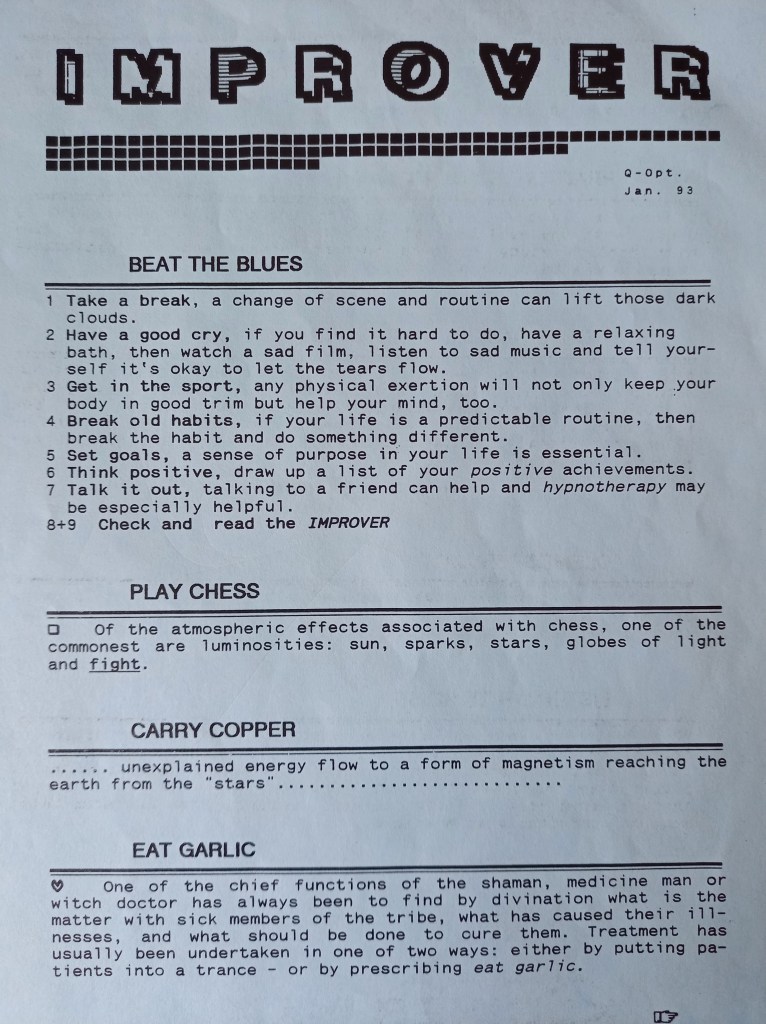
Improver Original Conceptbeat the bluesplay chesscarry coppereat garlicexerce meditationpractise runningrichte das bett nord südolemos brujalisten white noiseImprover 1-9
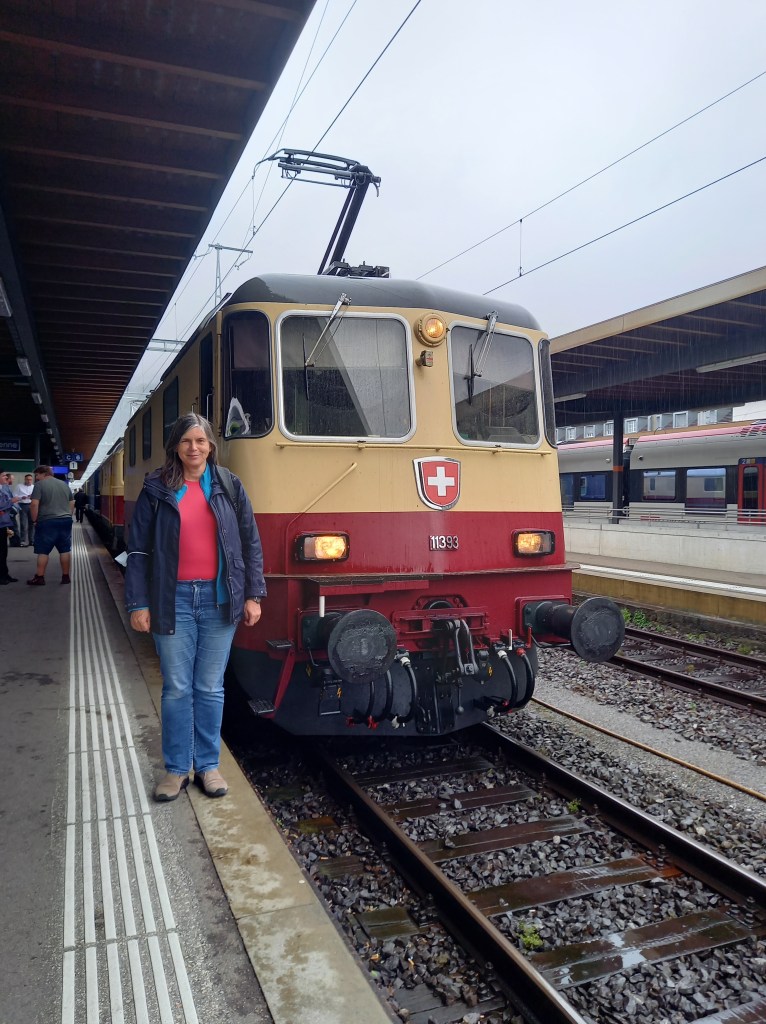
Lord of darkness white noiseCite du Train 2013Re 4/4 II 11393Re 4/4 II 11393TEE Train 2021SNCF Quadri-Courant CC 40110 NiceYoung and GoneCapitole CapitalAustria 2008Landscapes of a Planet PlanMYLife in PicturesTEE Gottardo RAe IIOLYMPUS DIGITAL CAMERAOLYMPUS DIGITAL CAMERAAustralia 10/02/2016TEE GottardoRheingold Sonderfahrt PosterSBB Katakomben 2015On SoundCloud
Holydays not from a Cat a log in Carinthia at August 2021
FalkensteinPörtschachWörtherseeWerzerParkhotelChurchLodgeMoosburgWalenseeCarinthia 2021 Austria
Second Edition of Cat a Log
Krumpendorf du hast uns wieder! (Gruss an den Pyramidenkogel)Neuhausen am RheinfallSchwarzach St. VeitFalkensteinArlbergbahn-TauernbahnKarl und michBeim Zockelwirt Pötschacher AlmStrandpromenade Pörtschach (Magnum Foto Edition von Silvia)Arrival
Mein Lieblingsfoto entstand am 31.8.2021 um 18 Uhr in der Wechselzone von Regen zu Wind und Sonne, die noch und noch ihr Handwerk aussendet.
bei Shamandra vor Klagenfurt Exotic TEE’s
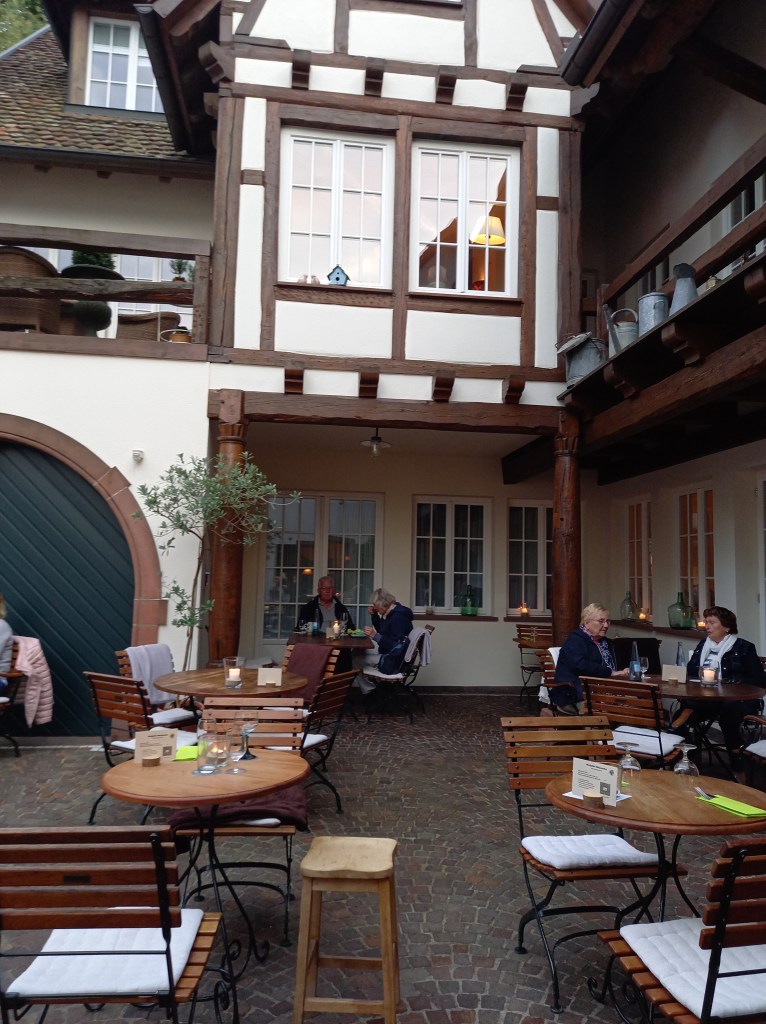
Badenweiler
Das herzhafte und feine Badenweiler trotzt den stürmischen Zeiten. – The hearty and fine Badenweiler defies the stormy times.
Das gute und edle Badenweiler trotzt in stürmischen Zeiten. – The good and noble Badenweiler defies stormy times.
Das gute und edle Badenweiler trotz in stürmischen Zeiten. – The good and noble Badenweiler despite in stormy times.
Badenweiler im Herbst 2021
Badenweiler is a health resort and spa in the Breisgau-Hochschwarzwald district of Baden-Württemberg, Germany, historically in the Markgräflerland. It is 28 kilometers by road and rail from Basel, 10 kilometers from the French border, and 20 kilometers from Mulhouse.
Badenweiler Town-Town
In the wellness oasis further information CASSIOPEIA THERME Thermal baths, sauna area, Roman-Irish bath & wellness oasis Soothing thermal water, a special kind of sauna pleasure, Roman bathing culture, international wellness offers – all of this makes the Cassiopeia Therme so unique.
Station to Station Train to Austriamy beloved sentimentMeiringen Park HotelTEE Gottardo and TEE Emmental IITEE Rainbow RisingZurich SeptemberAt Vienna Hotel Kummer MariahilfBadenweiler near SchwarzwaldGabriels Geburtstag 2011Bamberg 25.06.2012Magdalensberg, Austria 02.10.2022Austria 2024
Now here comes another one: VerySimpleXML – a lightweight, one-unit XML reader/writer in under 500 600 lines of code. Use it for small well-formed XML files (like configuration files, etc.).
We changed class name to reflect unit naming (class is now called TXmlVerySimple instead TVerySimpleXml) and to avoid single namespace conflict I set CL.AddClassN(CL.FindClass(‘TOBJECTlist’),’TXmlNodeListSimple’); and TXmlNodesimple to it:
procedure TXMLRederFormTreeView1Click(Sender: TObject);
var   Node:TXmlNodesimple; //TDOMNode;
      Item:TListItem;
      i:Integer;
begin
  Edit1.Text:=''; Edit2.Text:='';

  if not Assigned(TreeView1.Selected) then exit;
  Node:= TXmlNodesimple(TreeView1.Selected.Data);
  if not Assigned(Node) then Exit;

  Edit1.Text:=Node.NodeName;
  Edit2.Text:=Node.parent.nodename;
  ListView1.items.BeginUpdate;
  ListView1.Items.Clear;

  if Assigned(Node.Attributes) then
    for i:=0 to Node.Attributes.count-1 do begin
    //if node.ChildNodes.count = 0 then Exit;
       Item:=ListView1.Items.Add;
       TXMLAttribute(Node.attributes[i]).name;
       Item.Caption:= TXMLAttribute(Node.Attributes[i]).name;
       Item.SubItems.Add(TXMLAttribute(Node.Attributes[i]).Value);
       writeln(Node.text);
    end;
  ListView1.items.EndUpdate;
end;
VerySimpleXML supports just a subset of the XML specification
load and save from stream or file
nodes, childs and attributes
UTF-8 and ANSI encoding
compact output by setting Xml.Ident := ”;
method chaining
Parse, save and load files
procedure DoFill(AOwner:TTreeNode; Node:TXmlNodesimple {TDOMNode});
var i: integer;
    AItem:TTreeNode;
begin
  if not Assigned(Node) then exit;
  for i:= 0 to Node.ChildNodes.Count-1 do begin
     AItem:=TreeView1.Items.AddChild(AOwner,
                  TXMLNodesimple(Node.ChildNodes[i]).nodename);
     AItem.Data:= Node.ChildNodes.items[i];
     if not Assigned(TreeView1.Selected) then
       TreeView1.Selected:= AItem;
     DoFill(AItem, TXMLNodesimple(Node.ChildNodes[i]));
  end;
end;
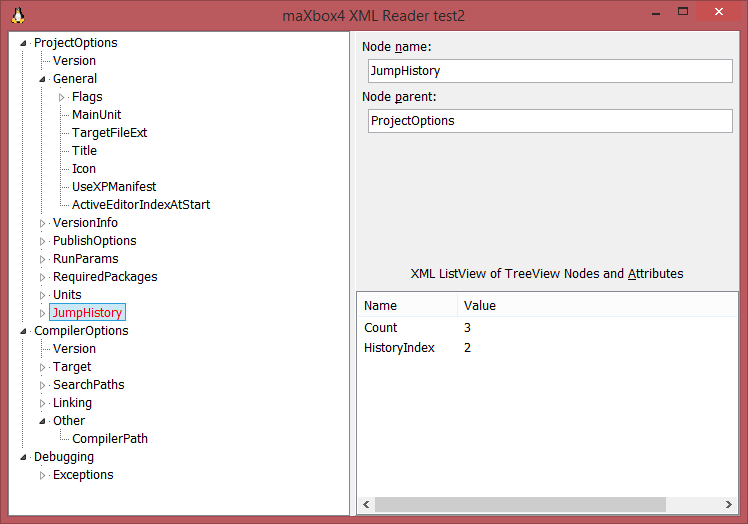
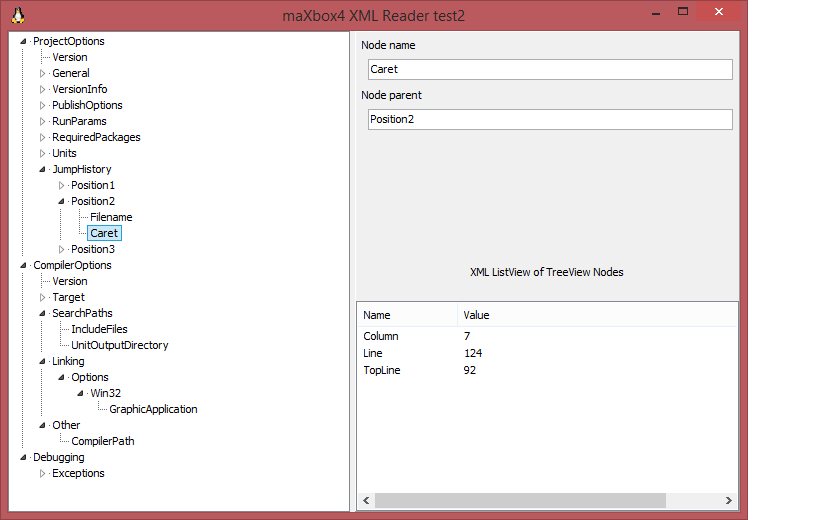
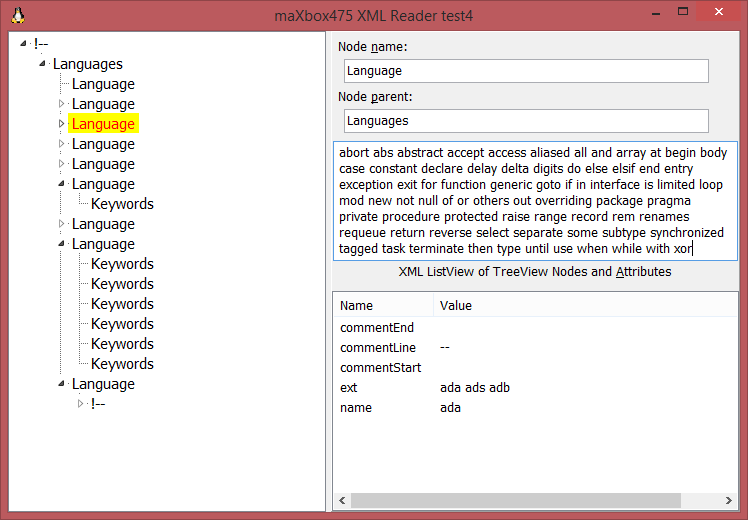
XML TreeView with Listview after and before Refactoring
XML-Spec for “well-formed” files requires the attributes wrapped in quotation marks. VerySimpleXML parses well even without them (if they consist of a single word).
The other non-XML-standard behavior of VerySimpleXML is the usage of the < and > tags inside an attribute or text: XML spec requires you to write < and > but VerySimpleXML parses well if wrapped in quotation marks.
Let’s take a look at the modified bookout.xml file:
<?xml version="1.0" encoding="UTF-8" ?>
<book>
  <name>A Song of Ice and Fire</name>
  <author>George R. R. Martin</author>
  <language>English</language>
  <genre>Epic fantasy</genre>
  <bookdetail>
    <author type="topseller">Kleiner, Al</author>
    <title lang="en">A big View</title>
  </bookdetail>
</book>
This is a simple XML document. You can understand the data, by just looking at the document.
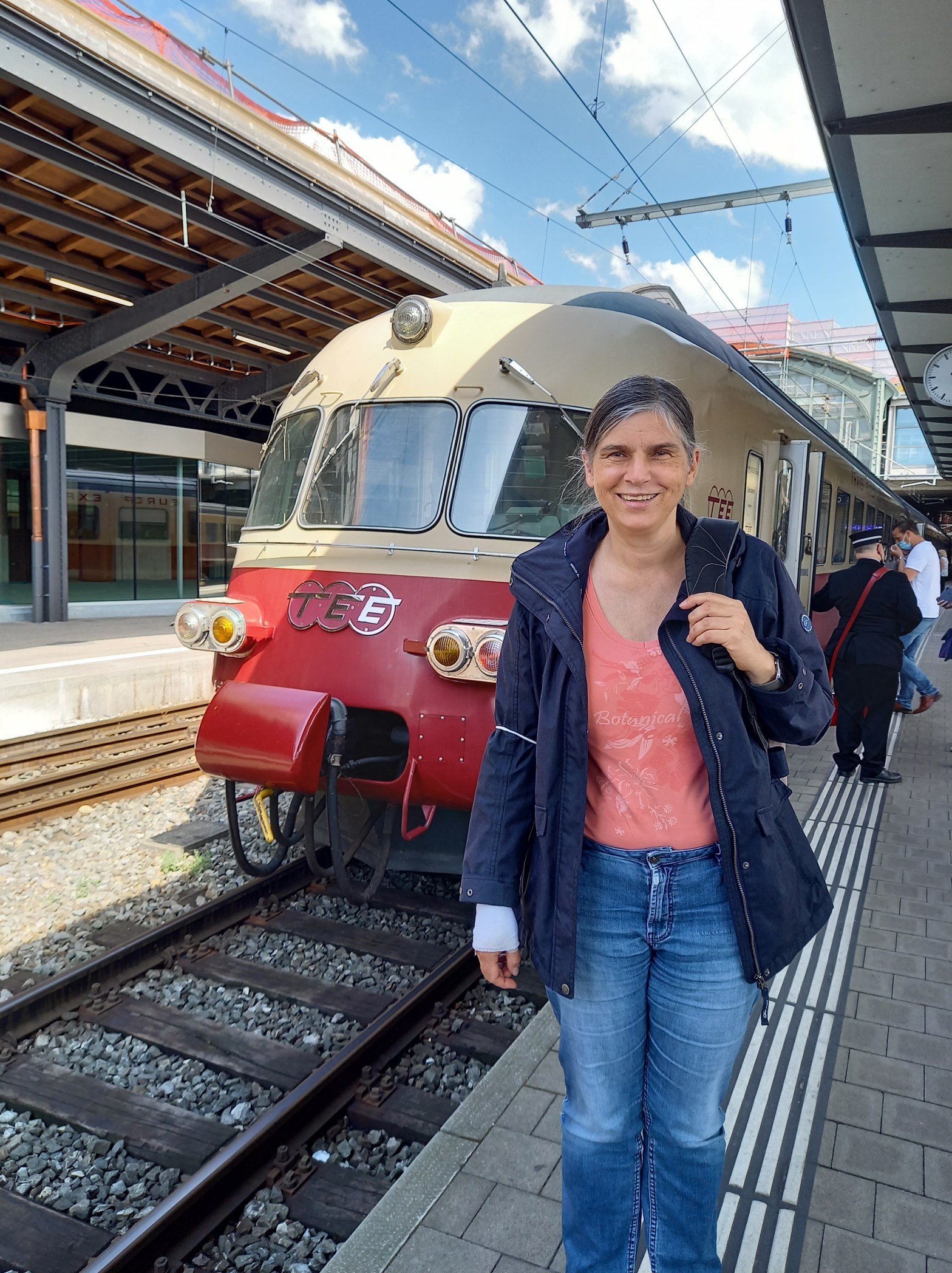
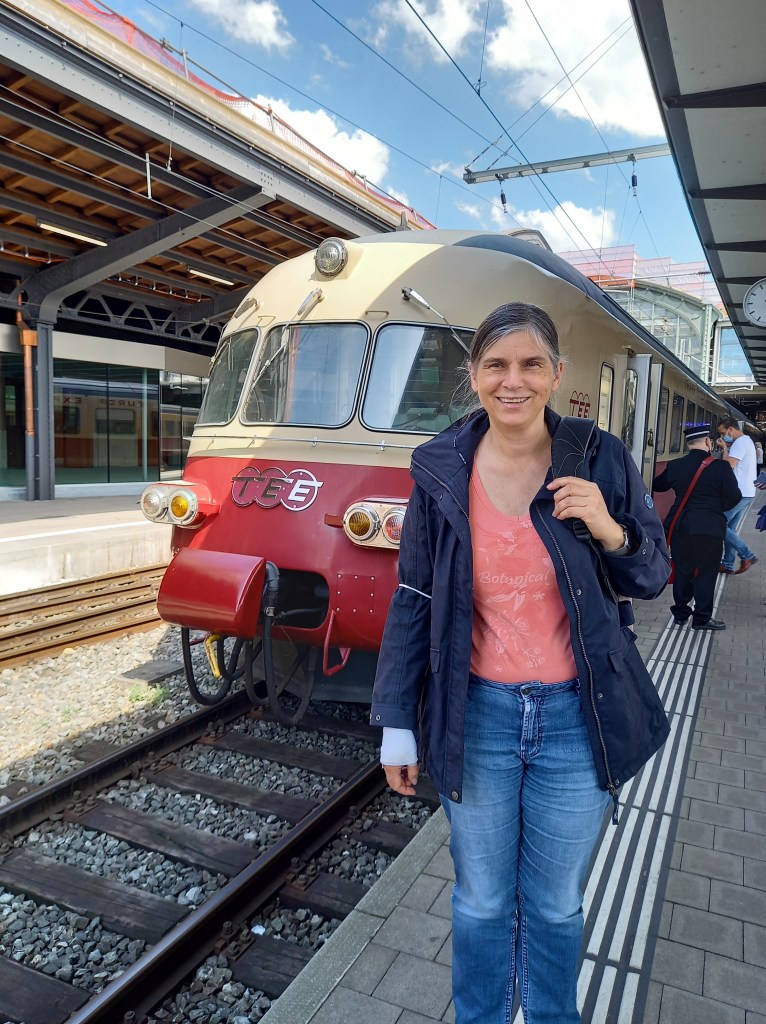
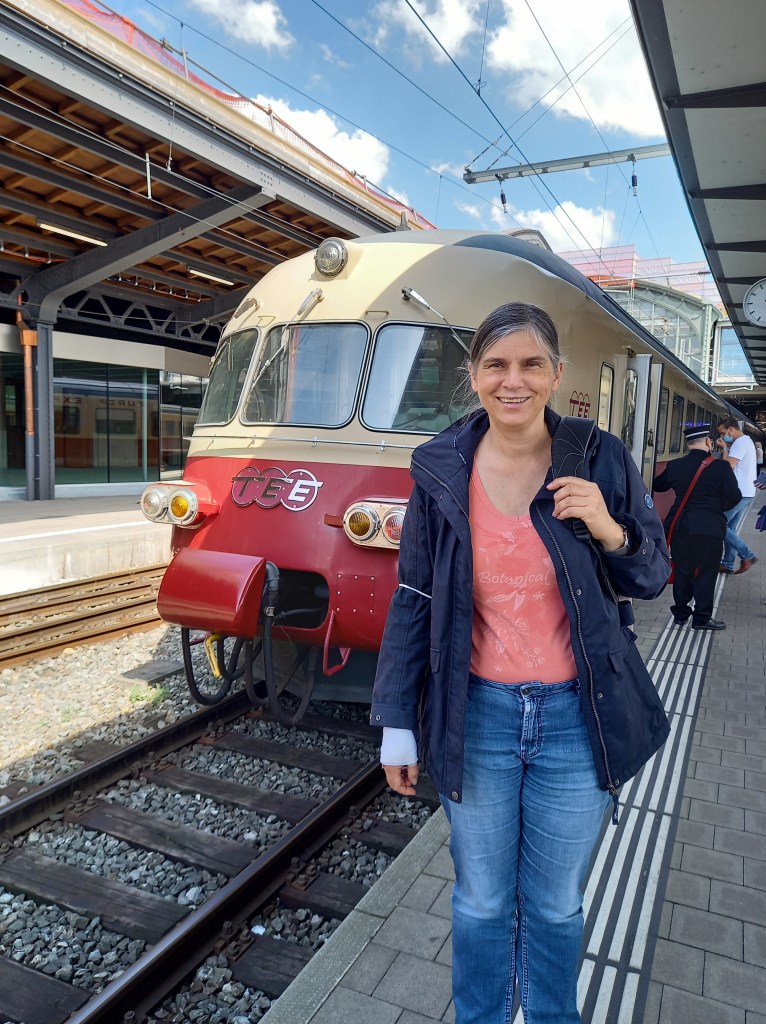
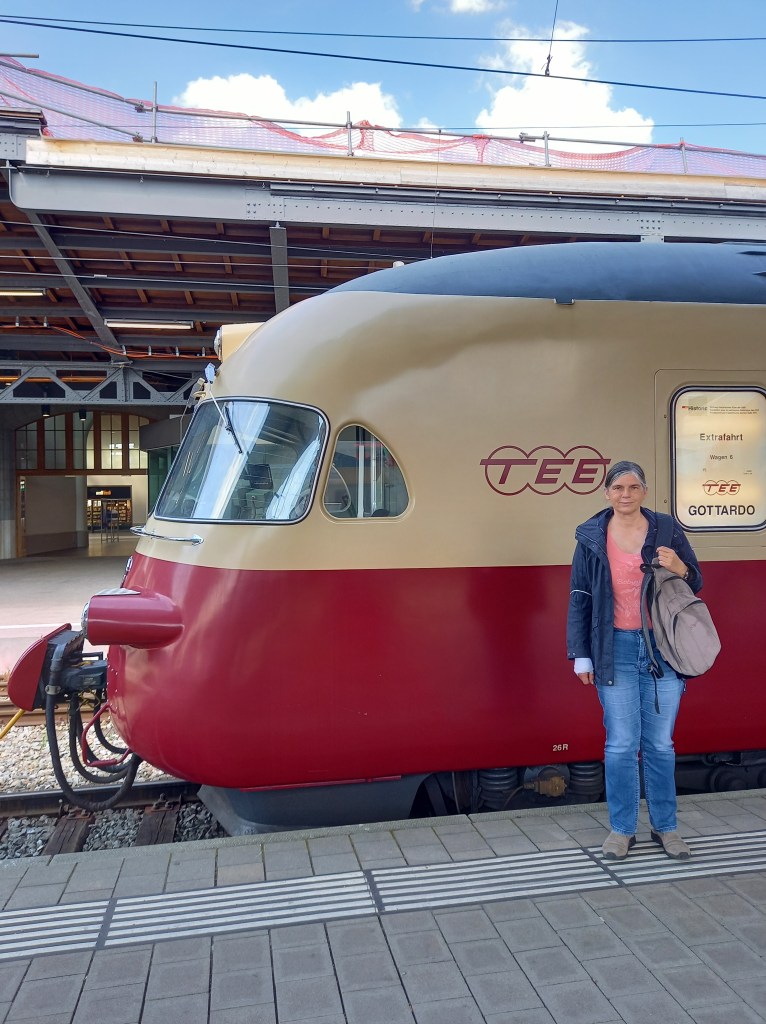
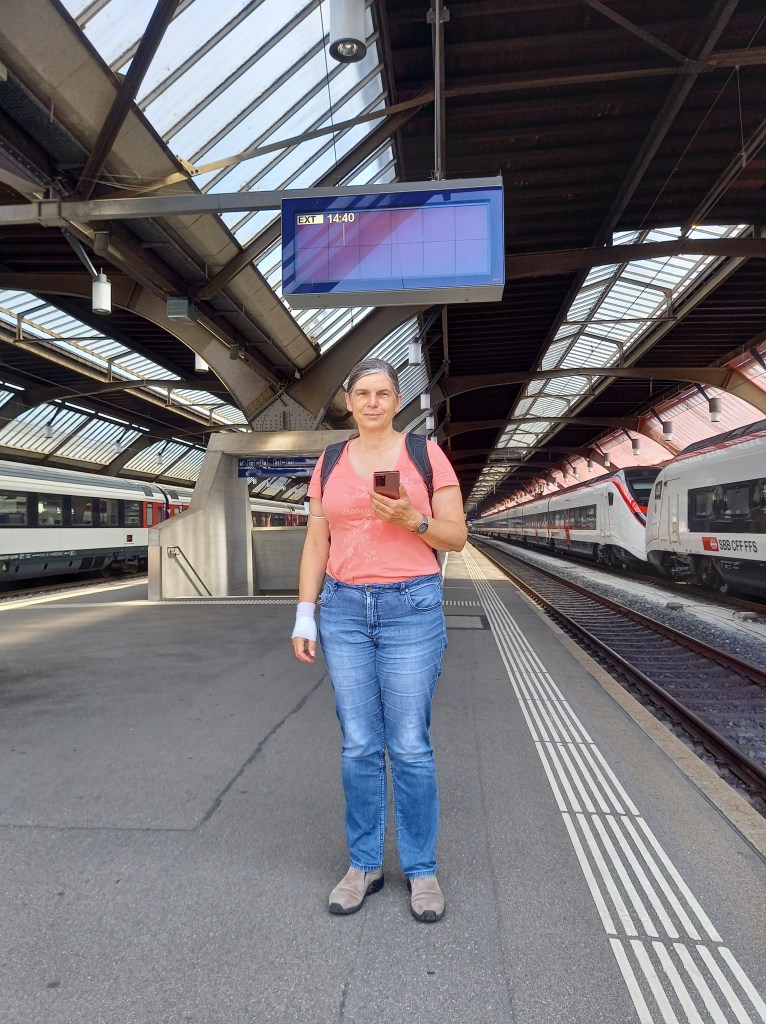
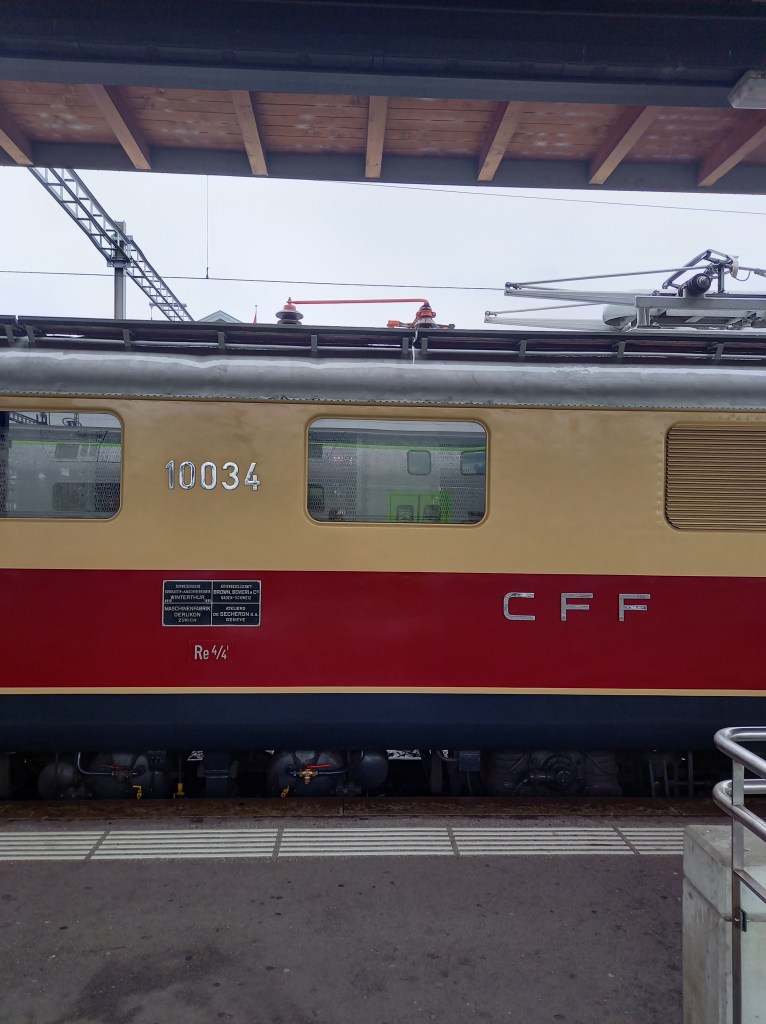
Historic train ride for the double anniversary of the RAe TEE II 1053 and SBB Historic The RAe TEE was not only the SBB’s most comfortable train – it was the only one with a separate ladies’ toilet with a make-up corner – it was also the first train in Europe that could run freely under all four electricity systems in Europe.
It also represented a high point of Swiss mechanical engineering and is celebrating its 60th anniversary this year. For the 60th birthday of the international luxury train RAe TEE II 1053, treat yourself to a round trip from Olten at the anniversary price. As in the past, you can refresh yourself at the bar or eat in the dining car.
26.06.2021
TEE Gottardo SBB Historic
TEE Reloaded
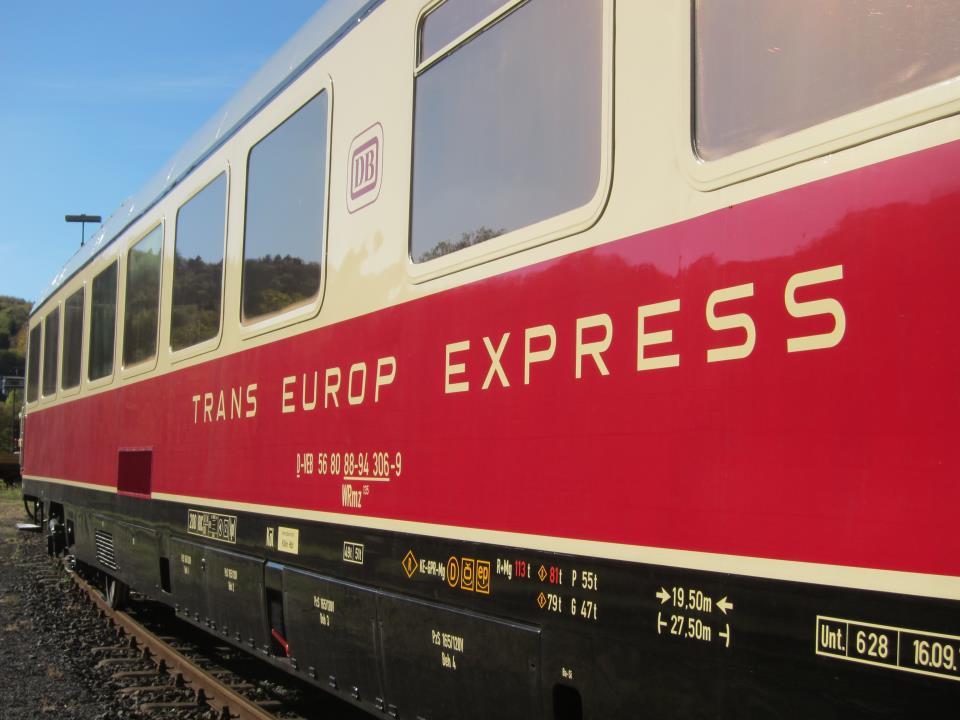
Those who are nostalgic about the railways will remember times long past – and everyone who also travels across borders by train should be happy: The once legendary Trans-Europ-Express (TEE) could come back. At least that is what Federal Transport Minister Andreas Scheuer (CSU) wants to initiate on Monday at the EU Transport Ministers’ Conference. This could make rail travel over long distances within Europe more attractive.
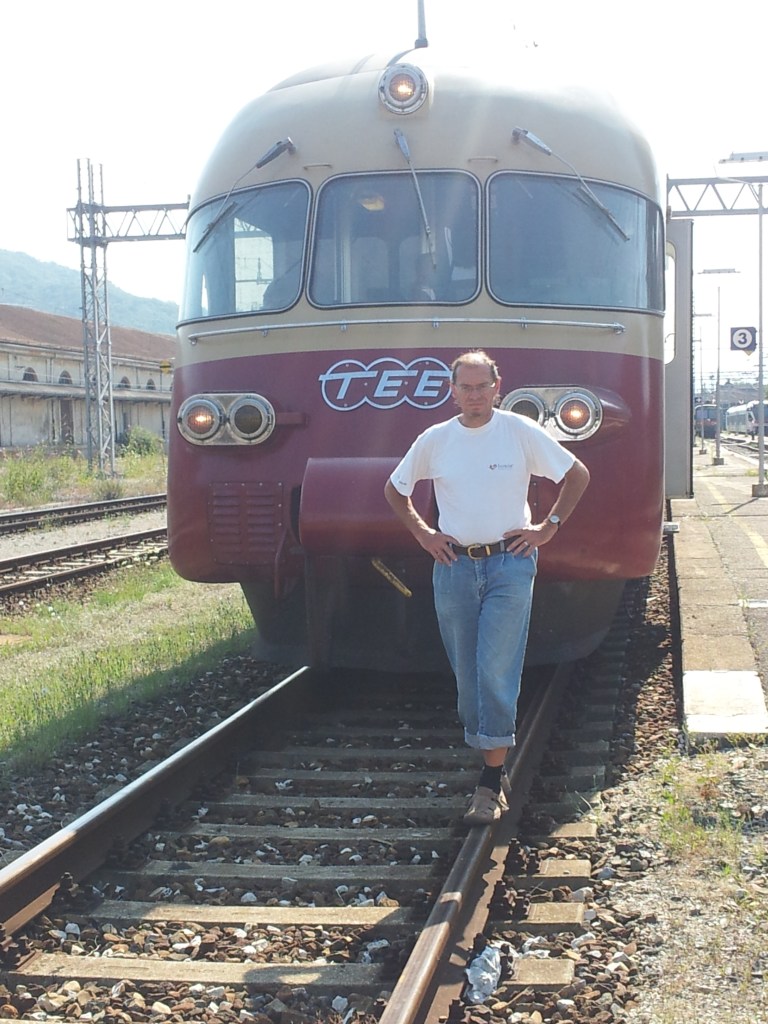
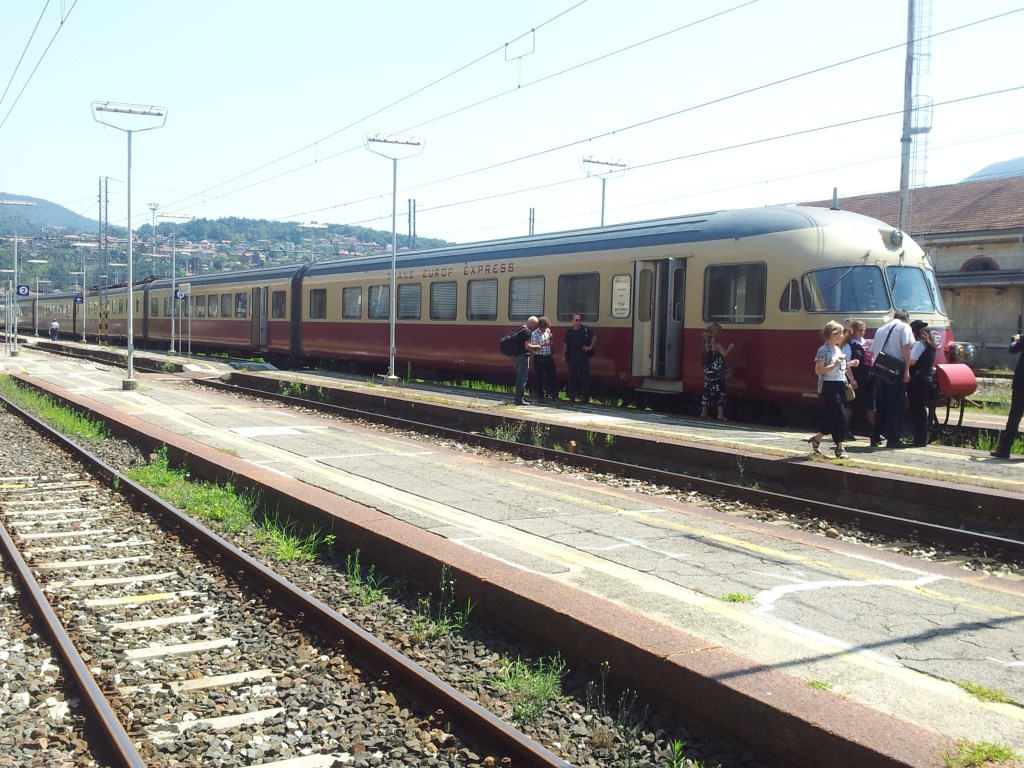
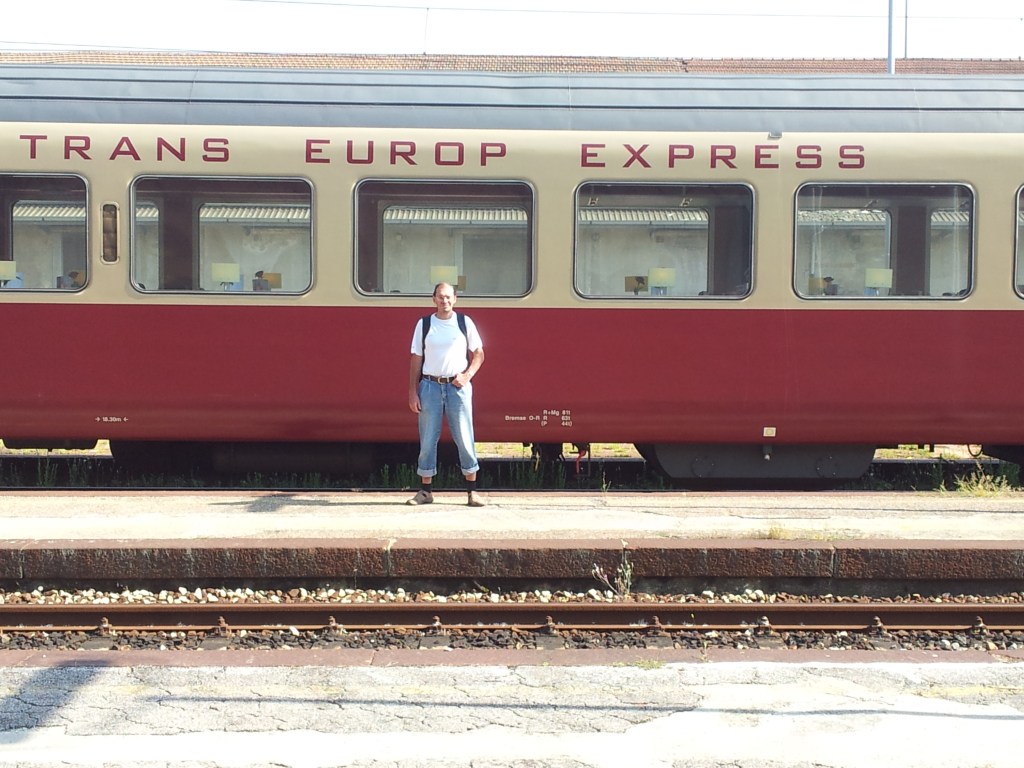
The system had already existed for 30 years, it was discontinued in 1987. The sets used consisted exclusively of air-conditioned first-class wagons, speeds of up to 200 kilometers per hour were possible on upgraded routes. The trains of the various European railway companies were painted uniformly in wine red and beige. TEE connections existed between the states of the European Economic Community as well as Austria and Switzerland. They were replaced by the not so comfortable Eurocity.
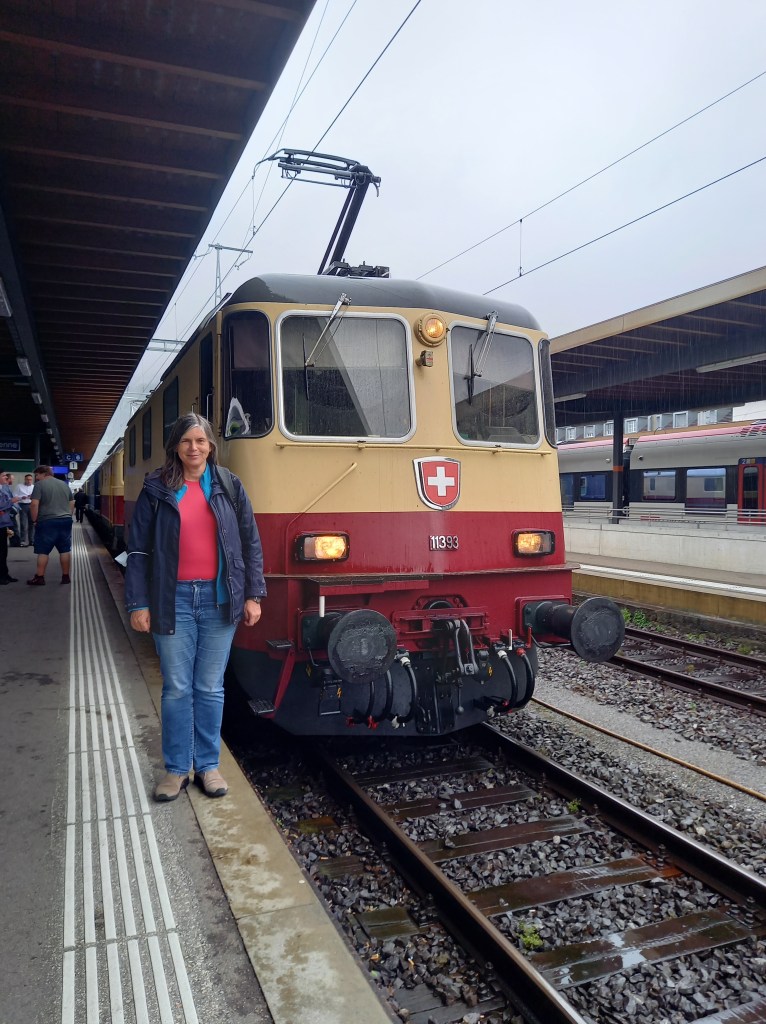
07.08.2021 TEE Emmental II
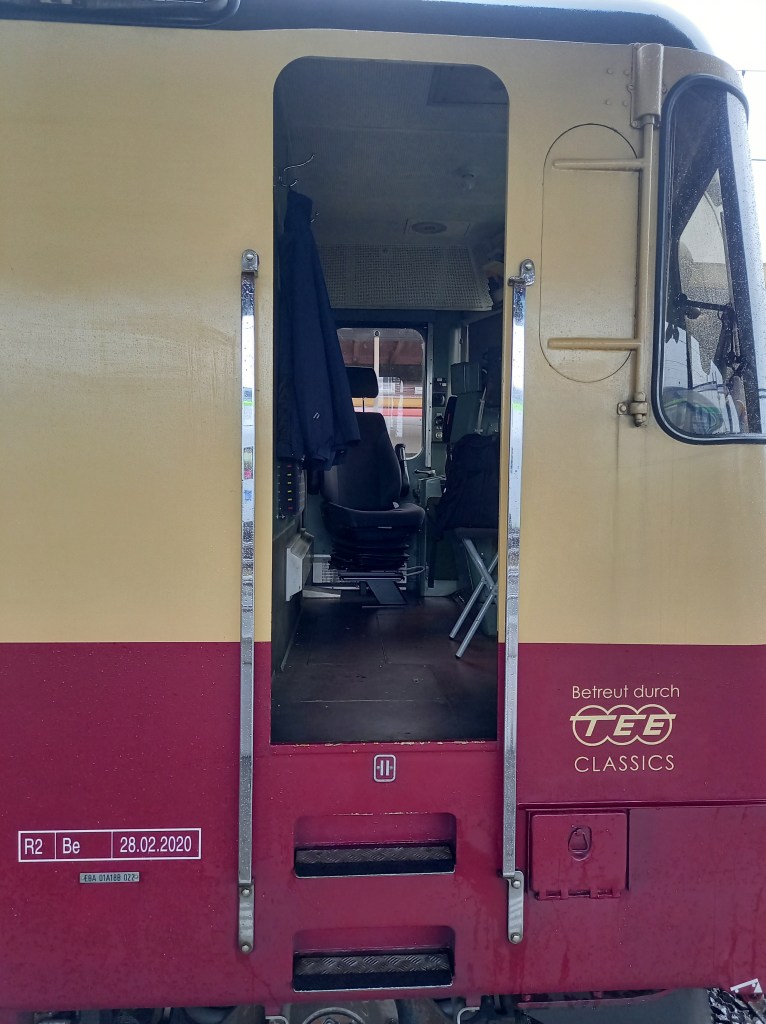
TEE Emmental II August 2021 Rainbow RisingRe 4/4 II Size and Resize
Kraftwerk’s minimalist 1976 tribute to the pleasure of long-distance train journeys will likely be familiar to music fans, but to a generation of Europeans, Trans Europe Express remains a byword for fast, luxurious international travel.
Replaced by the patchy and somewhat less glamorous EuroCity brand in 1987, the stylish red and ivory TEE trains were a response to the growth of air travel and the private car in the late 1950s.
RAm TEE Edelweiss Netherlands Transport Museum June 2022
In Nieuw-Vennep (the Netherlands) a ‘pop-up’ museum has been created with TRANSPORT as its theme. It is a consolidation of eleven groups all aiming to preserve heritage of forms of mobility They organised themselves as ‘Stichting Nederlands TransportMuseum’ in 2017.
maXbox Starter86 – Python for Delphi with Python4Delphi
In a future world you can decide belonging to SkyNet or Darknet, but you can not find the difference between an Android or Avatar cause humans doesn’t exist anymore.
Python for Delphi (P4D) is a set of free components that wrap up the Python DLL into Delphi and Lazarus (FPC). A DLL could be for example the ‘python37.dll’. They let you almost easily execute Python scripts, create new Python modules and new Python types. You can create Python extensions as DLLs and much more like scripting or automating your console. P4D provides different levels of functionality:
Low-level access to the Python API
High-level bi-directional interaction with Python
Access to Python objects using Delphi custom variants (VarPyth.pas)
Wrapping of Delphi objects for use in Python scripts using RTTI (WrapDelphi.pas)
Creating Python extension modules with Delphi classes, records and functions
Generate Scripts in maXbox from a Python engine.
P4D makes it, after some (tough) studies, very easy to use Python as a scripting language for Delphi applications. It also comes with an extensive range of demos and useful (video) tutorials.
So a very first simple approach is to call the Python dll without a wrapper or mapper e.g. call the copyright function:
Copyright (c) 2001-2019 Python Software Foundation. All Rights Reserved. Copyright (c) 2000 BeOpen.com. All Rights Reserved. Copyright (c) 1995-2001 Corporation for National Research Initiatives. All Rights Reserved. Copyright (c) 1991-1995 Stichting Mathematisch Centrum, Amsterdam. All Rights Reserved.
We also use to invoke a Python script as an embedding const and use the dll functionality of Import(‘PyRun_SimpleString’);
procedureInitSysPath;
var _path: PPyObject;
const Script =
‘import sys’ + sLineBreak+
‘sys.executable = r”%s”‘ + sLineBreak+
‘path = sys.path’ + sLineBreak+
‘for i in range(len(path)-1, -1, -1):’ + sLineBreak+
‘ if path[i].find(“site-packages”) > 0:’ + sLineBreak+
The best way to learn about how to use P4D is to try the extensive range of demos available. Also studying the unit tests for VarPyth and WrapDelphi can help understand what is possible with these two units and the main PythonEngine.pas.
Lets start with the VarPyth.pas unit.
This allows you to use Python objects like COM automation objects, inside your Delphi source code. This is a replacement, bugfixed of the former PythonAtom.pas that uses the new custom variant types introduced since Delphi6.
You may use these Python Variants in expressions just as you would any other Variants or automation e.g.:
var
a: Integer; v: Variant;
begin
v:= VarPythonEval(‘2 ** 3’);
a:= v;
The functions provided by this unit VarPyth.pas are largely self-explanatory.
What about the WrapDelphi.pas unit?
You can use P4D to create Python extension modules too that expose your own classes and functions to the Python interpreter. You may package your extension with setuptools and distribute it through PyPi. So if you have an existing object or unit in Delphi that you’d like to use in Python but you don’t want to modify that object to make it Python-aware, then you can wrap that object just for the purposes of supplying it to Python with a package.
Using TPyDelphiObject you can wrap any Delphi object exposing published properties and methods. Note that the conditional defines TYPEINFO and METHODINFO need to be on.
As an example, if you have an existing Delphi class simply called TRGBColor:
TRGBColor = class
private
fRed, fGreen, fBlue: Integer;
public
property Red: read fRed write fRed;
property Green: read fGreen write fGreen;
property Blue: read fBlue write fBlue;
end;
You want to use Color within some Python code but you don’t want to change anything about the class. So you make a wrapper inherited from TPyObject that provides some very basic services, such as getting and setting attributes of a Color, and getting a string representation:
function GetAttr(key: PChar): PPyObject; override;
function SetAttr(key: PChar; value:PPyObject): Integer; override;
function Repr: PPyObject; override;
end;
The project in the subdirectory Delphi generates a Python extension module (a DLL with extension “pyd” in Windows) that allows you to create user interfaces using Delphi from within Python. The whole VCL (almost and maybe) is wrapped with a few lines of code! The small demo TestApp.py gives you a flavour of what is possible. The machinery by which this is achieved is the WrapDelphi unit.
The subdirectory DemoModule demonstrates how to create Python extension modules using Delphi, that allow you to use in Python, functions defined in Delphi. Compile the project and run test.py from the command prompt (e.g. py test.py). The generated pyd file should be in the same directory as the Python file. This project should be easily adapted to use with Lazarus and FPC.
The subdirectory RttiModule contains a project that does the same as the DemoModule, but using extended RTTI to export Delphi functions. This currently is not supported by FPC.
The unit PythonEngine.pas is the main core-unit of the framework. You are responsible for creating one and only one TPythonEngine. Usually you just drop it on your main form. Most of the Python/C API is presented as member functions of the engine.
The P4D library provides a bidirectional bridge between Delphi and Python. It allows Delphi applications to access Python modules and run Python scripts. On the other side it makes Delphi/Lazarus objects, records, interfaces, and classes accessible to Python, giving Python the ability to use this methods.
Before you try the demos please see the Wiki topic “How Python for Delphi finds your Python distribution” at
You will need to adjust the demos accordingly, to successfully load the Python distribution that you have installed in your PC, e.g. C:\Users\max\AppData\Local\Programs\Python\Python36\.
PythonEngine: The core of Python for Delphi. Provides the Python API with dll mapper and runtime configuration.
VarPyth: VarPyth wraps Python types as Delphi custom variants.
WrapDelphi: Uses RTTI (in a DLL) so you can use Delphi objects from Python without writing individual wrapper classes or methods.
TPythonGUIInputOutput: Provides a Python console you can drop on a form and execute a Python script from a memo.
The TPythonEngine class is the single global engine block shared by all Python code. VarPyth wraps Python types as Delphi custom variants. VarPyth requires at least Delphi v6.
This Tutorials folder contains text and video, webinar tutorials accompanied with slides and demo source code. Next time I’ll show a few bidirectional demos with implementation details.
Demo01  A simple Python evaluator
Demo02  Evaluate a Python expression
Demo03  Defining Python/Delphi vars
Demo04  Defining Python/Delphi vars (advanced case)
Demo05  Defining a new Module
Demo06  Defining a new Type
Demo07  Using Delphi methods as Python functions
Demo08  Using Delphi classes for new Python types
Demo09  Making a Python module as a Dll
Demo10_FireDAC Database demo using FireDAC
Demo11  Using Threads inside Python
Demo16  Using a TDelphiVar or Module methods
Demo17  Using variant arrays of 2 dimensions
Demo19  C++ Builder: this is a replicate of the Delphi Demo05
Demo20  C++ Builder: this is a replicate of the Delphi Demo08
Demo21  Using Events in TPythonModule or TPythonType
Demo22  Using Threading, Windows Console and Command line arguments
Demo23  Using Threading and Delphi log window
Demo25  Using VarPyth.pas
Demo26  Demo8 revisited to allow the new Python type to be subclassed
Demo27  Container indexing
Demo28  Iterator
Demo29  Using Python Imaging Library (PIL)
Demo30  Using Named Parameters
Demo31  Using WrapDelphi to access Delphi Form attributes
Demo32  Demo08 revisited using WrapDelphi
Demo33  Using Threads inside Python
Demo34  Dynamically creating, destroying and recreating PythonEngine.
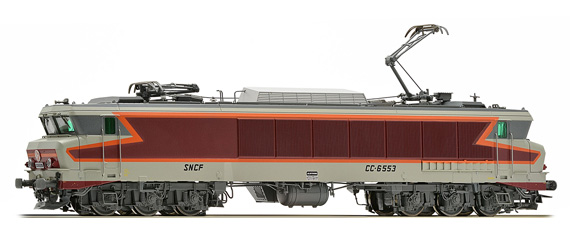
CC 6500
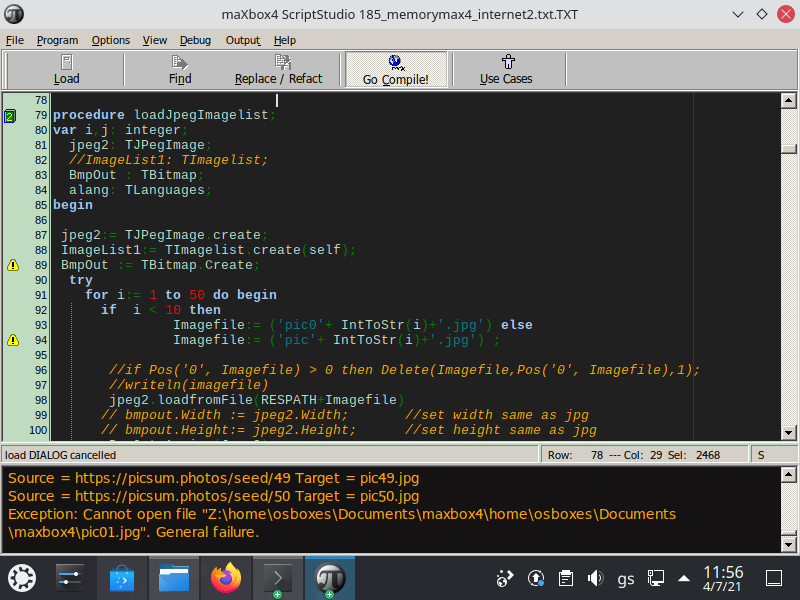
PyRun() in maXbox
To run python code direct in a maXbox or whatever script you need to import just 3 DLL functions, above all PyRun_SimpleStringFlags :
This is a simplified interface to PyRun_SimpleString leaving the PyCompilerFlags* argument set to NULL.
It depends on your Python Installation, Module-Settings and Path-Environment. Then we can invoke line by line Python commands, e.g. write a text-file on a storage and close the file:
1234567891011
ifisDLLOnSystem(PYDLLPATH+PYDLLNAME) thenbeginshowmessage('py dll available'); writeln(getCR)pyinit();writeln(itoa(pyrun('import sys'))); writeln(itoa(pyrun('print("this is box")'))); writeln(itoa(pyrun('f=open(r"C:\maXbox\mX47464\maxbox4\test.txt","w")')));writeln(itoa(pyrun('f.write("Hello PyWorld_, \n")')));writeln(itoa(pyrun('f.write("This data will be written on the file.")'))); writeln(itoa(pyrun('f.close()')));
maXbox Starter 82_2 – How to make a Sentiment Analysis, Max Kleiner
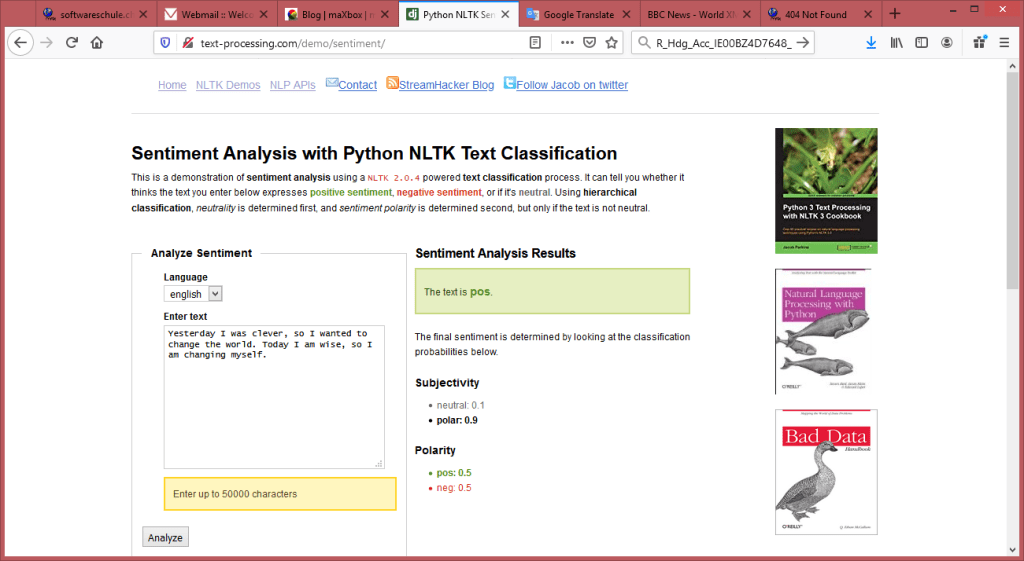
“Yesterday I was clever, so I wanted to change the world. Today I am wise, so I am changing myself.” – Rumi
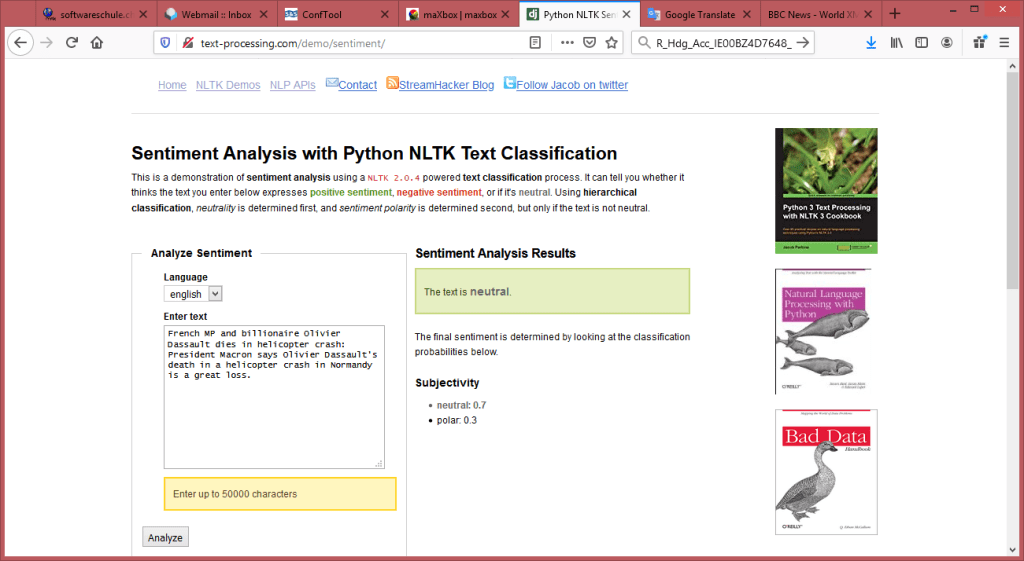
As you way know, we went through the last magazine report on the BBC News feed, line by line in a maXbox shellbook; now we want to equip and enlarge these texts with a sentiment analysis like the following:
11: French MP and billionaire Olivier Dassault dies in helicopter crash:
Sun, 07 Mar 2021 20:04:17 GMT
{"probability": {"neg": 0.46705201547833042, "neutral": 0.81510771060379195, "pos": 0.53294798452166958}, "label": "neutral"}
So the label shows neutral in the middle of possibilities. The english sentiment uses classifiers trained on both twitter sentiment as well as movie reviews from the data sets. The dutch and french sentiment is based on book reviews. Because of the nature of the text and its categories, the classification we will be doing is a form of sentiment analysis or opinion mining. If the classifier returns pos, then the text expresses a positive sentiment, whereas if we get neg, then the text expresses a negative sentiment.
Web API
This procedure of discovering and classifying opinions expressed in a piece of text (like comments/feedback text/news feed in our case) is called the sentiment analysis. The intended output of this analysis would be to determine whether the producers mindset toward a topic, product, headline or service etc., is in most cases neutral, positive, or negative. Lets get started with the use of this API:
Const
  URLSentimentAPI2='http://text-processing.com/api/sentiment/';

//Our text lines are based on the BBC-News Feed:

  BBCFeed = 'http://feeds.bbci.co.uk/news/world/rss.xml';
To call the API we use a late binding OLE Automation from . The text-processing.com API is a simple JSON over HTTP web service for text mining and natural language processing. It is currently free and open for public use without authentication or login, but could be changed in the future. As of JSON we use the delphi4json library to parse the return.
A 503 Throttled response will be returned if you exceed the daily request limit. Using async = false in Open() is not always recommended, but for a few small requests this can be OK. Remember that the script will NOT continue to execute, until the server response is ready. If the server is busy or slow, the application will hang or stop. Anyway we open our XMLhttpObject (which is late binding) as not asynchronous, that is to say, synchronous because we just post a single block of data with send().
The send() method (XMLhttp.Send();) needs more explanation: send() accepts an optional parameter which lets you specify the requests body; this is primarily used for requests such as PUT or POST. If the request method is GET or HEAD, the body parameter is ignored and the request body is set to null. I’m not sure if the content-type is the right (text or application), the MIME media type for JSON text is application/json and the default encoding is UTF-8. (Source: RFC 4627). {content-type: application/json; charset=utf-8}
To analyze some text, we do an HTTP POST to our API with form encoded data containing the text we want to analyze. We get back a JSON object response with 2 attributes label and probability which we parse with a JSON object (more of that in the next number):
with TJson.create() do begin
    clear;
    parse(response);
    cnode:= JsonObject.items[0].name;  //'probability'
    writeln(itoa(JsonObject.count));
    writeln('prob:
            '+values[cnode].asObject.values['neutral'].asstring);
    writeln('result: '+(values['label'].asstring));
    free;
  end;
2 prob: 0.854074272795421 result: neutral
As you may see many of the most commonly used words pr phrases are insignificant when it comes to discerning the meaning of a phrase. For example, in the phrase the movie was terrible, the most significant words are movie and terrible, while the and was are almost useless. You could get the same meaning if you took them out, that is, movie terrible or terrible movie. Either way, the sentiment is the same. Another approach is to measure the sentiment of face feelings with 3 flavors: Joy, Sadness and Anger or Disbelief, but that’s kind of research.
Our quote from above results in: Sentiment of: “Yesterday I was clever, so I wanted to change the world. Today I am wise, so I am changing myself”. {“probability”: {“neg”: 0.375, “neutral”: 0.091, “pos”: 0.624}, “label”: “pos”} statuscode: 200
Sentiment Tester
The NLTK (Natural Language Toolkit) is a leading platform for building Python or API programs to work with human language data. It provides easy-to-use interfaces to over 50 corpora and lexical resources such as WordNet and many others.
Conclusion: This is a demonstration of sentiment analysis using a NLTK 2.0.4 powered text classification process with msxml2.xmlhttp and TJson objects. It can tell you whether it thinks the text you enter below expresses positive sentiment, negative sentiment, or if it is neutral. The feedback results will be more accurate on text that is similar to original training data. If you get an odd result, it could be the words you have used are unrecognized. Try entering more words or blocks to improve accuracy. Note that the public API is for non-commercial purposes, and each method is throttled to 1000 calls per day per IP.
You may also test the same context with different languages, the default language is english, but this API also supports dutch and french, but dont forget to change the language in the API call:
Trump’s false election fraud claims face a dead end {“probability”: {“neg”: 0.52, “neutral”: 0.64, “pos”: 0.47}, “label”: “neutral”} Trumps falsche Wahlbetrugsansprüche stehen vor einer Sackgasse Trump’s valse verkiezingsfraudeclaims lopen dood Les fausses allégations de fraude électorale de Trump font face à une impasse {“probability”: {“neg”: 0.33, “neutral”: 0.46, “pos”: 0.66}, “label”: “pos”} Trump’s valse verkiezingsfraudeclaims lopen dood {“probability”: {“neg”: 0.48, “neutral”: 0.72, “pos”: 0.51}, “label”: “neutral”}
function GetBlogStream8Sentiment(const S_API, pData: string;
                                        astrm: TStringStream): TStringStream;
begin
  sr:='text='+HTTPEncode(pData)+CRLF;
  sr:= sr+'language=english';
  if HttpPostURL(S_API, sr, astrm) then
     result:= astrm;
end;
Code Case
50 Years of Pascal
Niklaus Wirth published the paper “The programming language Pascal” in March 1971, which means it is exactly 50 years this month since the Pascal programming language was officially launched.
The renowned computer scientists celebrated the anniversary by writing a very interesting viewpoint article for Communications of the ACM (March 2021, Vol. 64 No. 3, Pages 39-41) and titled 50 Years of Pascal.
Reading json data in maXbox could be easy. Json data can be read from a file or it could be a json web link. Let us first try to read the json from a web link.
Conclusion: JSON (JavaScript Object Notation) is a lightweight data-interchange format. It is easy for humans to read and write. It is easy for machines to parse and generate.
Random Number Generator
A random number generator is a routine that produces a sequence of numbers that would pass statistical or probabilistic tests for randomness. To be really strict, routines that generate random numbers are said to be pseudorandom number generators (often abbreviated to PRNG) to differentiate them from true random number generators that rely on some kind of random events happening at a quantum level.
type
  TStRandomBase = class
    private
    protected
      function rbMarsagliaGamma(aShape   : double) : double;
      function rbMontyPythonNormal : double;
    public
      {uniform distributions}
      function AsFloat : double; virtual; abstract;
      function AsInt(aUpperLimit : integer) : integer;
      function AsIntInRange(aLowerLimit : integer;
                            aUpperLimit : integer) : integer;

      {continuous non-uniform distributions}
      function AsBeta(aShape1, aShape2 : double) : double;
      function AsCauchy : double;
      function AsChiSquared(aFreedom : integer) : double;
      function AsErlang(aMean  : double;
                        aOrder : integer) : double;
      function AsExponential(aMean : double) : double;
      function AsF(aFreedom1 : integer;
                   aFreedom2 : integer) : double;
      function AsGamma(aShape : double; aScale : double) : double;
      function AsLogNormal(aMean   : double;
                           aStdDev : double) : double;
      function AsNormal(aMean   : double;
                        aStdDev : double) : double;
      function AsT(aFreedom : integer) : double;
      function AsWeibull(aShape : double;
                         aScale : double) : double;
  end;

  TStRandomSystem = class(TStRandomBase)
    private
      FSeed : integer;
    protected
      procedure rsSetSeed(aValue : integer);
    public
      constructor Create(aSeed : integer);
      function AsFloat : double; override;
      property Seed : integer read FSeed write rsSetSeed;
  end;
Often, in conversation, people use the term random when they really mean arbitrary. When one asks for an arbitrary number, one is saying that one doesn’t really care what number one gets: almost any number will do. By contrast, a random number is a precisely defined mathematical concept: every number should be equally likely to occur. A random number will satisfy someone who needs an arbitrary number, but not the other way around.
The first test is the simplest: the uniformity test. This is the one we were discussing earlier. Basically, the random numbers we generate are going to be checked to see that they uniformly cover the range 0.0 to 1.0. We create 100 buckets, generate 1,000,000 random numbers, and slot them into each bucket. Bucket 0 gets all the random numbers from 0.0 to 0.01, bucket 1 gets them from 0.01 to 0.02, and so on. The probability of a random number falling into a particular bucket is obviously 0.01. We calculate the chi-square value for our test and check that against the standard table, using the 99 degrees of freedom line.
{===Helper routines==============================================}
function GetRandomSeedX : integer;
var
  Hash : integer;
  SystemTime: TSystemTime;
  G : integer;
begin
  {start with the tick count}
  Hash := integer(GetTickCount);

  {get the current time}
  GetLocalTime(SystemTime);

  {hash in the milliseconds}
  Hash := (Hash shl 4) + SystemTime.wMilliseconds;
  G := Hash and Integer($F0000000);
  if (G <> 0) then
    Hash := (Hash xor (G shr 24)) xor G;

  {hash in the second}
  Hash := (Hash shl 4) + SystemTime.wSecond;
  G := Hash and Integer($F0000000);
  if (G <> 0) then
    Hash := (Hash xor (G shr 24)) xor G;

  {hash in the minute}
  Hash := (Hash shl 4) + SystemTime.wMinute;
  G := Hash and Integer($F0000000);
  if (G <> 0) then
    Hash := (Hash xor (G shr 24)) xor G;

  {hash in the hour}
  Hash := (Hash shl 3) + SystemTime.wHour;
  G := Hash and Integer($F0000000);
  if (G <> 0) then
    Hash := (Hash xor (G shr 24)) xor G;

  {return the hash}
  Result := Hash;
end;
{===============================================================}
(Current theories state that quantum events are truly random. The time of the decay of a radioactive atom into its byproducts cannot be predicted; all we can say is that there is a certain probability that it will decay within a certain period of time, and we can estimate that probability by observing the decay of many, many atoms.)
File Size Proof
The FileSize test monitors the file size of each of the files specified as parameters to the test. The current size of the file in Kilobytes and alerts can be generated when a file exceeds a predefined maximum size.
function FileGetSizeX(const FileName: string): Int64;
{$ifndef fpc}
var FileInfo: TSearchRec;
{$endif}
begin
{$ifdef fpc}
  Result:= FileUtil.FileSize(FileName);
{$else}
  // from LCL FileUtil code
  FileInfo.Name:= Filename;
  FileInfo.FindHandle:= {Windows.}FindFirstFile({Windows.}{LPTSTR}
                              (FileInfo.Name),FileInfo.FindData);
  if FileInfo.FindHandle={Windows.}Invalid_Handle_value then begin
    Result:=-1;
    Exit;
  end;
  Result:= (int64(FileInfo.FindData.nFileSizeHigh)
                Shl 32)+ FileInfo.FindData.nFileSizeLow;
  {Windows.}FindCloseW(FileInfo.FindHandle);
{$endif}
end;
Whether you need to hide your recent activity on a computer or if you need to synchronize file dates, using this routine is the best way to adjust the creation, access, or modification dates and times of files or folders.
//The structure is as follows : (taken from Win32 Reference Guide)

(*typedef struct _WIN32_FIND_DATA { // wfd
    DWORD dwFileAttributes;
    FILETIME ftCreationTime;
    FILETIME ftLastAccessTime;
    FILETIME ftLastWriteTime;
    DWORD    nFileSizeHigh;
    DWORD    nFileSizeLow;
    DWORD    dwReserved0;
    DWORD    dwReserved1;
    TCHAR    cFileName[ MAX_PATH ];
    TCHAR    cAlternateFileName[ 14 ];   *)

//http://docwiki.embarcadero.com/Libraries/Sydney/en/System.SysUtils.TSearchRec

function FileGetSizeX(const DirBase, extension: string): Int64;
{$ifndef fpc}
var FileInfo: TSearchRec; srlist: TStringlist;
    timestamp, createdate: Tdatetime; tcompare: integer;
{$endif}
begin
{$ifdef fpc}
  Result:= FileUtil.FileSize(FileName);
{$else}
  //from maXbox4FileUtil code
   srlist:= FindAllFiles(DirBase,extension,true) //true:recursive
   for it:= 0 to srlist.count-1 do begin
     FileInfo.Name:= srlist.strings[it]; //filename;
     FileInfo.FindHandle:= {Win.}FindFirstFile({Win.}
                    {LPTSTR}(FileInfo.Name),FileInfo.FindData);
     if FileInfo.FindHandle={Win.}Invalid_Handle_value then
     begin
       Result:=-1;
       Exit;
     end;
     Result:=(int64(FileInfo.FindData.nFileSizeHigh)
                Shl 32)+ FileInfo.FindData.nFileSizeLow;
     timestamp:=
          FileTimeToDateTime(fileinfo.finddata.ftLastWriteTime);
     createdate:=
          FileTimeToDateTime(fileinfo.finddata.ftCreationTime);
     tcompare:= CompareDateTime(timestamp, createdate)

     {Win.}FindCloseW(FileInfo.FindHandle);
    // FileDateToDateTime(fileinfo.time);
    writeln(itoa(it+1)+ ': '+srlist.strings[it]+
       ' sz:'+inttostr64(result)+ ' dt:'+
          datetostr(timestamp)+'
                cr:'+datetostr(createdate)+':'+itoa(tcompare));
   end;
   srlist.Free;
{$endif}
end;
While programming file handling, especially changing file date and time, I used the function FindFirst() to get the filehandle, in which one of the arguments is of type TSearchRec.
This component has the property FindData., of type TWin32FindData. Unfortunately, on-line help would not provide the properties of TWin32FindData, while using a watch on this component shows that there must be quite some properties as listed above.
Word Count Routine
Not so trivial but almost blameable. Knowing the wordcount of a text can be important. For example, if an author has to write a minimum or maximum amount of words for an article, essay, report, story, book, paper, you name it. A Routine will help to make sure its wordcount reaches a specific requirement or stays within a certain limit.
function WordCount3(const S:String; const WordDelims:TCharSet):
                                                          Integer;
var sLen, i: integer;
begin
  Result:= 0; i:= 1;
  sLen:= Length(S);
  writeln('debug '+itoa(slen))
  while i <= sLen-1 do begin
    while (i <= sLen) and CharInSet(S[i],WordDelims) do Inc(i);
    if i <= sLen then Inc(Result);
    while not(i >=sLen) and Not isCharInSet(S[i],WordDelims) do
          Inc(i);
  end;
end;
In writing a story, recommended word counts only really come into play when you’re weighing up your publishing options. For example, literary magazines typically have strict limits to the length of short stories they will print. After all, they have a limited number of pages for each issue (and their editors only have so many hours in the week to edit manuscripts).
Cologne
Model Appendix
model = ARIMA(differenced, order=(7,0,1)) model_fit = model.fit() model_fit.summary()
Let’s bring out the seasonality a little bit by creating lag-plots of the the current average monthly temperature against time-lagged values of itself, for various months. Here are the lag-plots:
Scatter plots of average monthly temperature against lagged versions of itself
Gamma is the learning rate and the higher the value of gamma the more precise the decision boundary would be. C (regularization) is the penalty of the fault tolerance. Having a larger C will lead to smaller values for the slack variables. This means that the number of support vectors will decrease. When you run the prediction, it will need to calculate the indicator function for each support vector. Now we train (fit) the samples:
In the last step we predict a specific digit from the test set (only the last 10 samples are unseen), means we pass an actual image and SVC makes the prediction of which digit belongs to the image:
you can choose the testimage by yourself -6 means the 6.th last of the dataset.
     ISO  Rank2020        FR_Country  Rank 2019 Score 2019
     ISO  Rank2020        FR_Country  Rank 2019 Score 2019
120  NOR         1           Norvège          1       7,82
53   FIN         2          Finlande          2        7,9
44   DNK         3          Danemark          5       9,87
150  SWE         4             Suede          3       8,31
119  NLD         5          Pays-Bas          4       8,63
80   JAM         6          Jamaïque          8      11,13
37   CRI         7        Costa Rica         10      12,24
27   CHE         8            Suisse          6      10,52
122  NZL         9  Nouvelle-Zélande          7      10,75
The story of a parcel tracing (from 9.2- 25.2) analysis:
If you want to ask post.ch the response from the remote server was:
550 #5.1.0 Address rejected.
25. Feb 2021 12:11 Erfolgreiche Zustellung
Voraussichtliche Zustellung
am 25.02.2021 zwischen 11.00 und 15.00 Uhr
23. Feb 2021 11:35 Beladung
23. Feb 2021 11:30 Zollfreigabe
16. Feb 2021 14:55 Weiterleitung zur Exportbearbeitung
16. Feb 2021 14:55 Entladung
16. Feb 2021 14:55
11. Feb 2021 7:34 Beladung
10. Feb 2021 23:39 Weiterleitung zur Exportbearbeitung
9. Feb 2021 18:41 Weiterleitung zur Exportbearbeitung
9. Feb 2021 16:06 Filiale / Agentur
9. Feb 2021 16:45 Sendungsnummer angegeben
Dienstag, 23. Februar 2021 12:00 Datenübermittlung durch Versender 11:35 Sendung wurde sortiert und weitergeleitet 897000 CH-8970 Urdorf EO
Dienstag, 16. Februar 2021 14:55 Verzollungsprozess 897000 CH-8970 Urdorf EO 14:55 Ankunft Bestimmungsland 897000 CH-8970 Urdorf EO Donnerstag, 11. Februar 2021 07:34 Abgang Grenzstelle Aufgabeland IFS Speyer
16. Feb 2021 14:55 Weiterleitung zur Exportbearbeitung

16. Feb 2021 14:55 Entladung

11. Feb 2021 7:34 Beladung

10. Feb 2021 23:39 Weiterleitung zur Exportbearbeitung

9. Feb 2021 18:41 Weiterleitung zur Exportbearbeitung

9. Feb 2021 16:06 Filiale / Agentur

9. Feb 2021  16:45  Sendungsnummer angegeben
Transportation to destination country/destination area.
Destination country/region: Switzerland
International shipment number: CY542939469DE Th, 11.02.2021, 07:34 hours NOTE: As soon as the shipment arrives in the destination country/destination area, you will receive updated information in the detailed tracking history.
Tu, 16.02.2021, 14:55
Shipment is prepared for customs clearance in the destination country/destination area
Tu, 16.02.2021, 14:55 The shipment has arrived in the destination country/destination area Th, 11.02.2021, 07:34, Speyer, Germany The shipment will be transported to the destination country/destination area and, from there, handed over to the delivery organization. (Homepage / online shipment tracking: http://www.post.ch) We, 10.02.2021, 23:39, Speyer, Germany The international shipment is being prepared for onward transport. Tu, 09.02.2021, 18:41, Rüdersdorf, Germany The international shipment has been processed in the parcel center of origin Tu, 09.02.2021, 16:06 The shipment has been posted by the sender at the retail outlet
“Love comes unseen; we only see it go.” – Henry Austin Dobson
The Fundamentals 5 Code Library is a big toolbox for Delphi and FreePascal.
What I appreciate the most in this library are the main utilities for network and internet. This utilities (Utils) it provides involve math, statistic, unicode routines and data structures for classes similarly to how users would find them in a big framework. In this way, testing-routines helps ensure your tests and give you confidence in your code.
Our Test Directory includes detailed information, guides and references for many of our tests. This includes test and result codes, specimen collection requirements, specimen transport considerations, and methodology. Concerning a documentation of the Fundamentals library, the most is detailed direct in code with a revision history and supported compilers. There are also tools like DiPasDoc which we can use to generate API documentation from comments in sources. Those are free and generates HTML as well as CHM. A very useful online docu has been built and hosted gratefully in the meantime but not finished yet:
David J. Butler is also the author of the Zlib version of PASZLIB which is based on the zlib 1.1.2, a general purpose data compression library. The ‘zlib’ compression library provides in-memory compression and decompression functions, including integrity checks of the uncompressed data. This version of the library supports only one compression method (deflation) but other algorithms will be added later and will have the same stream interface.
Similarly to for example the Indy or Jedi library, we can specify the class name, test name number of samples (measurements) to take and number of operations (iterations) the code will be executed. Most of the operations are not overload but has a strong name like that:
function GetEnvironmentVariableA(const Name: AnsiString): AnsiString; function GetEnvironmentVariableU(const Name: UnicodeString): UnicodeString; function GetEnvironmentVariable(const Name: String): String; {$IFDEF UseInline}inline;{$ENDIF}
Whats nice is that when you pass an empty name or something invalid as the actual parameter of samples, most of the names or buffers will be initialized and checked or fill out with a proper default name on its own. So the Fundamentals Library includes:
String, DateTime and dynamic array routines
Unicode routines
Hash (e.g. SHA256, SHA512, SHA1, SHA256, MD5)
Integer (e.g. Word128, Word256, Int128, Int256)
Huge Word, Huge Integer
Decimal (Decimal32, Decimal64, Decimal128, HugeDecimal and signed decimals)
Random number generators
Ciphers (symmetric: AES, DES, RC2, RC4; asymmetric: RSA, Diffie-Hellman)
Data structures (array and dictionary classes)
Mathematics (Rational number, complex number, vector, matrix, statistics)
JSON parser
Google protocol buffer parser, utilities and Pascal code generator
Socket library (cross platform - Windows and Linux) TLS Client, TLS Server
TCP Client, TCP Server, HTTP Client, HTTP Server, HTML Parser and XML Parser.

https://github.com/fundamentalslib/fundamentals5/
https://github.com/maxkleiner/fundamentals5
I did open another fork on github to document my adapted scripting units. Another advantage is the use of test-procedure with assertions. It implements the Assert procedure to document and enforce the assumptions you must make when writing code. Assert is not a real procedure. The compiler handles Assert specially and compiles the filename and line number of the assertion to help you locate the problem should the assertion fail.
On Github
Assert is not a real procedure. The compiler handles Assert specially and compiles the filename and line number of the assertion to help you locate the problem should the assertion fail. The syntax is like:
If you write a simple script program and distribute it to each computer, you can have the users start the tests on their own by running the script with a list of asserts.
If the test condition fails the SysUtils unit sets this variable to a procedure that raises the EAssertionFailed exception. By the way dont comment an assert like that
Then you want to write more assert system information to a log file for analyzing problems during installation, debugging, tests and de-installation or app distribution like that:
10/01/2018 19:31:54 V:4.6.2.10 [max] problem occurred in initializing MCI. [at: 3275216pgf; mem:1247492] 14/01/2018 17:15:18 V:4.7.2.30 [max] MAXBOX8 Out Of Range. [at: 2607048pgf; mem:1082444] 14/01/2018 17:15:21 V:4.7.2.40 [max] MAXBOX8 Out Of Range. [at: 2605716pgf; mem:1080012] 16/01/2018 09:18:00 V:4.7.5.20 [max] MAXBOX8 List index out of bounds (456). [at: 2913700pgf; mem:1157700]
Another way is to prevent call errors as a mistaken precondition of false assumption in a procedure you designed. This pre- and post-condition can handle a lot of errors. An example should make this clear. A TStack object has a method called Pop to remove the topmost data object from the stack.
If the stack is empty, I count calling Pop as a programming mistake: you really should check for the stack being empty in your program prior to calling Pop. Of course Pop could have an if statement within it that did this check for you, but in the majority of cases the stack wont be empty when Pop is called and in the majority of cases when you use Pop, you will have some kind of loop in your program which is continually checking whether the stack is empty or not anyway. In my mind having a check for an empty stack within Pop is safe but slow.
So, instead, Pop has a call to an Assert procedure at the start (activated by the DEBUG compiler define) that checks to see whether the stack is empty. Here is the code for Pop:
  function TStack.Pop : pointer;
    var
      Node : PNode;
    begin
      {$IFDEF DEBUG}
        Assert(not IsEmpty, ascEmptyPop);
      {$ENDIF}
      Node := Head^.Link;
      Head^.Link := Node^.Link;
      Pop := Node^.Data;
      acDisposeNode(Node);
    end;
As you see, if DEBUG is set the Assert procedure checks whether the stack is empty first, if not it executes the code that pops the data object off the stack. If the stack is empty an EEZAssertionError exception is raised (the constant ascEmptyPop is a string code for a string-table resource). If DEBUG is not set the code runs at full speed.
So log the steps and compare test procedures before installation: The location of the update can be a local, UNC or network path to compare it. When you need Admin Rights you can try this:
ExecuteShell(‘cmd’,’/c runas “/user:Administrator” ‘+ ExePath+’maXbox4.exe’) or C:> net user Administrator /active:yes
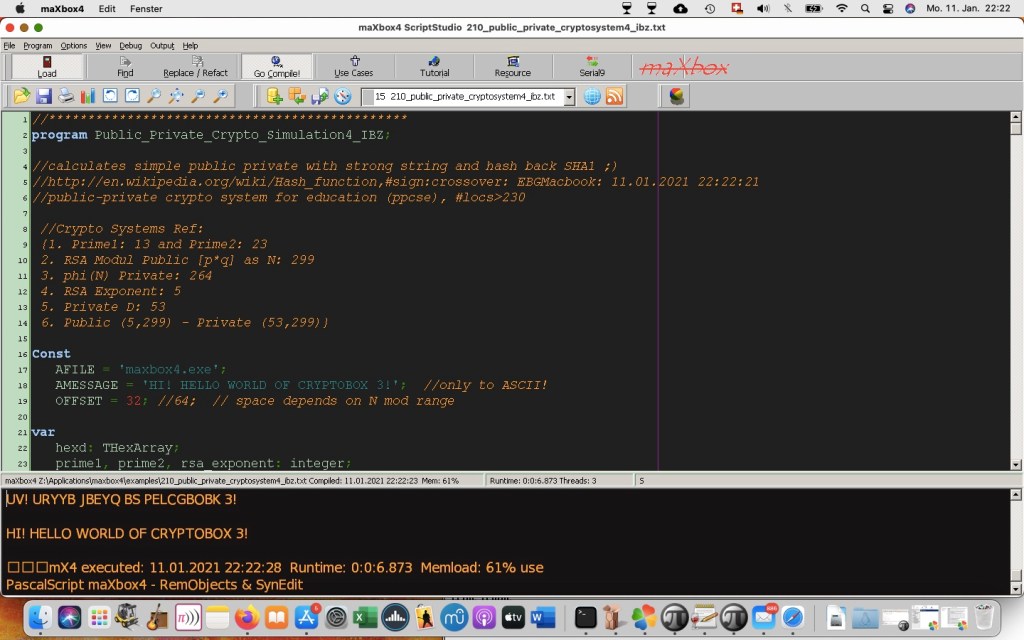
After you have finishing and writing the script, the next and final step is select “Go Compile” in maXbox. What this does is create a complete, ready-to-run Setup program based on your script. By default, this is created in a directory named Exepath under the directory or UNC path containing the script or what destination you need.
function GetInstallScript(const S_API, pData: string): string;
var ts: TStrings;
begin
 with TIdHTTP.create(self) do begin
  try
   ts:= TStringList.Create
   ts.Add('install='+HTTPEncode(pData));
   result:= Post(S_API,ts);
  finally
   ts.Free;
   Free;
  end;
 end
end;
The big step comes with unit tests with setup and tear down. Generic “Assert This” Assertion Procedure means that most generic assertion program simply says “assert this” and passes a Boolean expression. It is used by all the other assertion routines, which construct a Boolean expression from their specific values and logic. Unit testing is a way of testing the smallest piece of code referred to as a unit that can be logically isolated in a system. It is mainly focused on the functional correctness of standalone modules.
A unit can be almost anything you want it to be – a specific piece of functionality, a program, or a particular method within the application:
procedure InitUnit_HugeCardinalTestCases; begin //TestFramework.RegisterTest( THugeCardinal_TestCase.Suite) THugeCardinal_TestCaseSetUp; end;
procedure DoneUnit_HugeCardinalTestCases; begin THugeCardinal_TestCaseTearDown end;
Conclusion: The proper way to use Assert in the Fundamentals Lib is to specify conditions that must be true in order for your code to work correctly. Assert(StrMatches(‘abcd’, ‘abcde’, 1)=true, ‘StrMatches’); All programmers make assumptions about internal state of an object or function, the value or validity of a subroutine’s arguments, or the value returned from a function. A good way to think about assertions is that they check for programmer errors, not user errors!
My 7 Steps for maintainable code: • Maintain separation of concerns (avoid unnecessary dependencies) • Fully qualified unit names to be used: Winapi.Windows not Windows • Code format to be consistent with LIB source • Do not put application-specific implementations in general code libraries • Carefully consider modification to common code – the way to proceed • No hints (instant code review fail) and No warnings • Keep code small – avoid long methods and should be broken down
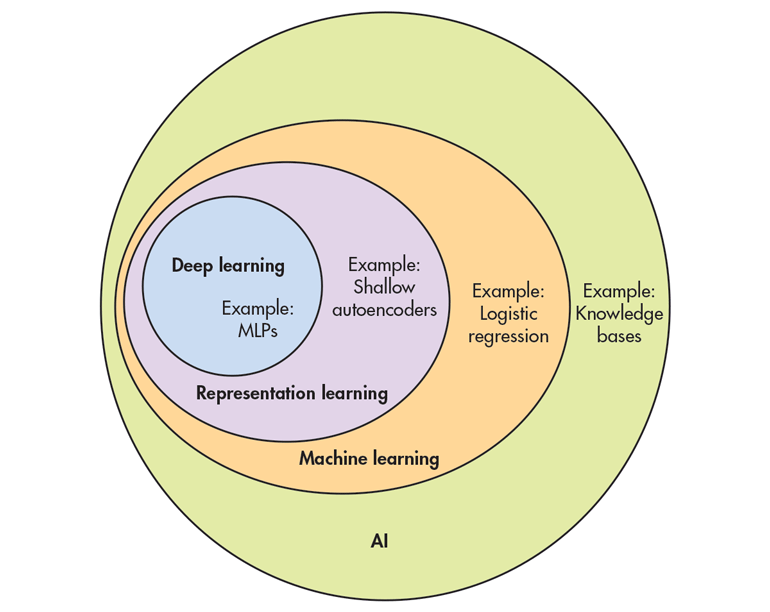
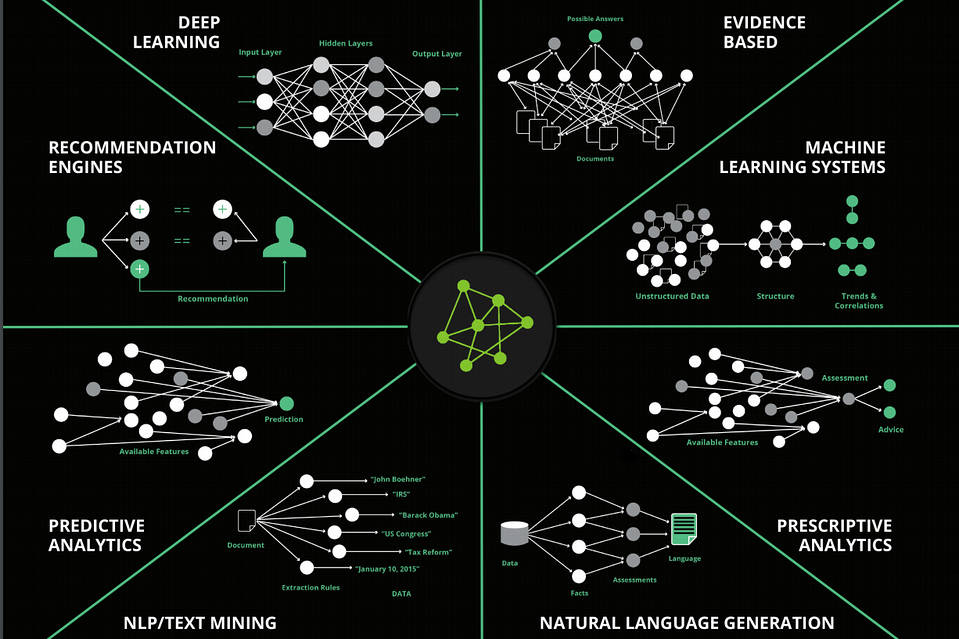
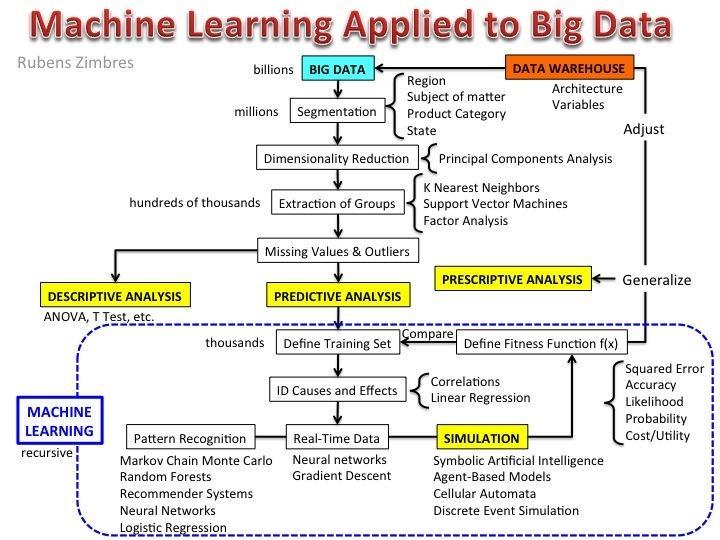
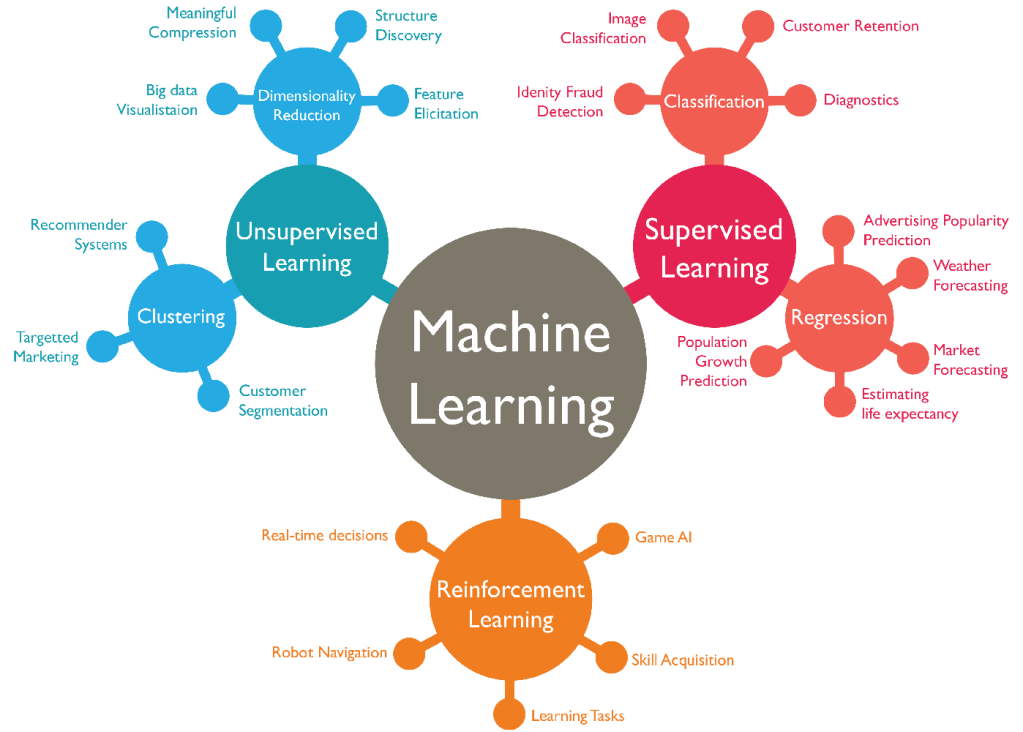
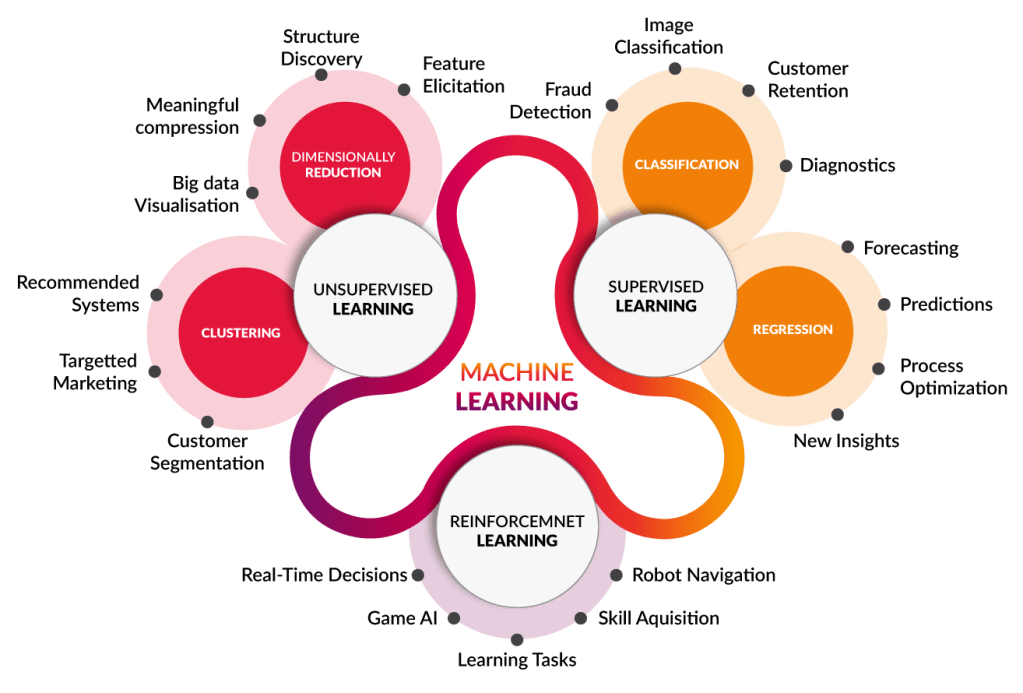
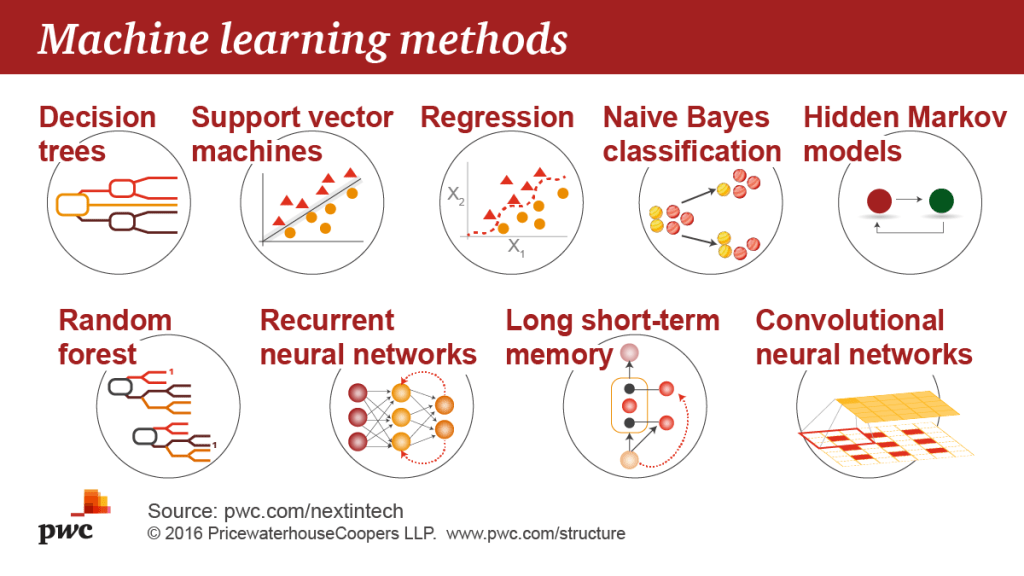
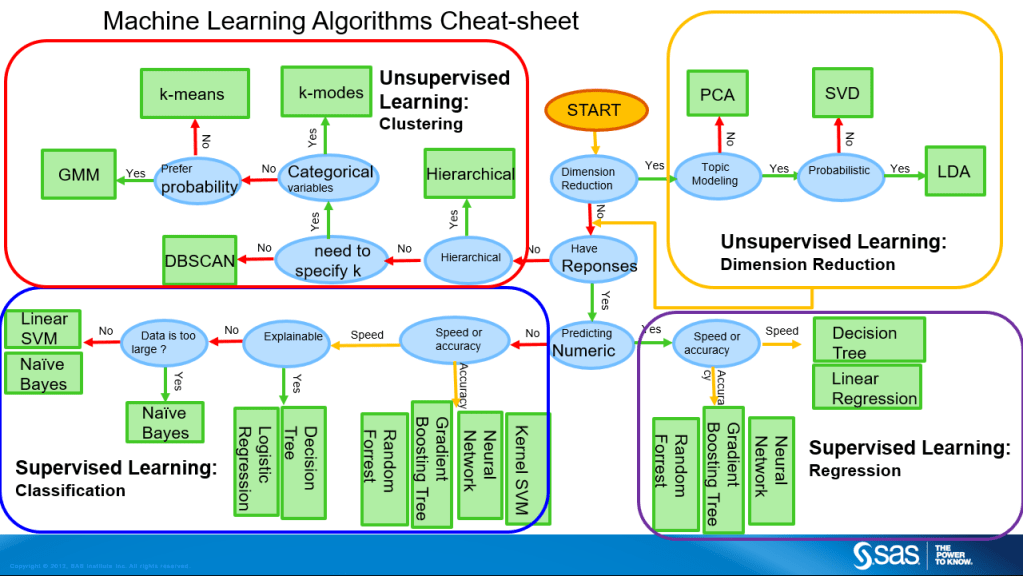
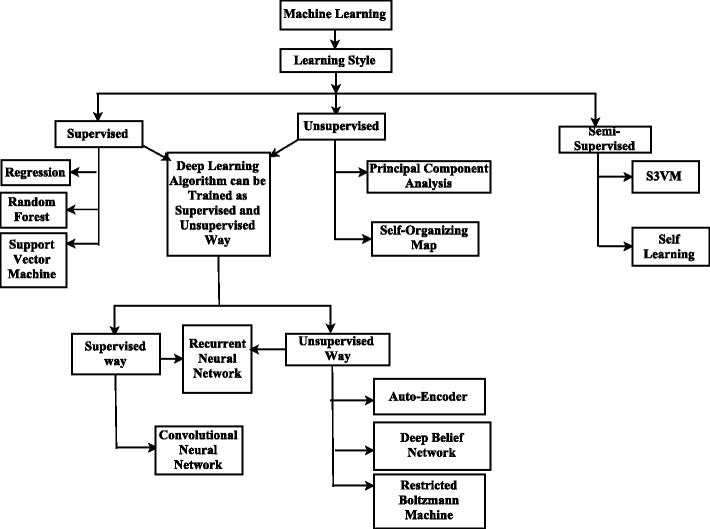
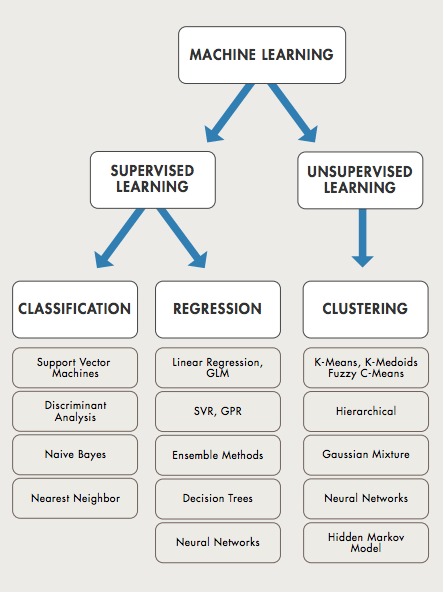
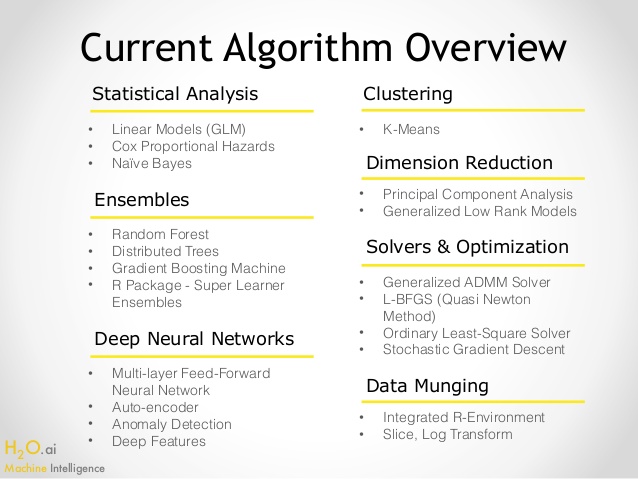
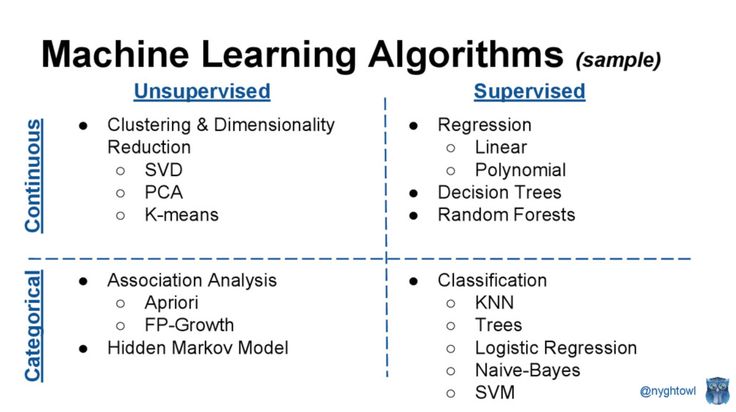
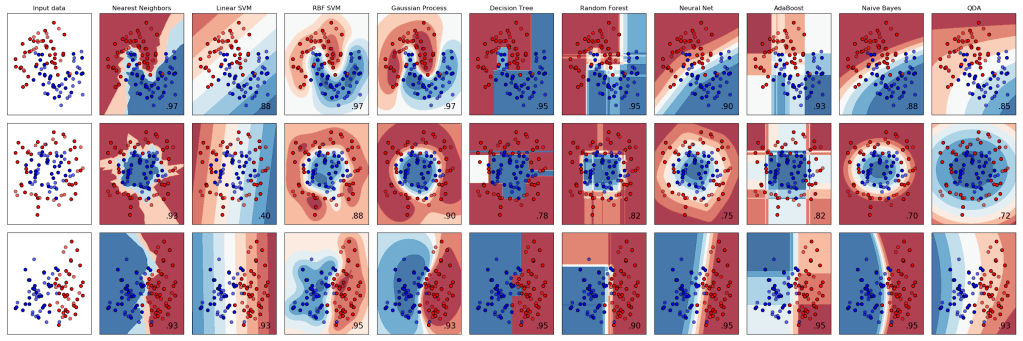
Machine Learning algorithms can be divided into 12 branches, based on underlying mathematical model:
Bayesian — Bayesian machine learning models are based on Bayes theorem which is nothing but calculation of probability of something happening knowing something else has happened, e.g. probability that Yuvraj (Cricketer) will hit six sixes knowing that he ate curry-rice today. We use machine learning to apply Bayesian statistics on our data and we are assuming in these algorithms that there is some independence in our independent variables. These models start with some belief about data and then the models update that belief based on data. There are various applications of Bayesian statistics in classification as I did in my Twitter Project using Naive Bayes Classifier. Also, in business calculating probability of success of certain marketing plan based on data points and historical parameters of other marketing strategies.
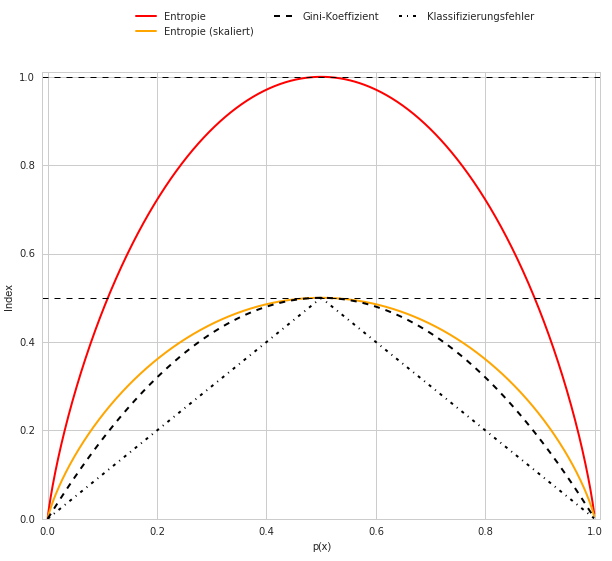
Decision Tree — Decision tree as the name suggests is used to come to a decision using a tree. It uses estimates and probabilities based on which we calculate the likely outcomes. Tree’s structure has root node which gets divided into Internal nodes and then leafs. What is there on these nodes is data classification variables. Our models learns from our labelled data and finds the best variables to split our data on so as to minimize the classification error. It can either give us classified data or even predict value for our data points based on the learning it got from our training data. Decision Tree’s are used in finance in option pricing, in Marketing and Business planning to find the best plan or the overall impact on business of various possibilities.
Dimensional Reduction — Imagine you got data which has 1000 features or you conducted a survey with 25 questions and are having a hard time now making sense of which question is answering what. That is where the family of dimensional reduction algorithms come into picture. As the name suggests they help us in reducing the dimensions of our data which in turn reduces the over-fitting in our model and reduces high variance on our training set so that we can make better predictions on our test set. In market research survey often it is used to categorize questions into topics which can then easily be made sense of.
Instance Based — This supervised machine learning algorithm performs operations after comparing current instances with previously trained instances that are stored in memory. This algorithm is called instance based because it is using instances created using training data. k-nearest neighbors is one such example where new location for neighbor is updated all the time based on the number of neighbors we want for our data points and it is done using the previous instance of neighbor and its position which was stored in memory. Websites recommend us new products or movies working on these instance based algorithms and mix of more crazy algorithms.
Clustering — Making bunch of similar type of things is called clustering. The difference here is that we are clustering points based on the data we have. This is an unsupervised machine learning algorithm where algorithm itself makes sense of whatever gibberish we give it. Algorithm clusters the data based on those inputs and then we can make sense of data and find out what all things or points fit together better. Some of the business applications include bundling of products based on customer data of purchase of products. Clustering consumers on basis of their reviews about a service or product into difference categories. These insights help in business decisions.
Regression — In statistics often we come across problems which require us to find a relationship between two variables in our data. We explore how change in one variable can affect the other variable. That is where we use regression. In these algorithms our machine tries to find the best line that can be fit into our data something similar to slope of a line. Our algorithm tries to find the line with best slope to minimize error in our data. This line can be used then by us to make predictions be it in form of values or in the form of probability
Rule System — Rule based machine learning algorithms work on set of rules that are either predefined by us or they develop those rules themselves. These algorithms are less agile when creating a model or making predictions based on that model. But due to their less agility they are faster in doing what they are set to do. These are used to analyze huge chunks of data or even data which is constantly growing. They are also used for classification and can work faster than other classification algorithms. Accuracy might take a hit here but in machine learning its always a trade-off between accuracy and speed.
Regularization — These techniques or algorithms are used in conjunction with regression or classification algorithms to reduce the effect of over-fitting in data. Tweaking of these algorithm allows to find the right balance between training the model well and the way it predicts. Many times we have too many variables or their effect on modelling is huge in those cases regularization works to reduce that high variance in our model.
Ensemble — This method of machine learning combines various models to produce one optimal predictive model. They are usually better than single models as they are combining different models to achieve higher accuracy. More like a perfect life partner. Only drawback being that they might be slow in running. Sometimes when speed is required over accuracy we can switch over to rule-based algorithms or regression.
Neural Networks — Based on the principle of working of neurons in brain, Neural networks are complex algorithms that work in layers. These layers take input from previous layer and do processing. More layers increase the accuracy but make algorithm slow. They work better than other algorithms but due to their computationally expensive characteristics did not gain popularity in past. But now they are back in business as the processors have improved. They are being used for sales forecasting, financial predictions, anomaly detection in data and language processing.
Deep Learning — Deep learning algorithms use neural networks and constantly evolve the model they work on using new data. They learn and better themselves just like a human being would. Self-driving cars are based on these algorithms. I know what you are thinking here, it is what AI is based on. The real terminator will be based on this algorithm but we are way far away from it. There are full businesses running on deep learning algorithms. New delivery systems are under development which use these algorithms, Google’s AlphaGo is another example. Deep learning structures algorithms in layers and uses them to make decisions.
12. Classifier – Naive Bayes classifier is a classification algorithm which works on Bayes theorem. It assumes that all the features exist independent of each other. It is supervised machine learning algorithm and we need to provide both data and labels to train it.















































































































































































































































































 Breitschblog