Programming in Delphi
Introduction
The Delphi language was formerly known as Object Pascal, and is an
object-oriented version of the venerable Pascal language, combined by Borland
with a Visual Basic-like RAD tool that lets you write fast GUI applications
with no run-time, a very rich set of components (VCLs) that can be statically
compiled into the EXE, and an encapsulation of most of the Windows API for easier
access to the underlying OS. If this reminds you of .Net, it’s no chance since
both Delphi and the .Net framework were designed by the same person, Anders
Hejlsberg. For more infos, read Delphi
history � from Pascal to Diamondback (Delphi 2005) by Zarko Gajic.
As of April 2005, Delphi is available as Delphi 2005, a.k.a. Delphi 9, to
write Win32 or .Net applications, but you might be able to still get your hands
on Delphi
7 (to write Win32, and Linux applications by using Kylix and the
Qt widgets-based CLX component library instead of the Windows-only VCL widgets),
or Delphi 8 (to
get you started writing .Net applications; D7 has a command-line version of
the Delphi CLI compiler, but it was really meant as a learning tool.) Note that
D8 comes with Delphi 7.1. Delphi
2005 supports the 1.1 .Net framework.
Setup
If you just want to get started and learn Delphi, the $99 Personal edition
of Delphi 7 is all you need is love. If you prefer to start developing for .Net,
try Delphi 9, a.k.a. Delphi 2005. In October 2006, Borland relaunched its Turbo
brand, and offers two versions: Explorer, which are free but doesn’t allow installing
third-party components, and Professional, which aren’t. Turbo Delphi Win32 is
Delphi 2006 (a.k.a. Borland Developer Studio) with just the Delphi for Windows32
personality.
FWIW, the main extras offered by the Enterprise version of Delphi 7 are IntraWeb from
AToZed (Framework + component set for building web apps in a RAD
manner), Rave Visual Designer (Visual reporting tool), BizSnap (to create
web services,) and Model Maker (UML stuff.)
IDE
- Create shortcut on desktop, with Start In = where you save your projects
- Install the latest Update and hot-fixes
- Get rid of news: Tools > Env’t Options > Delphi Direct: Uncheck “Automatically
poll network”.
- Combine Object TreeView, Object Inspector, Project Manager
- Remove useless toolbars
- Hide line numbers and gutter
- Save desktop
- Install CnWizards
- Install GExperts
- Install memory-related add-on’s: FastMM,
madExcept (“replaces Delphi’s exception
handling with a much more intelligent solution”), MemProof
(“FREE heap memory and resource ‘leak’ debugger for Borland’s 32-bit
family of compilers”)
- Install third-party components
- DOESN’T WORK (D2007) Disable
Welcome Page (HKEY_CURRENT_USER\Software\Borland\BDS\5.0\Known IDE Packages\Delphi\$(BDS)\Bin\startpageide100.bpl)
- (D2007) Install DDevExtensions to get TAB/Shift-TAB indenting
- (D2007) Remove Welcome Page (set HKEY_CURRENT_USER\Software\Borland\BDS\<version
#>\Known IDE Packages\Delphi\$(BDS)\Bin\startpageide100.bpl to empty
string)
- (D2007) Set the default directory to save new projects by editing HKEY_CURRENT_USER\Software\Borland\BDS\5.0\Globals\DefaultProjectsDirectory
How to add bookmarks?
To add bookmarks to source code so you can jump to locations, press CTRL-SHIFT,
and any number between 0 and 9.
To jump to that location,
hit CTRL and the number of the bookmark (doesn’t work in D7 with default settings).
Or you can use CnWizards, and hit CTRL-SHIFT-B to
get a list of bookmarks.
Can I indent a block of code in one go?
If you’d rather use the familiar TAB
button to indent a whole block, install Two Desk’s Castalia
add-in to the IDE, or the free CnWizards (a.k.a. CnPack IDE Wizards).
Can I comment a whole block in one go?
If you are running Delphi Pro and above, check out GExperts
or CnWizards.
If you are using the Personal or Standard edition, looks like the only way is to use the { and } syntax, with no menu or keyboard
shortcut available.
Recommended components and packages
Some are open-source, some are just freeware, and yet others are commercial:
- DevExpress (Bunch
of component packs, a bit on the expensive side; includes the free but
documentation-free Express
ForumLibrary with components such as dxfOutlookBar, dxfClock, dxfTimer,
etc., and the Code
Rush IDE)
- TMS Software
- Raize
- LMD Innovative (including LMD-Tools
SE, the freeware version of LMD-Tools)
- ABF Software (The abfComponents
contains about 20 components and is free for non-commercial use, while the
ABC VCL contains 60 components
and costs $49 ($99 with source code))
- ProVCL Extensions Library
- JEDI VCL (open-source
collection of 500 components; documentation needs some polishing…)
- RXLib (stalled
in 2002, but supposed to now be part of the JVCL; French resources here)
- Turbopower (open-sourced in 2003 after the
company folded, but projects stalled since then; TurboPower
products on SourceForge.net)
- Vladimir Gaitanoff’s VG VCL
Library and VG Library II
- TWebBrowser (ActiveX control to access IE’s engine?)
- Internet: ICS, Indy, Synapse
Sites to check for Delphi components
Must-have third-party tools
- Delphi2007+ lets you add “ReportMemoryLeaksOnShutdown := True;”
to a project’s DPR file. There are alternatives: Memory Sleuth NuMega, etc.
Delphi in a nutshell
Components and packages
Note: In the Delphi literature, depending on the context, “package”
refers to either a DPK master file and PAS/DCU source files, or the resulting, compiled BPL file
which contains all the DCU files.
Components can be distributed either as
- a bunch of (more or less) independent source files (*.PAS) that you
will add to your project and that will be statically compiled into the EXE,
- a bunch of compiled unit files (*.DCU) that you add to your project
via the Uses section and will be compiled statically into the EXE,
- a bunch of source files (referenced by a .DPK master list file, ) to
be compiled into a single package file (.BPL),
- a bunch of compiled files (.DCU) and a BPK master file that you can
use to build a design-time component and add it to the IDE, or as
- a package file (.BPL) already compiled for you.
Typically, commercial components are provided as binary files, but some can
also be bought with source files.
Individual components (ie. PAS or DCU files) can be added
to an existing package, or to a brand new package through either File > Open
(select a DPK file, click on Add, and compile) or Component > Install Component
(when adding to an existing package, the default file is DCLUSR.DPK).
A package file has the extension BPL, and is just a Borland-specific version
of a DLL with added
functions like GetPackageInfoTable(), ie. routines that live in a file separate from the caller EXE, and
that can be loaded dynamically when needed. Use the Bin\TDUMP.EXE command-line Borland utility to display information
containted in a BPL file.
Once installed, packages are listed in the Registry under HKEY_CURRENT_USER\Software\Borland\Delphi\<version>\Known
Packages . For Delphi to find components, they must be located in known directories
through the Tools > Environment Options > Library.
Packages come in three different forms:
- Those that are design-time-only (ie.
meant to be installed in the IDE),
- Those that are run-time-only (used only when
running the EXE; must be rare, since developers want the choice of static or
dynamic linking), and
- Those that do both.
Components meant to be used in the IDE can only be installed as a package,
ie. a DPK master file along with one or more PAS files to be compiled into DCUs
and aggregated in a single BPL file that will be registered into the IDE.
Note that design-time packages and run-time packages are two different beasts:
The former adds itself to a palette in the IDE and provides an interface to
access its properties, routines, and events; The latter is used by applications
that were compiled with run-time packages, ie. dynamic linking. Some BPLs are
both design-time and run-time, so I guess they have a switch somewhere in the
code that lets me act differently depending on the context.
From what I understand, a typical situation is thus:
- if the component offers a design-time interface, this requires installing
a BPL in the IDE
- compiling this component statically requires compiling some DCUs into
the EXE; compiling this component for dynamic loading means reading headers
and symbol information from a DCP file, and providing the run-time BPL (which,
in the end, is just an aggregation of all the DCUs that make up this component.)
Depending on the “Build with runtime packages” checkbox in Project
> Options > Packages, the compiler will either
(if disabled) include all the DCU files into the EXE, or (if enabled) use an external BPL file, that you’ll have
to distribute in addition to the EXE. In other words, this is where you decide
whether to link third-party components statically into the EXE, or dynamically
by loading BPLs at run-time.
If the packages don’t change often, it might be a good idea to use dynamic
linking, so that you only need to distribute the EXE for updates. On the other
hand, dynamic run-time packages contain all the routines, even those that your
EXE doesn’t use, while, when using statically-linked packages, the IDE will
only include stuff that your EXE actually use. In the end, a statically-linked
EXE can turn out to be smaller that a bare EXE and external BPLs.
Finally,
if resource files are used (RES or DCR), Delphi will need those to compile a
package successfully. Bitmaps for the components that will appear in the palette
are saved in the DCR files.
The source files, either source (.PAS) or compiled (.DCU) aren’t needed to
use a component; They are only needed if you want to compile the component yourself.
Important: As DCUs are version-dependent, a package can only be installed
in the same version of the IDE that was used to compile it. That’s the reason
why some components are distributed as source code that you must compile yourself
into a package before adding it to the IDE. The alternative for commercial components
is to generate multiple versions of the package, one for each version of the
IDE that they wish to support.
Moving a design package to another host requires copying the following files:
BPL, DCP, possibly DCR resources files, hitting the Component > Install Packages
menu, and clicking on Add.
In addition to individual packages, it is possible to create a package collection
(DPC) to make it easier to distribute the different files that make up a package.
A DPC will contain DCP, DCU, and BPL files. This type of file requires a Package
Collection Editor (PCE), which is a source file used to define a DPC file. A
DPC file is created through Tools > Package Collection Editor.
More information:
Questions
- If the independent DCUs and the ones aggregated in a run-time BPL are
identical, why don’t commercial components just come as a bunch of DCUs
that developers who want to use dynamic linking will compile themselves
into a BPL?
- When using a design-time package, I am provided with a BPL that will
be added to the palette. In addition, DCU files are required to allow for
static linking. On the other hand, when using a run-time package, the package
designer must provide a DCP since it is required to let the compiler know
how to link to the BPL file for dynamic loading. Correct?
- When creating a package that is both a design- and run-time package,
are there two different BPL files, or is there some kind of switch in the
file that lets the compiler use the same file in two different contexts?
From reading DsgnIntf.dcu
not found, it seems that for a while, Borland didn’t force component
developers to write two versions, one for the IDE and one as a run-time
package. Or are design-time BPLs and run-time BPLs two totally different
beasts?
- How can I tell if a BPL is design-time or run-time? Because the IDE
will complain if I try to a run-time package to the list of design-time
packages?
Making sense of extensions
|
Extension
|
Acronym
|
Role
|
|
PAS
|
Pascal
|
Source code; Like .C in C
|
|
DCU
|
Delphi Compiled Unit
|
Compiled version of .PAS files; Similar to .OBJ file in C
|
|
DFM
|
Delphi Form
|
Describes a form, and what it contains
|
|
DPR
|
Delphi Project
|
EXE project master file
|
|
RC
|
Resource
|
Clear-text resource file
|
|
RES
|
Resource
|
Binary resource file from RC
|
|
DRC
|
Delphi Resource
|
Compiler-generated resources. Usually strings; it’s pretty much
a .RC file without a correspondent .RES
|
|
DCR
|
Delphi Component Resource
|
Resource files; Includes bitmaps used for components added to
the IDE
|
|
INC
|
Include?
|
Source code; Like .INC in C
|
|
|
|
|
|
DCP
|
Delphi Compiled Package
|
Used for EXEs built with run-time BPLs to let the compiler know
how to link to the BPL at run-time; Doesn’t include compiled code,
which is stored in DCU or BPL files
|
|
BPL
|
Borland Package Library
|
Delphi-specific DLL, ie library loaded at run-time
|
|
DPK
|
Delphi Package ???
|
Project master file when developing a package; equivalent to
.DPR for EXE projects
|
|
DPC
|
Delphi Package Collection
|
?
|
|
DPKW
|
|
Like DPK
|
|
|
|
|
|
BPG
|
Borland Project Group
|
Used to keep track of projects when opening more than one project
in the IDE
|
|
BPK
|
?
|
?
|
|
BPI
|
?
|
?
|
|
|
|
|
|
CFG
|
Compiler Configuration
|
Compiler settings; Similar to DOF
|
|
DOF
|
Delphi Options File?
|
Project options
|
|
DSK
|
Desktop
|
Desktop settings
|
|
|
|
|
|
|
|
|
|
|
|
|
|
|
|
|
Menus of interest
- New and Open: To create blank files or projects, start from templates
(regular windows, dialogs, MDI/SDI, etc.), or open existing files and projects,
including packages (to install components)
- View: Project Manager (to list all the units that make up a project),
Object Inspector (to view parameters of a unit), Object Tree View (To list
widgets contained in a form), Desktops (to save, and apply a desktop definition,
so that windows are displayed in a way you like), Toggle Form Unit (also
accessible through F12)
- Project : to manage files and projects, import a type library for COM
objects, add stuff to the source control, compile and/or run a project
- Components: To create or install components (.PAS files), and install
packages. Install Component: Into existing package (Unit file name .PAS
or .DCU + Package file name = dclusr.dpk) or Into new package
Getting started
Skeleton of a source file
A typical Delphi GUI program is a set of units (*.PAS) which contain source
code, and are listed in a project (.DPR file), while the forms (windows) are
described in files with the DFM extension, ie. DPR = PAS + DFM.
Here’s a skeleton of a unit:
- //Name of the unit, which can then be referenced in other source files
(a unit name must be unique within a project)
- unit Unit1;
-
- //List of public stuff, eg. variables that can be accessed from other
source files
- interface
-
- uses { List of units goes here }
-
- { Interface section goes here }
-
- //Actual code of this source file
- implementation
-
- uses { List of units goes here }
-
- { Implementation section goes here }
-
- initialization
- { Initialization section goes here }
-
- finalization
- { Finalization section goes here }
-
- //A source file must end with “end.”
- end.
Hello, world! (console)
Open your favorite editor, save the file as console.pas, and copy/paste the
following code:
- program Console;
-
- {$APPTYPE CONSOLE}
-
- var MyMessage: string;
-
- begin
- MyMessage := ‘Hello world!’;
- Writeln(MyMessage);
- end.
Open a DOS box, compile the program with “dcc32.exe console”, and
run the compiled as with “console.exe”.
Hello, World! (GUI)
In the empty form that shows up when starting Delphi, add a label and a pushbutton,
double-click on the button, and add the following code to the Button1Click()
routine:
- Label1.Caption := ‘Hello, world!’;
Hit F9 to run the application, and click on the pushbutton to see the text
of the label change.
Showing a message box with a default button
With D7 at least, Delphi’s MessageDlg doesn’t let you select a default button,
which is unfortunate for critical choices. You’ll have to use Win32’s MessageBox()
instead:
- if MessageBox(Handle,’text’,’caption’,MB_OKCANCEL or MB_ICONQUESTION
or MB_DEFBUTTON2 ) = IDCANCEL then begin
- exit;
- end else begin
- ShowMessage(‘ok’);
- end;
Dynamic objects
When you add a control on a form at design-time, Delphi takes care of creating
and freeing the object, but those tasks are your responsibility when creating
objects dynamically, at run-time.
The important point is freeing the object from memory, or your application
will leak memory.
There are three ways to handle this:
Declare a variable, call the class’ Create() method, and end with Free(),
preferably in a try/finally structure:
- var
- MyObj : TObj;
- begin
- with TObj.Create(nil) do
try
- //Do
stuff
- finally
Free;
end;
A second way is to use the With structure, and set the instance’s owner as
a form, so that, even if you forgot to call Free, Delphi will free the object
from memory when it kills the parent form (Actually, you should NOT call Free,
and let the owner free the instance from memory):
- var
- MyObj : TObj;
- begin
- with TObj.Create(Self) do begin
- //Do stuff
- end;
Note that the time to dynamically create components with owners is much
slower than that to create components without owners.
A third way is to use the With structure with Nil as the parent, but in this
case, Free() must be called explicitely:
- with TObj.Create(nil) do
try
- //Do stuff
- finally
Free;
end;
- end;
Checking for memory leaks
Since D2006, Delphi includes a way to check for memory leaks in the IDE once
the application has terminated. To enable this, just add the following line
in the Project’s DPR file (via Project > View Source):
- begin
- ReportMemoryLeaksOnShutdown :=true;
- Application.Initialize;
Here’s an example to trigger an error:
- procedure TForm1.Button1Click(Sender: TObject);
- var
- MySL : TStringList;
- begin
- MySL := TStringList.Create;
- end;
Reading from a text file
Here, we’ll read the file line by line:
- procedure TForm1.Button1Click(Sender: TObject);
- var
- myFile : TextFile;
- text : string;
- bit : string;
- begin
- AssignFile(myFile, ‘C:\test.txt’);
- try
- Reset(myFile);
- while not Eof(myFile) do
- begin
- ReadLN(myFile,bit);
- text := text + bit + #13#10;
- end;
- finally
- ShowMessage(text);
- CloseFile(myFile);
- end;
-
- end;
A faster way:
- function LoadFile(const FileName: TFileName): string;
- begin
- with TFileStream.Create(FileName, fmOpenRead or fmShareDenyWrite)
do begin
- try
- SetLength(Result, Size);
- Read(Pointer(Result)^, Size);
- except
- Result := ”; // Deallocates
memory
- Free;
- raise;
- end;
- Free;
- end;
- end;
-
- FileContents := LoadFile(‘rss.xml’);
ExtractFileDir() in a DataModule?
Application is declared in the forms unit. As an alternative you can
change “Application.ExeName” to “ParamStr(0)”.
Reading from a tab-delimited file
Here’s how to read each line of a tab-delimited text file, and save this
into an SQLite database:
- With ASQLite3DB1 do begin
- DefaultDir := ExtractFileDir(Application.ExeName);
- Database := ‘test.sqlite’;
- CharacterEncoding := ‘STANDARD’;
- Open;
- SQLite3_ExecSQL(‘CREATE TABLE IF NOT EXISTS
mytable (id INTEGER PRIMARY KEY, label VARCHAR)’);
- end;
-
- AssignFile(SomeTxtFile, FILE2PARSE) ;
- Reset(SomeTxtFile) ;
- ASQLite3DB1.SQLite3_ExecSQL(‘BEGIN;’);
-
- while not EOF(SomeTxtFile) do begin
- ReadLn(SomeTxtFile, buffer) ;
-
- PerlRegEx1.RegEx := ‘^([^d].+)\s(\d+)$’;
- PerlRegEx1.Options := [preCaseLess];
- PerlRegEx1.Subject := buffer;
- If PerlRegEx1.Match then begin
- row := Format(‘INSERT
INTO mytable (id,label) VALUES (%s,”%s”);’,[PerlRegEx1.SubExpressions[2],PerlRegEx1.SubExpressions[1]]);
- ASQLite3DB1.SQLite3_ExecSQL(row);
- end;
- end;
-
- ASQLite3DB1.SQLite3_ExecSQL(‘COMMIT;’);
- ASQLite3DB1.Close;
- CloseFile(SomeTxtFile);
Writing into a text file
- var
- myFile : TextFile;
- letter : char;
- text : string;
-
- begin
- AssignFile(myFile, ‘Test.txt’);
- ReWrite(myFile);
-
- WriteLn(myFile, ‘Hello, world!’);
-
- CloseFile(myFile);
- end;
Alternatively:
- procedure SaveFile(const FileName: TFileName; const content: string);
- begin
- with TFileStream.Create(FileName, fmCreate) do
- try
- Write(Pointer(content)^, Length(content));
- finally
- Free;
- end;
- end;
Rewinding a text file
Here’s how to set the cursor back to the beginning of a text file, ie. not
a binary file that uses records:
- var
- dummy : TextFile;
-
- begin
- AssignFile(dummy, ‘dummy.txt’);
-
- ReWrite(dummy);
- WriteLn(dummy, ‘123’);
-
- ReWrite(dummy);
- WriteLn(dummy, ‘345’);
-
- CloseFile(dummy);
Here’s another way :
- var
- test : TFileStream;
- status : String;
-
- begin
- status := ‘test’;
-
- test := TFileStream.Create(‘test.txt’,fmCreate);
- test.Write(Pointer(status)^,Length(status));
- test.Seek(0, soFromBeginning);
- test.Free;
Playing with radio buttons
At design-time, the best way to add radio buttons to a form is by first adding
a radiogroup object, and modify its Items property to add radio buttons.
Here’s how to display the radio button currently selected, if any:
- ShowMessage(Radiogroup1.Items.Strings[RadioGroup1.ItemIndex]);
A more complicated way:
- for Index := 0 to RadioGroup1.Items.Count – 1 do begin
- if RadioGroup1.ItemIndex = Index then begin
- ShowMessage(RadioGroup1.Items[Index]);
- end;
- end;
Here’s how to clear it:
- RadioGroup1.ItemIndex:=-1;
Playing with TStringList hashed arrays
In addition to indexes, a TStringList array can use names so as to build
name=value items. Here are some examples:
- var
- indexclassifications : TStringList;
- i : Integer;
-
- begin
- indexclassifications := TStringList.Create;
-
- indexclassifications.Add(‘unix=good’);
- indexclassifications[0] := ‘windows=bad’;
-
- for i := 0 to indexclassifications.Count-1 do
begin
- ShowMessage(indexclassifications[i]);
- ShowMessage(indexclassifications.Names[i]);
-
- ShowMessage(indexclassifications.ValueFromIndex[i]);
- ShowMessage(indexclassifications.Values[indexclassifications.Names[i]]);
- end;
-
- indexclassifications.Free;
An alternative is Ciaran McCreesh’s Hash
Library.
Playing with a ListBox
Adding items
- ListBox1.Items.Add(‘Hello’);
Adding an item at a specific location in the list
- ListBox1.Items.Insert(3,’Hello’);
Reading the item that was double-clicked
- procedure TForm1.ListBox1DblClick(Sender: TObject);
- var
- listBox : TListBox;
- index : Integer;
- begin
- listBox := TListBox(Sender);
- index := listBox.ItemIndex;
- ShowMessage(listBox.Items[index]);
- end;
Selecting a directory
Here’s how to display a dialog box so the user can choose a directory:
- procedure TForm1.Button1Click(Sender: TObject);
- var
- chosenDirectory : string;
- options : TSelectDirOpts;
-
- begin
- chosenDirectory := ‘C:\’;
- if SelectDirectory(chosenDirectory, options, 0) then
- LabeledEdit1.Text :=chosenDirectory + ‘\’;
-
- end;
Closing an application
Two possibilites, using either Sys.Close() or Application.Terminate(), but
the latter doesn’t trigger the onClose or onCloseQuer events:
- //If app already ran, make the button Close the app
- If (Button1.Caption = ‘Close’) then begin
- Close;
- Exit;
- end;
Downloading a web page into a variable
Moved to Internet Development with Indy components
Removing unwanted characters
Here’s how to strip unwanted characters from a string:
- function CleanInput(input : String) : String;
- var
- output : string;
- index : Integer;
- begin
- output := StringReplace(input, #9, ”,[rfReplaceAll, rfIgnoreCase]);
- output := StringReplace(output, #10, ”,[rfReplaceAll, rfIgnoreCase]);
- output := StringReplace(output, #13, ”,[rfReplaceAll, rfIgnoreCase]);
- output := StringReplace(output, ‘ ‘, ”,[rfReplaceAll,
rfIgnoreCase]);
- output := StringReplace(output, ‘ ’, ”,[rfReplaceAll,
rfIgnoreCase]);
- output := StringReplace(output, ‘ ’, ”,[rfReplaceAll,
rfIgnoreCase]);
- output := StringReplace(output, ‘<br>’, ”,[rfReplaceAll,
rfIgnoreCase]);
- Result := output;
- end;
PINGing a server
Here’s how to do it using the open-source ICS tools:
- procedure TForm1.Timer1Timer(Sender: TObject);
- begin
- Ping1.Address := ‘127.0.0.1’;
- Ping1.Ping;
- end;
-
- procedure TForm1.Ping1EchoReply(Sender, Icmp: TObject; Status: Integer);
- begin
- if Status <> 0 then
- { Success }
- Label1.Caption := ‘Server ‘ + Ping1.HostIP
+ ‘ alive @ ‘ + TimeToStr(Time)
- else
- { Failure }
- Label1.Caption := ‘Server ‘ + Ping1.HostIP
+ ‘ dead @ ‘ + TimeToStr(Time) +
- #13#10 + Ping1.ErrorString
+ ‘. Status = ‘ + IntToStr(Ping1.Reply.Status);
- end;
Here’s how to do it using Indy 9 (? The one that ships with Delphi 7):
- Moved to Internet Development with Indy components
Checking the class of an object
If you need to display the class of an object:
- ShowMessage(MyObj.ClassName);
Casting an object
Sometimes, it’s necessary to help Delphi by casting an object:
- //Otherwise, E2010 Incompatible types: ‘TMemoryStream’ and ‘TStream’
- PerlRegEx1.Subject := StreamToText(TMemoryStream(RcvdStream));
Playing with date and time
Here’s how to time tasks:
- var
- StartTime,StopTime : TDateTime;
- begin
- StartTime := Now;
- ListBox1.Items.Add (TimeToStr (StartTime));
-
- […]
-
- StopTime := Now;
- ListBox1.Items.Add(‘After doing stuff ‘ + FormatDateTime
(‘hh:nn:ss’, StopTime – StartTime));
More information:
Reading caller ID information through a modem
Using the Treeview control
- TreeView1.LoadFromFile(‘myTABBEDfile.txt’);
Using the Listview control
(stolen from D7’s help file)
- procedure TForm1.PopulatClick(Sender: TObject);
- const
- Names: array[0..5, 0..1] of string = (
- (‘Rubble’, ‘Barney’),
- (‘Michael’, ‘Johnson’),
- (‘Bunny’, ‘Bugs’),
- (‘Silver’, ‘HiHo’),
- (‘Simpson’, ‘Bart’),
- (‘Squirrel’, ‘Rocky’)
- );
-
- var
- NewItem : TListItem;
- ListItem : TListItem;
- ListView: TListView;
- NewColumn: TListColumn;
- I: Integer;
-
- begin
- with ListView1 do
- begin
- ViewStyle := vsReport;
- RowSelect := True;
-
- NewColumn := Columns.Add;
- NewColumn.Caption := ‘Last’;
- NewColumn := Columns.Add;
- NewColumn.Caption := ‘First’;
-
- for I := Low(Names) to High(Names)
do begin
- ListItem := Items.Add;
- ListItem.Caption := Names[I][0];
- ListItem.SubItems.Add(Names[I][1]);
- end;
- end;
-
- end;
Arrays
Delphi supports static and dynamic arrays. To make things a bit confusing,
it uses the same syntax “array of” to declare dynamic arrays, and
so-called “open arrays”, ie. arrays (either static or dynamic) passed
as parameters to a routine.
Dynamic arrays are really a one-dimensional array that holds pointers to
other arrays, and each cell can point to arrays of different dimensions:
- SetLength(MyArray[3],15); //Array[3] points to a fifteen-column array
- SetLength(MyArray[2],5); //Array[2] points to a five-column array
As a result, Delphi cannot provide VisualBasic’s UBound(MyArray,x) where
x is either 1, 2, or 3, and High(MyArray) returns the upper bound of the array.
If one of the cells in the array uses a different dimension from the other cells,
you’ll have to call High(MyArray[thiscell]) to get is upper bound.
Here’s an example:
- type
- TDigits = array of array of Integer;
-
- procedure MyFunc(A: TDigits);
- begin
- //4
- ShowMessage(IntToStr(High(A)));
- //9
- ShowMessage(IntToStr(High(A[0])));
- //6
- ShowMessage(IntToStr(High(A[2])));
- end;
-
- […]
-
- var
- MyArray : TDigits;
- begin
- SetLength(MyArray,5,10); //5 rows, 10 columns
each
- SetLength(MyArray[2],7); //We can use a different
dimension for one cell
-
- MyFunc(MyArray);
- end;
“Arrays can be allocated statically or dynamically.
Static arrays:
- var MyArray: array[1..100] of Char;
Dynamic arrays:
- var MyFlexibleArray: array of Real;
- SetLength(MyFlexibleArray, 20);
To deallocate a dynamic array, assign nil to a variable that references the
array or pass the variable to Finalize; either of these methods disposes of
the array, provided there are no other references to it. Dynamic arrays are
automatically released when their reference-count drops to zero.”
“If X and Y are variables of the same dynamic-array type, X := Y points
X to the same array as Y.
Unlike strings and static arrays, COPY-ON-WRITE is
not employed for dynamic arrays, so they are not automatically copied before
they are written to. In contrast, to make an independent copy of a dynamic array,
you must use the global Copy function.”
“In some (???) function and procedure declarations, array parameters
are represented as array of baseType, without any index types specified. For
example,
- function CheckStrings(A: array of string): Boolean;
This indicates that the function operates on all arrays of the specified
base type, regardless of their size, how they are indexed, or whether they are
allocated statically or dynamically. See Open array parameters.”
If you need to pass an array to a routine, you cannot set its size directly,
ie.
- procedure Sort(A: array[1..10] of Integer); //error
won’t work. Instead, you must either create a type…
- type TDigits = array[1..10] of Integer;
- procedure Sort(A: TDigits);
…or use open arrays. Open array parameters allow arrays of different sizes
to be passed to the same procedure or function:
- procedure Add(A: array of Integer);
-
- ;Note: open arrays are always zero-based., regardless of which
Low() you chose to declare the array.
- ;ie. array[1..4] of Integer won’t work as intended
-
- procedure MyCallingFunction;
- var Temp: array[0..3] of Integer;
-
- Temp[0] := 5;
- Temp[1] := 7;
- Temp[2] := I;
- Temp[3] := I + J;
-
- Add(Temp);
- end;
To read:
- Open array
parameters and array of const (“Usually, you can pass open arrays
as const parameters. Open array parameters that are not passed as const
will entirely be copied into local storage of the routine. The array is
simply passed by reference, but if it is not declared const, the hidden
start code of the routine will allocate room on the stack and copy the entire
array to that local storage, using the reference as source address. For
large arrays, this can be very inefficient. So if you don’t need to modify
items in the array locally, make the open array parameter const.”)
- Delphi Basics
– Arrays
- Understanding
and Using Array data types in Delphi
Associative array (“hash”)
You can use Delphi’s TStringList object:
- var
- myhash : TStringList;
- Index : Integer;
-
- begin
- myhash := TStringList.Create;
- myhash.Add(‘mykey=myvalue’);
- myhash.Add(‘mykey2=myvalue2’);
-
- ShowMessage(myhash.Values[‘mykey’]);
-
- for Index := 0 to myhash.Count-1 do begin
- ListBox1.Items.Add(myhash.Names[Index] + ‘=’
+ myhash.ValueFromIndex[Index]);
- end;
- myhash.Free;
- end;
Alternative:
“https://svn.openxp.de/openxp/trunk/xplib/hashes.pas
Here’s unit with those TIntegerHash and TStringHash, described @ http://www.undu.com/Articles/020604.html
Usage of it is really simple! Just add ‘hashes’ (filename of .pas file) to
uses clause and then somewhere in code write:
- var
- hash : TStringHash;
- begin
- hash := TStringHash.Create;
- try
- hash[‘one’] := ‘viens’;
- hash[‘two’] := ‘divi’;
- ShowMessage(hash[‘one’]);
- ShowMessage(hash[‘two’]);
- finally
- hash.Free;
- end;
“
Delphi and databases
The big picture
BDE
BDE + SQL Links or ODBC
DB-agnostic solutions: dbExpress (read-only -> ClientDataSet/Provider),
dbGo/ADOExpress
DB-specific connectors (ZeosLib, Interbase Express/IBX or Interbase Objects/IBO,
etc.)
Note: IBX’s IBTable, IBQuery/IBUpdateSQL, and IBStoredProc are intended for
compatibility with older BDE components. For new applications, you should generally
use the IBDataSet component, which allows you to work with a live result set
obtained by executing a select query. It basically merges IBQuery with IBUpdateSQL
in a single component.
Using an IBQuery that hosts the SQL select statement together with an IBUpdateSQL
component that hosts the insert, update, and delete SQL statements is a typical
approach from BDE applications.
ClientDataSet/MyBase (requires the entire table to be loaded in memory to access even a single record)
Multi-tier with DataSnap (formerly known as Middle-tier Distributed Application
Services, or MIDAS)
BlackFish SQL
DB, query/table datasets, datasource, DBGrid, UpdateSQL
Transactions
Query/Table: Dynamic (created by component) vs. persistent (createad a designtime
through Fields editor) fields
Query: Params vs. FieldsByName/Fields?
Query/UpdateSQL: Why both?
SELECT+Open, INSERT/UPDATE/DELETE + ExecSQL
Regular SQL vs. parametric queries: When you need slightly different versions
of the same SQL query, instead of modifying the text of the query itself each
time, you can write a query with a parameter and change the value of the parameter,
eg. “select * from employee where job_country = :country”.
Notice that all the data-aware components are unrelated to the data-access
technology, provided the data-access component inherits from
TDataSet.
DBLookupListBox or DBLookupComboBox. The DBLookupComboBox component can be
connected to two data sources at the same time: one source containing the data
and a second containing the display data.
Datasets: You can modify data in the active buffer only after you explicitly
declare you want to do so, by giving the Edit command to the dataset. You can
also use the Insert command to create a new blank record and close both operations
(insert or edit) by giving a Post command.
To access data from the active record, use the dataset’ Field components,
which are by default automatically created when a dataset component is created.
These field components are stored in the dataset’s Fields array property. You
can access these values by number (accessing the array directly) or by name
(using the FieldByName method). Each field can be used to read or modify the
current record’s data by using its Value property or type-specific properties
such as AsDate, AsString, AsInteger, and so on.
Note: When you set field properties related to data input or output, the
changes apply to every record in the table. When you set properties related
to the value of the field, however, you always refer to the current record only.
Creating the field components each time a dataset is opened is only a default
behavior. As an alternative, you can create the field components at design time,
using the Fields Editor.
The VCL includes a number of field class types. Delphi automatically uses
one of them depending on the data definition in the database, when you open
a table at run time or when you use the Fields Editor at design time.
Types of fields: Data, Calculated (OnCalcFields event), Lookup
Add field (from database) vs. New field (created manually in dataset): Note
that fields that are created at design-time with the Fields Editor are the only
ones that will be available at run time (Fields, FieldByName). When a program
opens a table at run time, if there are no design-time field components, Delphi
creates field objects corresponding to the table definition. If there are some
design-time fields, however, Delphi uses those fields without adding any extra
field objects.
A TField component has both a Name property and a FieldName property. The
Name property is the usual component name. The FieldName property is either
the name of the column in the database table or the name you define for the
calculated field.
Tip: You can also drag the fields from the editor to the form to let the
IDE create visual components for you. This is a handy feature that can save
you a lot of time when you’re creating database-related forms.
When you operate on a dataset in Delphi, you can work in different states.
These states are indicated by a specific State property, which can assume several
different values.
DBGrid.Columns to customize how columns work
Master/detail
Transactions
Error handling: if ComboName.Text = ” then raise Exception.Create (‘Insert
the name’);
Datamodule
There are two ways to refer to a record in a dataset: Use a TBookmark/TBookmarkStr
to save a reference to the current record, or use the Locate method to find
a record that matches given criteria.
To navigate through a dataset, you can use First/while not EOF/Next. Remember
to use DisableControls/EnableControls to speed things up when going through
a lot of records. An even better method is to let the SQL server do most of
the work.
To make changes to each record, use a “while not EOF” loop that
contains a call to dataset.Edit, mycolumn.Value=, dataset.Next (Next means that
the change will be posted).
Here’s how to fill a regular combobox with stuff from a dataset:
- //Here, SELECT data from the database
- cds.Open;
- while not cds.Eof do begin
- ComboName.Items.Add (cdsName.AsString);
- cds.Next;
- end;
When is UpdateSQL required? Typically, TQuery and like query components only
allow you to specify a Select statement and it then figures out from that how
to build insert, update, and delete statements. But this ability is fairly limited,
it does not take much to write a Select statement that it cannot deal with (joins,
sub-selects, unions, etc). In this case, the TQuery is read-only. Corresponding
TUpdateSQL components allow you to specify the insert, update, and delete
statements corresponding to such selects.
Dataset.Edit/Post
Dataset.InsertRecord ([ComboName.Text, EditCapital.Text, ComboContinent.Text,
EditArea.Text, EditPopulation.Text]);
Other stuff
Just like Microsoft development tools, for historical and technical reasons,
Delphi provides different ways to connect to a database. You should choose a
solution depending on how big the database is, and whether you have the luxury
of choosing a specific database engine or the application must be database-agnostic:
- Direct, database-specific connectors (Interbase Express/IBExpress/IBX for Interbase,
or FIBPlus/UIB/IBObject for Firebird, MySQL, SQLite, etc.)
- BDE (deprecated)
- dbExpress (ex-DataSnap Direct), which connects to a DB-specific driver;
Lighter, faster than BDE
- goDB (ex-ADOExpress)
- DataSnap (ex-MIDAS) for n-tier access, or MyBase (ex-Briefcase) for
local, XML-based, non-SQL access. Both are based on TClientDataset
As of 2008, the recommended choice is either DB-specific connector or dbExpress.
Overview
Basically, if you need DB-agnostic solutions, use either ADO or dbExpress.
If you don’t mind being tied to a given DB engine, use DB-specific solutions
like connectors to SQLite, MySQL, FireBird, etc.
BDE
Historically, the first means offered by Delphi to connect to a database
was the IDAPI(Independent Database Application Programming Interface). As it
never acquired the popularity of Microsoft’s ODBC, it was turned into BDE
(Borland Database Engine).
The BDE uses a collection of DLL’s, each one
specific to the database that the application wants to connect while presenting
a common API to the application:
Data (local or remote) < Database
engine (BDE, etc.) < Dataset < Datasource < DB* visual components
Until
1997, BDE was the only way for Delphi applications to connect to database, but
it fell in favor because it’s a bit heavy to deploy, and doesn’t offer good
performance over remote connections
- The BDE has a long and glorious history. It originated in Delphi 1 as an
engine for accessing Paradox databases and was later part of the ISAPI initiative
involving IBM, Novell, and WordPerfect. Despite a few problems, the BDE is one
of the reasons for Delphi’s success in the database arena and, having reached
version 5, it is a mature technology.
-
- So why move away from the BDE? Deploying it on rented Internet servers is
often impossible because of ISPs’ concerns about running system-level services
on their servers. Although the BDE has been updated to support features like
the Oracle 8 object-relational model, some of its features are still bound to
its Paradox roots. Another problem is that the BDE includes the entire engine
used by Paradox and dBase to access data. There is no way to deploy a thin version
of the BDE excluding Paradox support if you are targeting only SQL servers.
(On the other hand some of these problems, such as running SQL Server on an
ISP’s server, apply to using ADO as well.)
-
- The BDE also does local caching but won’t allow you to interact with it.
However, a few Delphi programmers have learned to use the ClientDataSet component
to operate on cached data.
-
- Despite being freely distributed with Borland�s popular line of application
development tools, the BDE was unpopular because of complexities in installation
and poor performance. As Delphi became one of the leading application development
tools for the Windows platform, individuals and companies proposed alternative
interfaces to the BDE. These �BDE Alternatives� optimized access to the database
by directly using the native database driver, providing performance and feature
advantages with respect to the BDE.
-
- The common denominator for database access
in Delphi is no longer the BDE. Instead, it’s the TDataset class.
-
- TTables = Delphi’s desktop database components; Inefficient in a client/server
environment.
-
- The reason there is both a TTable and a TQuery component is due
to the fact there table-oriented databases like Dbase, Paradox, or Access, and
there are set-oriented databases like Interbase, Oracle, and MSSQL.
-
- Delphi’s database architecture has not changed significantly since Delphi
3 introduced the abstract TDataSet class to make custom datasets fully integrated
with the dataset/data-aware architecture, that up to Delphi 2 was tied only
to the BDE datasets.
-
- From D3 onwards all BDE functions were removed from TDataset making
it independant of any DB format.
-
- What TDataset isn’t – TDataset has no:
- SQL support
- DB session control functions
- inherent links to any DB
- No index support
- No range setting
- No master-detail linking
(From D2007 PDF) “TUpdateSQL Lets you use cached updates support with
read-only datasets.
Connecting to another dataset. Client datasets can work with data provided
by another dataset. A TDataSetProvider component serves as an intermediary between
the client dataset and its source dataset. This dataset provider can reside
in the same data module as the client dataset, or it can be part of an application
server running on another machine. If the provider is part of an application
server, you also need a special descendant of TCustomConnection to represent
the connection to the application server.
Client datasets provide the most robust way to work with cached updates.
By default, other types of datasets post edits directly to the database server.
You can reduce network traffic by using a dataset that caches updates locally
and applies them all later in a single transaction. For information on the advantages
of using client datasets to cache updates, see Using a client dataset to cache
updates
Client datasets can apply edits directly to a database server when the dataset
is read-only. When using dbExpress, this is the only way to edit the data in
the dataset (it is also the only way to navigate freely in the data when using
dbExpress). Even when not using dbExpress, the results of some queries and all
stored procedures are read-only. Using a client dataset provides a standard
way to make such data editable.
In addition to these specialized client datasets, there is a generic client
dataset (TClientDataSet), which does not include an internal dataset and dataset
provider. Although TClientDataSet has no built-in database access mechanism,
you can connect it to another, external, dataset from which it fetches data
and to which it sends updates.
Typically, an application checks the dataset state to determine when to perform
certain tasks. For example, you might check for the dsEdit or dsInsert state
to ascertain whether you need to post updates.
dbGO/ADO Express
If you don’t mind depending on Microsof’s MDAC layer, you can use the ADO
page of components
- ActiveX Data Objects (ADO) is part of Microsoft’s Universal Data Access initiative.
It provides a simplified framework for data access based on OLE DB, the real
power horse behind the scene. Programming directly for the OLE DB layer is complicated
so Microsoft has provided a simpler solution.
-
- In providing the ADOExpress technology
in Delphi, Borland has accepted ADO as a common technology and has also acknowledged
Microsoft’s Access as a widespread database engine. Just as the BDE includes
some Paradox-related features, ADO includes several features which are more
Access-oriented than a universal data access solution should provide.
dbExpress/DBX/DataSnap Direct
Otherwise, you can use dbExpress, which offers very good performance because
it’s unidirectional. This means that you’ll need to use a ClientDataSet component
(located in the Data Access page) to navigate through a cache and be able to
use DB* visual components. Components in the Data Access page can be
used with any data access solution, and include TClientDataset, which
can work with data stored on disk or, using the TDataSetProvider component
also on this page, with components from one of the other groups.
Note that in recent version of Delphi, dbExpress’ TSQLClientDataset was replaced
by TSimpleDataset, which is meant for two-tier architectures. TSimpleDataSet
is really the combination of TDataSetProvider + TClientDataSet. To update the
SQL database, use the ClientDataSet’s ApplyUpdates(), that you can call in the
DB-control’s AfterPost event.
Database > dbExpress driver > TSQLConnection > TSQLDataSet >
TSQLDataSetProvider > TClientDataSet > TDataSource > DB* visual components
- Realizing the limitations of the BDE, Borland proposed a new type of database
interface called dbExpress. This interface was designed to broker access between
Delphi and virtually any relational database through 3rd party drivers. Borland
significantly improved the performance of dbExpress with respect to the BDE,
but the implementation was buggy and supported only a limited subset of SQL
that hampered functionality.
-
- dbExpress – a.k.a. DataSnap Direct – is Borland’s new cross-platform data
access layer. Does dbExpress allow access to file based databases such as DBase,
Paradox and FoxPro? No. It currently works with DB2, Interbase, MySQL and Oracle.
-
- Unlike the BDE, dbExpress returns only unidirectional cursors and therefore
does no caching. The MIDAS ClientDataset can be used for caching, and scrolling,
indexing, and filtering on the result set.
-
- In 2000, Borland introduced a new SQL driver architecture called “dbExpress.”
dbExpress is designed to deliver ultra high performance data access and simplify
deployment and configuration of SQL drivers. dbExpress is a pure SQL driver
architecture and does not use BDE technology. This new driver architecture replaces
the SQL data access functionality of the “older” BDE SQL Links combination,
but does so without the runtime and deployment overhead of the BDE. Developers have the option of using either InterBase Express (IBX) or dbExpress
to access local InterBase tables.
DataSet
Table, Query, StoredProc
ClientDataSet/MyBase
“The ClientDataSet
component ships with the Client/Server and Enterprise editions of
Delphi and C++ Builder. This component, which can be used in place of
other DataSet components, permits for the reading and writing of single
user flat files. The ClientDataSet component relies on a 150K DLL named
DBCLIENT.DLL, but does not make use of the BDE.”
Database-specific solutions
If you have the choice of database and don’t mind making your application
database-specific, you can use some library that connects to the database directly
(MySQL, SQLite, Interbase Express/IBExpress/IBX or FIBPlus/UIB/IBObject for
Firebird, etc.)
- If you’re accessing Microsoft SQL Server or Access databases, you’ll probably
prefer to use ADO. If you’re using Paradox or InterBase, then the BDE is probably
still the best bet — unless you’ve boarded the InterBase Express.
-
- Generic client-to-database layers like the BDE, ODBC, dbExpress and ADO hide
most of the capabilities of transactional database engines, flattening connectivity
to a generic “lowest common denominator”.
-
- Powerful server databases
like InterBase/Firebird and Oracle are made to conform to the behaviors of desktop
databases like Paradox or dBase. It takes heavy layering of client and middleware
driver code between the user and the database to accomplish this flattening,
while disabling essential capabilities of the server databases’ engines. Since
everything in InterBase/Firebird happens inside transactions, this approach
essentially kills most of the benefits of using client/server for networking
mission-critical applications. IBO cuts right through all this and connects
its data access objects directly to the application programming interface (API)
of the InterBase/Firebird engine. From the start IBO freed itself from the restrictions
of TDataset and its limiting, local database oriented memory model.
-
- One of IBO’s significant benefits is that its native data access architecture
is built from TComponent up. This means you you can harness the full power of
IBO without the TDataset architecture that Borland provides. What this means
in terms of software investment is that you can use IBO with the standard version
of Delphi – VERY cheap compared to the Professional and Enterprise versions.
-
- The ZeosLib is a set of database components for MySQL, PostgreSQL, Interbase,
Firebird, MS SQL, Sybase, Oracle and SQLite for Delphi, FreePascal/Lazarus,
Kylix and C++ Builder.”
MyBase
And if you only need a local database (ie. no connection over the network),
and the amount of data is small, check out MyBase (ex-MIDAS). It only
required midas.dll, and a ClientDataSet to handle data in RAM
MIDAS/DataSnap
“With MIDAS (Multi-Tier Distributed Application
Services), your VCL-based client application
receives data over a TCP/IP connection or through the use of sockets.
The data is provided by an application server, which you also write
using Delphi. While the application server does make use of the BDE,
the client application does not. Client applications created using
MIDAS are often referred to as thin clients, since they require less
configuration and fewer files (specifically, no BDE).”“MIDAS (DataSnap) is needed with DbExpress, at least if you want to
present data in a GUI. MIIDAS is optional with IBX and not really needed with
the ADO components. Think of DbExpress + MIDAS as the “new” BDE.”
How does Delphi work with database engines?
- You build the UI with DB-aware components like DBGrid or DBNavigator
that share a common datasource
- The datasource is a conduit to…
- a dataset, which contains a set of records from a database, read from
either a single table or multiple tables through a SQL SELECT:
- A BDE dataset uses TTable, TQuery, TStoredProc
- An ADO dataset uses TADODataSet, TADOTable, TADOQuery, or TADOStoredProc
- A dbExpress dataset uses TSQLDataSet, TSQLTable, TSQLQuery, or TSQLStoredProc
- An Interbase dataset uses TIBDataSet, TIBTable, TIBQuery, or TIBStoredProc
- Specialized client datasets such as TBDEClientDataSet, TSimpleDataSet,
or TIBClientDataSet are also available
- Each type of dataset uses a different connection component to actually
access the DB engine:
- A BDE dataset uses the TDataBase object
- An ADO dataset uses TADOConnection
- An Interbase dataset uses TIBDatabase
- A dbExpress dataset use TSQLConnection. As explained above, since
dbExpress datasets are always read-only and unidirectional, you can
only navigate by iterating through the records in order, and you can’t
use the dataset methods that support editing. Also, unidirectional datasets
can only supply a single record at a time
- Specialized datasets require an appropriate type of connection
- Finally, the connection component connects to the actual database, either
file- or server-based.
Data module = Data source + Dataset + Connection
Database components are globally available within your application. In other
words, so long as your Database component appears on an auto-created form, or
appears on the main form, it is available to all forms and data modules in the
application, without the need for a corresponding uses clause statement.
- What is TDataset?
- A virtual dataset for accessing a database. Encapsulates the mechanisms
for linking a DB to data-aware controls and sending data To/From the DB.
Conceptually data is handled in table form – each row required is buffered
internally. Columns are represtented using Fields.
-
- A dataset is the fundamental unit for accessing data is the
dataset family of objects. Your application uses datasets for all database
access. A dataset object represents a set of records from a database organized
into a logical table. These records may be the records from a single database
table, or they may represent the results of executing a query or stored
procedure.
-
- The state – or mode – of a dataset determines what can be done to
its data. At runtime, you can examine a dataset’s read-only State property
to determine its current state.
-
- To read or write data in a dataset, an application must first open
it. You can open a dataset in two ways: Either set the Active property of
the dataset to True, at design time in the Object Inspector or in code at
runtime (CustTable.Active := True;), or call the Open method for the dataset
at runtime (CustQuery.Open;).
Since DataSource components are used primarily for managing the interaction
between data controls and DataSets, you rarely need to use a DataSource for
data access that is entirely programmatic. In other words, if you have no user
interface, you probably do not need a DataSource.
The simplest form of database doesn’t use a database engine, and saves data
in a file instead through the MyBase (ex-MIDAS) so that client datasets
can save and read themselves to/from a disk; In this case, use the dataset’s
SaveToFile() and LoadFromFile() methods, or set the FileName property to make
it easier.
There are three basic classes of datasets:
- Table type datasets represent a single table from the database
server. Table type datasets include TTable, TADOTable, TSQLTable, and TIBTable
- Query-type datasets represent a single SQL command, or query.
Query-type datasets include TQuery, TADOQuery, TSQLQuery, and TIBQuery
- Stored procedure-type datasets represent a stored procedure on
the database server. Stored procedure-type datasets include TStoredProc,
TADOStoredProc, TSQLStoredProc, and TIBStoredProc
In addition, TDataSet has some descendants that fit into more than one category:
- TADODataSet and TSQLDataSet have a CommandType property that lets
you specify whether they represent a table, query, or stored procedure
- TClientDataSet represents the data from another dataset. As such, it
can represent a table, query, or stored procedure. TClientDataSet behaves
most like a table type dataset, but it also has some of the features of
queries and stored procedures: the management of parameters and the ability
to execute without retrieving a result set
- Some other client datasets (like TBDEClientDataSet) have a CommandType
property that lets you specify whether they represent a table, query, or
stored procedure. Property and method names are like TClientDataSet, including
parameter support, indexes, and the ability to execute without retrieving
a result set.
- TIBDataSet can represent both queries and stored procedures. In fact,
it can represent multiple queries and stored procedures simultaneously,
with separate properties for each.
The ClientDataSet component, which can be used in place of other DataSet
components, permits for the reading and writing of single user flat files. The
ClientDataSet component relies on a 150K DLL named DBCLIENT.DLL, but does not
make use of the BDE.
It is possible to use a specialized client dataset to connect to a dataset;
This type of specialized client datasets is a composite component that includes
another dataset internally to access the data and an internal provider component
to package the data from the source dataset and to apply updates back to the
database server. You might want to use a two-part dataset for the following
reasons: A client dataset can work reliably with a cache instead of applying
changes directly to the database; You can improve performance by running a client
dataset on a client PC and a dataset on a server; datasets like dbExpress’ are
read-only; TClientDataSet can link to any source dataset, even those that don’t
provide a specialized client dataset.
A single connection component can be shared by multiple datasets, or each
dataset can use its own connection. Each type of dataset connects to the database
server using its own, TCustomConnection-derived type of connection component,
which is designed to work with a single data access mechanism:
- Borland Database Engine (BDE) uses TDatabase
- ActiveX Data Objects (ADO) uses TADOConnection
- dbExpress uses TSQLConnection
- InterBase Express uses TIBDatabase
All database connection components except TIBDatabase let you execute SQL
statements on the associated server by calling the Execute method. Although
Execute can return a cursor when the statement is a SELECT statement, this use
is not recommended. The preferred method for executing statements that return
data is to use a dataset. The Execute method is very convenient for executing
simple SQL statements that do not return any records. All database connection
components maintain a list of all datasets that use them to connect to a database.
A connection component uses this list, for example, to close all of the datasets
when it closes the database connection.
Useful methods to retrieve metadata from the database server:
- GetTableNames()
- GetFieldNames()
Datasets offer navigation and search methods like First, Last, Next, Prior,
MoveBy, Bof, Eof, Bookmark, Locate, Lookup, Filter.
Here’s how to have a dataset run an SQL query programmatically:
- //The dataset must be closed when you specify or modify the SQL property.
- MyQuery.Close;
- MyQuery.SQL.Clear;
- MyQuery.SQL.Add(‘SELECT CustNo, OrderNO, SaleDate’);
- MyQuery.SQL.Add(‘ FROM Orders’);
- MyQuery.SQL.Add(‘ORDER BY SaleDate’);
- MyQuery.Open;
Since MyQuery is a TStrings, any item can be access and changed:
- MyQuery.SQL[2] := ‘ORDER BY OrderNo’;
You can also load an SQL query from file:
- MyQuery.SQL.LoadFromFile(‘custquery.sql’);
Here’s how to build an SQL query by providing parameters at runtime:
- SQLQuery1.ParamByName(‘Capital’).AsString := Edit1.Text;
- INSERT INTO Country (Capital) VALUES (:Capital)
Queries that don’t return a result set should be run by calling ExecSQL:
- CustomerQuery.ExecSQL;
If you are executing the query multiple times, it is a good idea to set the
Prepared property to True.
Here’s to modify a record in a dataset:
- with CustTable do begin
- Edit;
- FieldValues[‘CustNo’] := 1234;
- Post;
- end;
Unlike most datasets, client datasets can also position the cursor at a specific
record in the dataset by using the RecNo property. Ordinarily an application
uses RecNo to determine the record number of the current record. Client datasets
can, however, set RecNo to a particular record number to make that record the
current one.
Persistent fields are the fields added to the dataset at design time using
the field editor, saved in dfm file and loaded from the resource at runtime.
Called persistent because they are not recreated everytime the dataset is closed
and re opened.
To check
- Data module
- Fields (dynamic/persistent, calculated, data, lookup, aggregate), controlling
user input, ADT + array + dataset + reference fields
- If the datasets TTable and TQuery can be used without the BDE (SQLite)…
when does their use require the BDE?
- Sessions
- Master/details
How to do this?
- Display a single record vertically, ie. grey header on the left, and
data on the right?
- Let the user make any change in the data-aware grid, and save changes
by just clicking on Save, or cancel through Close/Cancel, while checking
that all changes are OK before validating input?
- How to combine ID + label (eg. product ID + description from table Products)
in a combo box?
- How to provide up/down or left/right arrows to move from either one
part of a record to another (when all columns don’t find in grid) or from
one SELECT to the other (eg. when viewing all the orders for a given customer
using left/right arrows)?
More information
Managing data with FireBird
http://www.destructor.de/firebird/1.5/embedded.htm
“Borland’s Delphi doesn’t seem to work with Firebird 1.5. I just get
messages like “Connection to database refused.”
The Windows client library in Firebird 1.5 and higher is named fbclient.dll
and is located in Firebird’s \bin directory. Anything Made in Borland expects
a client library named gds32.dll located in the system path. You’ll need to
generate a special version of the Fb 1.5 Windows client library that is named
gds32.dll and contains a version string recognised by Borland products. If you
choose the “compatibility” option during the installation, this library
will be generated for you and placed in the \bin directory, ready for you to
copy over to your system directory.
If you didn’t take the compatibility option during install, you can generate
the special client yourself using the utility program instclient.exe (also in
\bin). The doc for it is in \doc\ README.Win32LibraryInstallation.txt.”
What package to get? http://www.firebirdsql.org/index.php?op=files
or http://prdownloads.sourceforge.net/firebird/
Managing data with Firebird embedded
More information here.
Managing data with SQLite
More information here.
Other engines
Handling errors using exceptions
Debbuging tools and tips:
An exception is an alternative way for a function to report the outcome of
its operation. Not all functions and packages support exceptions, though. Here’s
some pseudo-code:
- If MyFunc() = False then begin
- ShowMessage(‘MyFunc failed’);
- Exit;
- end;
or
- try
- MyFunc();
- except
- ShowMessage(‘MyFunc failed’);
- end;
There are two kinds of exceptions: try..finally blocks, and try..except blocks.
Typically, you use try..finally blocks to protect resources, and try..except
blocks to handle exceptions. Try/finally are much more used than try/except,
as the former is an easy way to avoid memory leaks by making sure you release
any resource dynamically allocate, regardless of the outcome.
If you just want to run some code that could trigger an exception, use the
following:
- try
- //stuff that could trigger
an exception
- except
- //Handle exception
- end;
If you don’t want to handle an exception, but make sure to free a resource
that you allocated before running the code likely to bomb, use this:
- AllocateResource
- try
- //stuff that could trigger
an exception
- finally
- //Free resource
- end;
If you want both to handle an exception and perform some tasks even when
things went ok, you’ll have to run the following structure with a second try
embedded (Delphi doesn’t provide a single try/except/finally structure):
- AllocateSomeResources;
- try
- try
- //stuff that could trigger
an exception
- finally
- //perform general actions,
such as FreeAndNIL()
- end;
- except
- //handle exception
- on E: Exception do begin
- MessageDlg(E.Message,
mtWarning, [mbOK], 0);
- end;
- end;
This could be layed out differently:
- AllocateSomeResources;
- try try
- //stuff that could trigger
an exception
- finally
- //perform general actions,
such as FreeAndNIL()
- end;
except
- //handle exception
- on E: Exception do begin
- MessageDlg(E.Message,
mtWarning, [mbOK], 0);
- end;
You might wonder why a resource is allocated before instead of inside
a try block. The reason is that, when we call a constructor, we are assured
that either the call succeeds and we get a valid object, or the call fails and
all resources are released. This is why we can place a constructor right before
a try..finally block – if the constructor raises an exception, there will be
nothing to free.
If you only want to catch an exception but actually have it handled elsewhere
(eg. centralizing it), use the Raise() function:
- Result := SomeResource.Create;
- try
- Result.TrySomething;
- except
- Result.Free;
- raise; //Let error bubble up and be handled
elsewhere up there
- end;
An alternative is to attempt to create an object, and use a Try/Finally to
Free the object: In case the object couldn’t be created in the first place,
Delphi will jump to the nearest exception handler, and the Finally section is
ignored entirely:
- Strings1 := TStringList.Create;
- try
- Strings1.Add(‘Hello, world!’);
- finally
- Strings1.Free;
- end;
From Exception
Handling for Fun and Profit (a.k.a. Exception
Handling in Delphi) by Nick Hodges: “One of the main purposes of exception handling is to allow you to remove
error-checking code altogether and to separate error handling code from the
main logic of your application.
One way to do that is to centrally handle
exceptions. TApplication has an event that allows you to do just that � the
OnException event. You can use this event to deal with all exceptions of any
type that aren’t otherwise handled by your application. You can use this event
to log your exceptions, or provide specific handling for specific types of exceptions.
With exception handling, you can write your
code as if nothing ever goes wrong, and then wrap that code up with try�except
blocks if you like to deal with any of the errors and problems that may occur.
This enables your code to run more efficiently, as it isn�t constantly checking
parameters and other data to make sure that it is in the proper form before
doing anything with it.”
“As noted above, you should never eat exceptions. What you should do
instead is to trap only specific exceptions that might reasonably be expected
to occur in your code.
As I mentioned above, I see code that eats exceptions added because the developer
(or manager, or someone not thinking very clearly) never wants the user to see
any errors. The way to deal with that is to trap the specific exception that
the user is seeing. For instance:
- try
- SomeCodeThatRaisesAnEConvertError;
- except
- on E: EConvertError do
begin
- // Deal with this specific exception here
- end;
- end;
Furthermore, database exceptions (and some others, like COM errors) generally
include an error code, and you may wish to trap only errors with a certain error
code and allow others to surface. You can do this as follows:
- try
- SomeCodeThatRaisesAnEConvertError;
- except
- on E: EIBError do begin
- if E.ErrorCode = iSomeCodeIWantToCatch then
begin
- // Deal with this specific exception here
- end else
begin
- raise; // re-raise the exception if it�s
not the one I handle
- end;
- end;
- end;
Bottom line: Trap exceptions as far down the class hierarchy as you can and
only trap those exceptions that you are planning on handling.
If you are like most of us, when first learning to use exception handling,
you are tending to use exception blocks far too much. In most cases you do *not*
want to handle every possible exception at every possible place in your code.
You *do* however, want to take advantage of finally blocks as often as you can
to guarantee against memory and resource leaks.
Perhaps you should consider using Application.OnException to avoid the default
dialog box showing. This way you won’t have to catch the exceptions, but you
can still avoid them being visible to the end user.
Resources
Components
Note
- Components come in different shapes, as either a source file (.PAS),
a compiled source file (.DCU), a source package that you must compile yourself
(.DPK), or a compiled binary file (.BPL, which requires its corresponding .DCP
if you want to use it in design mode instead of just at run-time)
- Most grids are inherited from TDatasets, which isn’t available in the
Personal version of Delphi. If using the Personal version, get a so-called
unbound grid
- A grid is just that; a spreadsheet also includes some computing capability,
ie. Excel in your app
- If
you get the error “Could not create output file
myfile.bpl”, make sure that the output directory exists, as Delphi
is not smart enough to create it itself
Tabs
As an alternative to showing multiple forms, you can use a tab control and
stick a group of controls in each page of the tab.
Additional > TTabSet
Win32 > TTabControl and TPageControl
From Cantu’s “Mastering Delphi7”:
- The PageControl component has [TTabSheet] tabs on one side and multiple
pages (similar to panels) covering the rest of its surface. There is one
page per tab, so you can simply place components on each page to obtain
the proper effect both at design time and at run time.
- The TabControl has only the tab portion but offers no pages to hold
the information. In this case, you’ll want to use one or more components
to mimic the page change operation, or you can place different forms within
the tabs to simulate the pages.
PageControl.Page stores a list of TabSheet objects.
Every time you need multiple pages that all have the same type of content,
instead of replicating the controls in each page, you can use a TabControl and
change its contents when a new tab is selected.
TTabSet vs. TTabControl vs. TPageCtrl/TTabSheet?
- TTabControl is used when displaying the same controls on multiple tabs,
eg. editing the properties of different objects through the same key/value
vertical grid
- TTabSet
- TPageControl/TTabSheets/TFrames
Building reports
A report is a form with fields that you fill with data and send to the printer,
possibly providing a preview so that the user can see what it’ll look like before
actually printing the page.
Report generators let you build forms in two ways: Through a designer at
design-time (ie. like drawing forms in the Delphi IDE), or through code at run-time.
FastReports 4 VCL
- Closed-source, $79-349
- “FastReport�4 VCL is an
add-on component that allows your application to generate reports quickly
and efficiently. FastReport� provides all the necessary tools to develop
reports, including a visual report designer, a reporting core, and a preview
window.”
- FastScript: powerful multi-language script engine. It is useful for
developers who want to add scripting abilities to their projects
- FastQueryBuilder: Visual SQL query builder. It allows complex query
creation based on several data tables without having to learn the SQL language
- User’s Manual (to work within the Designer application), Programmer’s
Manual (to work from the Delphi application), and Developer’s Manual (to
create custom objects and function libraries for FastReport) are available
here
the developers manual as to how to create custom objets and function libs
for fr.
If you don’t have the installer, here’s how to install FastReport 4 manually:
- Unzip the package
- Add the following directories to the Delphi IDE:
FastQB
FastScript
ExportPack
Source
Source\ADO
Source\BDE
Source\DBX
- Compile all the *.bdsproj file in the different directories
- In addition, all the project files that start with “dcl” are
design-time components, so they also need to be installed (Right-click on
the project, choose Install, then close the project)
Note: The Source\FIB\dclfrxFIB11.bdsproj
requires the commercial FIBPlus component. Compiling this project will fail
otherwise
Several demo projects in… \Demo.
The Text object can also include tags that will be converted at run-time:
“Hello, World! Today is [DATE].”
A Band is used to place a group of objects at a specific location in a page.
Use File > New Report to start with a three-band page. Bands are useful to
add recurrent occurences such as headers and footers.
Reports can be scripted (Pascal, C++, Basic, JScript), so you don’t have
to do this from the application.
Charts can be added through the TfrxChartObject component based on the TeeChart
library which comes with Delphi.
FastReport provides extensive support for fetching data from databases, using
ADO, BDE, IBX, etc.
If you need, you can add dialog boxes in a report (File > New Dialog),
so you can eg. display some warning before printing a report, or prompting the
user to provide some data through an inputbox.
Here’s how to build a basic, one-page report at design-time to show a barcode,
fill it with data at run-time, display a preview version, and let the user send
it to the printer:
- Create a new VCL project
- Open the FastReport tab, and drop a TfrxReport control onto Form1
- Drop a TfrxBarcode as well
- Double-click the TfrxReport to start the Designer
- In the palette on the left side, add a Text object (for the description)
and a Barcode object
- File > Save to save the design-time file. By default, the report
will be saved in the form’s DFM file. Close the Designer
- Back in Delphi, add a push button, and add the following code to fill
variables with data, display the Preview dialog to let the user check that
it looks OK and then send the job to the printer:
frxReport1.ShowReport();
ReportBuilder
QuickReports
Rave Reports
Ships with Delphi, but maybe it’s a limited version compared to the one available
from www.nevrona.com.
As of August 2009, the site is not well maintained (nothing in News, empty page
when clicking on Features, etc.).
A Rave project than hold more than one report, and each report can have one
or more pages. Leonel Togniolli wrote a four-part series of articles as an Introduction
to Rave Reports. The reports can either be an external file, or embedded
in the EXE.
Here’s how to create a report using Rave 7.5.2 that ships with Delphi2007,
and allow the user to push a button to fill the report with data and send the
page to the printer:
- Create a new VCL project
- From the Rave tab, drop a TRvProject in the form. This is the connection
between your application and the the report that we will produce below
- (optional) You can add a TRvSystem and link it to the RvProject control
through its Engine property. RvSystem is responsible for the general configuration
of the reports (which printer to use, the margins, etc.)
- Double click the RvProject control
- In the Designer window, add a text widget
- Hit F9 to check that it works
- Save the project file and close the Designer
- Back in Delphi, change RvProject.ProjectFile property to point to this
Rave project file
- Add a pushbutton on the form to call RvProject1.Execute()
Here’s how to add parameters to the project/report/page and set them from
the Delphi application:
- Open the Rave Designer application
- Select the report in the treelist on the right
- Open the Parameters item
- Add “Name” as a parameter, and close
- From the Report tab, add a DataText control, change its DataField property
(Project Parameters) to link it to the Name variable that we just created.
Click on the Insert Parameter button, and OK
- Close the Designer, and go back to the Delphi IDE
- Modify the ButtonClick event thusly:
RvProject1.Open;
RvProject1.SelectReport(‘ParametrizedReport’,False);
RvProject1.SetParam(‘Name’,’Leonel’);
RvProject1.Execute;
RvProject1.Close;
Post-Initialize Variables are those, like number of pages, that are only
available after a report has been pre-processed and is ready to be printed.
It’s obviously also possible to have the reporting tool connect to a database,
and fill variables with this data.
Elements common to multiple pages or reports can be put in a Global page.
A section, a.k.a. Mirror, is a collection of components, eg. a header with
a title, page number, date and time of print, etc.
Rave also supports conditional printing.
Printing barcodes on labels
Here‘s
the goal. The barcode will be read by an ANL-810 scanner, which supports multiple
coding standards including Code 39, Code 32, CIP39, Code Bar (CLSI), EAN-13
UPC-A, EAN-8, Code 128 (EAN 128), etc.
Note that Code 39 doesn’t support lower case letters and many other characters.
Code 39 is a good barcode to start with, because it’s easy and doesn’t require
any checksum calculations. If you need characters that can’t be provided by
Code 39, try Code 128 B. That gives you the entire printable ASCII set. You’ll
need to generate a checksum, and you’ll need to map the codes to characters
if you’re using a font – it might be easier to generate as pure graphics. That’s
why the ActiveX controls are so popular.
“I suggest Fast Report the
best Report tool I have used. I have used QuickReport, Fortes Report, Report
Builder and Rave before Fast Report.”
“I use Fast Reports to print my barcodes. it has built in barcode support
which makes it pretty easy to use”
“ReportBuilder Pro is
a very good report generator for adding printing capabilities to your program.”
Free 3of9 Font
http://www.barcodesinc.com/free-barcode-font/
Online Barcode Generator
http://www.barcode-soft.com
TBarcode
TurboPower SysTools
- http://tpsystools.sourceforge.net/
- Open-source; Packs a bunch of stuff that has nothing to do with barcodes
(“SysTools is a library of utility routines & classes for Borland
Delphi, C++Builder, & environments that support COM. It includes
1-D & 2-D bar codes, sorting, money routines, logging, high-precision
math, a run-time math expression analyzer, & much more.”)
- “Turbopower Systools (there is an updated version of Systools floating
around in the forums that included D2007 and D2009 support. Check over at
Sebastian’s site, he has
been been hard at work updating the TurboPower libraries and doing a great
job :)”
Barcodes for Delphi
Han-Soft Barcode VCL
Planner
TMS Software DBPlanner
http://www.tmssoftware.com/site/dbplanner.asp
DevExpress ExScheduler
http://www.devexpress.com/Downloads/VCL/ExScheduler/
ShorterPath Planners
http://www.shorterpath.com/products/planners/
InnovaSoftware Calendar Works
WYSIWYG edit widget
Here are some components you can use if you need to add a WYSIWYG editor
in a Delphi application. Some come as VCLs, others as C-DLLs or COM-DLLs. Some
support HTML, others use RTF (ie. you can embed pictures in the file, but those
controls typically don’t support Hx tags, etc.). Note that with the introduction
of IE 5.5, Microsoft’s DHTMLEdit component has been superseded by the MSHTML
Editor:
- Purposesoft HTMLEdit (VCL,
single user license E129)
- WPCubed WPTools (VCL, commercial,
HTML)
- Profgrid DHTMLEdit (VCL access to
the MS DHTML edit control OCX that comes with IE, E80 without source code)
- TRichView (VCL, single user
license E189)
- LMD RichPack (VLC, single user
E39, RTF)
- Terra Informatica HTMEngine
(No wrapper for Delphi, “HTMEngine is a native Windows API DLL (dynamic
load library). Initially it was designed as a replacement for RichEdit but
now it does a lot more. You can use HTMEngine not only as a builtin WYSIWYG
HTML editor but also as “HTML layout manager” and print processor”,
$350 per developer)
- TDHTMLEdit (Wrapper
around the MS DHTML OCX, failed to run with “[Fatal Error] dhtml.pas(44):
File not found: ‘mshtml_tlb.dcu'”)
- XStandard XHTML WYSIWYG Editor (comes
in free Lite, and commercial versions; ActiveX control; 10-user license
$179)
- Think HTML Editor Control
(ActiveX control, single developer license $249)
- Namo ActiveSquare (ActiveX, Full Version from $995.00)
- HTML Xpress (ActiveX, single
license – 1 server 5 domains license $449)
HTML Viewers
Those only display HTML:
Here’s how to display some HTML in a TRichView widget:
- First, install the designtime- and runtime- packages, and add a TRichView
and a TRVStyle widgets to a form
- Next, add the following code
RichView1.Style := RVStyle1;
RichView1.AddNL(‘Hello
World!’, 0, 0);
RichView1.Format;
The way TRichView works, applying a different style to a string requires
first making the change to its linked TRVStyle widget via its RVStyle1.ParaStyles
property, and then send a string to be formatted.
HTML Cleaners
- Jeffrey
Pohlmeyer’s wrapper (requires libtidy.dll)
- “TLibTidy
is a Pascal wrapper for the library version of the HTML Tidy program by
Dave Ragget. In opposite to Jeffrey Pohlmeyer’s wrapper all functions are
loaded dynamically. A TidyLib.dll is not required until a TLibTidy
object is actually created, so your application may also work if the Tidy
Library is not available.” (As of 2005, the library is tidy.dll, so
this wrapper most likely doesn’t work)
- TidyCOM – A
COM Wrapper for HTML Tidy by Andr� Blavier (“Unfortunately, I am no
longer able to maintain TidyGUI and TidyCOM. However, notice that the HTML
Tidy core software is still well alive (see the Tidy Source Forge project).
TidyGUI and TidyCOM (based on the 4th August 2000 version of HTML Tidy)
will still be available from this site as long as necessary.”)
Outlook Bar
To build the familiar vertical bar in MS Outlook:
Grid
As of April 2005, recommended grid widgets are GridView, Profgrid, TMS TAdvStringGrid,
Virtual Treeview, SMDBGrid, and ExpressSpreadSheet if you have the dinero. Here
are some solutions I found of VCL grid widgets under active development, DB- and non-DB aware:
Here’s a possible check-list:
- VCL, so as to avoid DLLs or OCXs
- Size of resulting EXE (empty application no bigger than 1MB)
- Editable
- Supports functions (poor man’s Excel)
- Price
- Can print as easily as Grid.Print
- Column auto-sizing
- Column sorting by clicking on header
- Column merging
- Column re-arranging by drap and drop
- (Double-)clicking on a row selects the entire line
- Flat and hierarchized rows (main row, sub-rows)
As a reference, here’s the size of an EXE built with Delphi 7 Enterprise
to contain just a grid (make sure you clean up the Uses line in the PAS file
when replacing one grid with another…):
- Berg GridView 620KB
- Virtual TreeView 750KB
- DbAltGrid 770KB
- SMB 780KB
- ProfGrid 930KB
- TopGrid 950KB
- TMS TAdvString 1MB
- DevExpress/ExpressQuantumGrid Suite (too pricey, not tested)
Borland’s TValueListEditor
This is a two-column grid that you can use to display/change “key=value”
tuples:
- for i := 0 to ASQLite3Query1.FieldCount -1 do begin
- FieldName := ASQLite3Query1.Fields[i].FieldName;
- KeyVal := Format(‘%s=%s’,[FieldName,ASQLite3Query1.FieldByName(FieldName).AsString]);
- ValueListEditor1.Strings.Add(KeyVal);
- end;
Scalabium SMDBGrid
- SMComponents group
at Yahoo
- http://www.scalabium.com/smdbgrid.htm
- Freeware with sources, currently under development
- Requires BDE; TSMDBGrid is a data-aware grid only. You can’t use this grid without
linked database
- To install: Close all projects, File > Open the DPK (eg. sources\SMCmpntD7.dpk), compile, install, and either copy
the DCU into Delphi’s Library Path per what is says under Tools > Env’t
Options, or add the directory to this parameter
“c:\Program
Files\Borland\Delphi7\Projects\Bpl\..”
- Couldn’t find any infos on how to add data (demos load data automagically)
- To print the grid you may use the TSMPrintData component: http://www.scalabium.com/smr
- Column auto-resizing is available through the eoAutoWidth flag in ExOptions
- SMDBGrid can draw the arrow for sorting (like Explorer) but real data
sorting must be implemented on dataset level (change the active index for
table or ORDER BY clause for query)
- Use the SMImport (http://www.scalabium.com/smi) for data loading from
external file
Here’s how to add and work with SMDBGrid:
- Launch Delphi, and open the DPK file, eg. SOURCES\SMCmpntD7.dpk.
If you already had an older version installed, the Install button is disabled
- Add this new directory to Delphi’ Library path
- Once installed, click in the palette on the SMComponents tab, and add an
SMDBGrid widget to a form
[Fatal Error] Unit1.pas(7): File not found: ‘Calendar.dcu’. Checked that
I had the “VCL Source” installed.
No forum for support?
Berg GridView
Moved here.
Kgrid
X-Files X-DBGrid
http://www.x-files.pl
TMS Software
- http://www.tmssoftware.com
- Plenty of components available either as stand-alone, or in packs
- TAdvStringGrid (Single developer license for commercial use with source,
updates and support 75 EUR)
- Grid Pack (Single developer license for commercial use with source,
updates and support 120E)
- Free for use in non-commercial apps (shows some nag text in free version)
To use TMS’ TAdvStringGrid, it’s better to start with Borland’s TStringGrid
documentation, since TAdvStringGrid is based on it.
If you need a non-DB-aware editable grid, use TAdvColumnGrid instead: It
has all the features of TAdvStringGrid combined with a flexible design-time
and run-time management of cell properties, inplace editors, cell print properties,
sort style and formatting.
Here are a few actions that you can perform with this control:
- procedure TForm1.FormCreate(Sender: TObject);
- var
- index : Integer;
- begin
- With AdvColumnGrid1 do begin
- Look := glSoft;
-
- //FixedRows := 0;
- FixedCols := 0;
- ColCount := 3;
- //RowCount := 4;
-
- Columns[0].Name := ‘key’;
- Columns[0].Header := ‘mykey’;
- Columns[1].Name := ‘value’;
- Columns[1].Header := ‘myvalue’;
-
- //Make all columns read-only, except the one
called ‘value’
- for index := 0 to ColCount – 1 do begin
- Columns[index].ReadOnly := not (Columns[index].Name
= ‘value’);
- end;
-
- //Have right-most column fill all available
space until scrollbar
- ColumnSize.Stretch := True;
-
- //Can’t use goRowSelect and still let user edit
cells
- //Options := Options + [goRowSelect,goEditing];
- Options := Options + [goEditing];
- //As an alternative to goRowSelect and still
let user edit cells,
- //change background color on currently-selected
row
-
- //Let user resize, and move columns
- Options := Options + [goColSizing,goColMoving];
-
- //Here’s how to refer to columns by their names
- Cells[ColumnByName[‘key’].Index,1] := ‘test’;
- end;
-
- end;
-
- //Simulate row selecting by changing font and background colors
- procedure TForm1.AdvColumnGrid1RowChanging(Sender: TObject; OldRow,
- NewRow: Integer; var Allow: Boolean);
- var
- index : Integer;
- begin
- with AdvColumnGrid1 do begin
- RowColor[OldRow] := clWhite;
- RowFontColor[OldRow] := clBlack;
-
- RowColor[NewRow] := clHighlight;
- RowFontColor[NewRow] := clWhite;
- end;
- end;
-
- //When user edits cell, set current row’s font + background colors back
to normal
- procedure TForm1.AdvColumnGrid1DblClickCell(Sender: TObject; ARow,
- ACol: Integer);
- begin
- with AdvColumnGrid1 do begin
- RowColor[ARow] := clWhite;
- RowFontColor[ARow] := clBlack;
- end;
- end;
-
- //Triggered when users edits a cell
- procedure TForm1.AdvColumnGrid1GetEditText(Sender: TObject; ACol,ARow:
Integer; var Value: string);
- var
- today : TDateTime;
- begin
- today := Time;
- Label1.Caption := IntToStr(MyCounter);
- Inc(MyCounter);
- end;
- //Triggered when user is done editing a cell
- procedure TForm1.AdvColumnGrid1CellValidate(Sender: TObject; ACol, ARow:
Integer; var Value: string; var Valid: Boolean);
- begin
- ShowMessage(‘AdvColumnGrid1CellValidate: ‘ + Value);
- end;
Here’s a simpler way to change the background color of every other row to
cream white:
- procedure TForm1.AdvColumnGrid1GetCellColor(Sender: TObject; ARow, ACol:
Integer; AState: TGridDrawState; ABrush: TBrush; AFont: TFont);
- begin
- //Ignore Row[0], ie. header
- if ARow > 0 then begin
- if (ARow Mod 2 = 0) then begin
- ABrush.Color := clCream;
- AFont.Color := clBlack;
- end;
- end;
- end;
Note that a grid cannot have just a header, ie. fixed, grey row; It must have at least one non-header
row, ie. RowCount > FixedRows:
- With AdvColumnGrid1 do begin
- ColCount := 1;
- FixedCols := 0;
-
- //Very first row is fixed to show as header
- FixedRows := 1;
- //Must have at least one non-header row
- RowCount := 2;
- //Each column can have a caption and a name
- Columns[0].Header := ‘Col 1’;
- Columns[0].Name := ‘sql_col1’;
- //Useful when looping through StringList to
create columns
- Columns[0].ReadOnly := not (Columns[0].Header
= ‘Col 1’);
- end;
Here’s how to display the content of a column in the currently-selected row:
- procedure TForm1.AdvColumnGrid1DblClick(Sender: TObject);
- var
- MyID : String;
- begin
- With AdvColumnGrid1 do begin
- MyID := Cells[ColumnByName[‘article_id’].Index,Row];
- end;
- ShowMessage(MyID);
- end;
Note: Unlike TAdvColumnGrid.GetEditText, TAdvColumnGrid.CanEditCell is called
twice when clicking on a cell (but once when moving to a cell through the keyboard,
and once again when switching to edit mode through eg. F2). Here’s how to make
a column read-only but allow editing for a specific cell depending on the value
of another column in this row:
CanEdit
Here’s how to build a two-column grid to display a key=value interface, with
the very first column hidden so as to keep a table’s SQL column names alongside
their user-friendly equivalent:
- With AdvColumnGrid1 do begin
- ColCount := 3;
-
- //Hidden column
- Columns[0].Header := ‘SQL’;
- Columns[0].Name := ‘article_id’;
-
- Columns[1].Header := ‘Key’;
- Columns[1].Name := ‘key’;
- Columns[1].ReadOnly := True;
- Columns[1].Color := clMedGray;
-
- Columns[2].Header := ‘Value’;
- Columns[2].Name := ‘value’;
-
- //Hide “SQL column”
- HideColumn(0);
-
- //Make first row look like a header
- FixedRows := 1;
- RowCount := 2;
-
- Cells[ColumnByName[‘key’].Index,1] := ‘Second_key’;
- Cells[ColumnByName[‘value’].Index,1] := ‘Some
dummy value2’;
-
- Look := glStandard;
- ColumnSize.Stretch := True;
- Options := Options + [goEditing];
- AutoSizeColumns(True);
- end;
Here’s how to add a TAdvColumnGridcontrol to a form, and fill it with a SELECT
from a database:
DevExpress
ExpressQuantumGrid
Here’s how to install DevExpress QuantumGrid Suite 6.38 in D2007:
- Add the following paths to the IDE’s Library Paths:
ExpressLibrary\Packages
ExpressLibrary\Sources
ExpressQuantumGrid
6\Packages
ExpressQuantumGrid 6\Sources
ExpressDataController\Packages
ExpressDataController\Sources
ExpressEditors
Library 5\Packages
ExpressEditors Library 5\Sources
ExpressExport
Library\Packages
ExpressExport Library\Sources
ExpressGDI+ Library\Packages
ExpressGDI+
Library\Sources
ExpressPageControl 2\Packages
ExpressPageControl 2\Sources
XP
Theme Manager\Packages
XP Theme Manager\Sources
- Compile ExportLibrary\cxLibraryD11.dpk, and compile/instal dclcxLibraryD11.dpk
- Compile QG\cxGridD11.dpk and compile/install dclcxGridD11.dpk
- Compile DC\cxDataD11.dpk, cxADOAdaptersD11.dpk, cxBDEAdaptersD11.dpk,
cxIBXAdaptersD11.dpk
- Compile cxEditorsD11.dpk, compile/install dclcxEditorsD11.dpk, compile
cxExtEditorsD11.dpk, compile/install dclcxExtEditorsD11.dpk
- compile cxExportD11.dpk
- compile dxGDIPlusD11.dpk
- compile cxPageControlD11.dpk, compile/install dclcxPageControlD11.dpk
- compile dxThemeD11.dpk
ExpressSpreadSheet
ObjectSight TopGrid
DbAltGrid
- http://www.quasidata.com/dbaltgrid.html
- $149
- “Did you ever wish of having a grid that lets you display and edit
data not as rows and columns, but rather as records? A grid that would allow
you to build unique user interface solutions?”
Virtual TreeView
Moved here.
ProfGrid
- Single-user license w/out source code 78.50E (w/ source code 118.15)
- http://www.profgrid.com/grid.html
- (June 2006) Latest version available is for Delphi7/C++Builder 6
- “ProfGrid is one of the most powerful unbound grids on the market.”
TStringGrid
This is the standard grid object that comes with Delphi7, and only has basic
features. If you want a widget that resizes itself automatically to adapt to
the width of the items and offers sorting by clicking on a column header, you’ll
have to program this yourself.
TListView
This grid also comes with Delphi, can be used in combination with TTreeList
or by itself, and looks more modern that TStringGrid. It doesn’t natively support
sorting by clicking on an column header, but this can be implemented easily.
Extended StringGrid
TKStringGrid
JVCL
ABF
VCL
- http://www.abf-dev.com/abf-vcl.shtml
- “more then 60 components”
- Contains an enhanced ListView with sorting columns
- Full version of the ABF VCL one developer license including source $99
- Any grid in there?
abcComponents
TjanGrid
- TjanGrid is a TStringGrid descendant
- (“TjvStringGrid has been renamed to TjanGrid.”)
- Failed to use after installing in new package (missing stuff)
ElTree Lite 3.20
TXDBGrid
- “TXDBGrid
component is the functional extension of Borland’s TDBGrid.”
- 49E
TExDBGrid
RXLib
Torry Grids
A bunch of grids at Torry,
but most too basic and deadware
Woll2Woll Infopower
List of older components
http://www.kobira.co.jp/sakura/d_table.htm
TCRGrid enhanced VCL data-aware grid control
- http://crlab.com/crgrid/
- Doesn’t seem to be available as a stand-alone widget
- Integrates a query system with a regular grid widget
TfzGrid
FlyTreeView
TxDbGrid
Task Pane
This is the alternative
to the Outlook bar introduced with XP. At least five widgets are available:
(RIP) TEasyTaskBand, Raize
TRzGroupBar, TMS
TAdvPanelGroup (also available in the TMS Component Pack),
DevExpress
ExpressNavbar, ??? in the JVCL, LMD
BarPack, and (RIP) TBX
(add-on package to the Toolbar
2000 package).
Here’s how to work with MustangPeak’s TEasyTaskBand:
- type
- EasyTaskBand1: TEasyTaskBand;
- ImageList1: TImageList; //Big icons for groups
- ImageList2: TImageList; //Small icons for items in
groups
- […]
- var
- Group: TEasyCollectionItem;
- Item: TEasyCollectionItem;
- Group: TEasyGroup;
- Item: TEasyItem;
- begin
- EasyTaskBand1.BeginUpdate();
- Group := EasyTaskBand1.Groups.Add;
- Group.Caption := ‘Group 1’;
- Group.ImageIndex := Random(ImageList1.Count);
- Item := Group.Items.Add();
- Item.Caption := ‘Item: ‘
+ IntToStr(j);
- Item.ImageIndex := j mod
ImageListSmall.Count;
- Item.Captions[1] := ‘Detail
1’;
- Item.Captions[2] := ‘Detail
2’;
-
- Item := EasyTaskBand1.Groups[0].Items.Add;
- Item.Caption := ‘Item: ‘ + IntToStr(Item.Index);
- Item.ImageIndex := 0;
-
- Item := TEasyGroupStored(Group).Items.Add;
- Item := LV.Items.Add;
-
- EasyTaskBand1.EndUpdate();
- EasyTaskBand1.Groups.Clear
- EasyTaskBand1.Groups[0].Bold := CheckBoxSpecialGroup.Checked
If you want a task pane to resize automatically if the user changes the form’s
size (eg. going from maximized to some smaller, custom size), set the pane’s
Align property from its default alNone to alLeft.
Internet
Here‘s how to fetch a web page and display
its HTML source in a memo using ICS’ HTTP client.
Here are some well-known components that support Internet protocols:
- ICS (open-source)
- “Magenta Systems File
Transfer Components comprise three Delphi components, TMagFtp, TMagHttp
and TMagFileCopy, the first two of which are high level descendants of the
ICS TFtpClient and THttpCli components, all allowing transfer of multiple
files and subdirectories with a single function call.
Magenta Systems
File Transfer Components are copyrighted software, but the compiled component
DCUs may be used without cost in applications for use by the developer or
within their company but which are not otherwise distributed (including
freeware and shareware). The component source code may be licensed for a
cost of �65 (UKP) (�76.38 with UK tax) which is about $125, or is available
without extra cost to anyone that has financially contributed to the development
of the ICS SSL version at http://www.overbyte.be
or that has licensed Magenta Systems TMagRas component. “
- Indy (open-source)
- Synapse (open-source)
- LibCurl (open-source)
- TurboPower
Internet Professional (open-source; Deadware since 2003)
- Clever Internet Suite
(commercial)
- MarshallSoft (commercial)
To read
Creating objects at runtime
If using “nil” as the owner, you must call the Free() method or
you’ll get a memory leak.
You don’t have to use a variable to hold the pointer to the instance (source):
- with TTimer.Create(Self) do begin
Interval := 1000;
Enabled := False;
OnTimer := MyTimerEventHandler;
end;
- //Do NOT call Free with try/finally!
or
- with TTable.Create(nil) do
try
DataBaseName := ‘MyAlias’;
TableName := ‘MyTable’;
Open;
Edit;
FieldByName(‘Busy’).AsBoolean := True;
Post;
finally
Free; //If using variables, you can call FreeAndNil() instead
end;
… but it’s recommended to use a variable, so you can refer to it later:
- FTimer := TTimer.Create(Self) ;
-
- if not Assigned(FTimer) then do begin
- ShowMessage(‘Not assigned’);
- Exit;
- end;
-
-
with FTimer do begin
Interval := 1000;
Enabled := False;
OnTimer := MyInternalTimerEventHandler;
end;
- FreeAndNil(FTimer);
Alternatively:
- FTimer := TTimer.Create(Self) ;
- try
- with FTimer do begin
Interval := 1000;
Enabled := False;
OnTimer := MyInternalTimerEventHandler;
end;
- finally
- //Since Delphi doesn’t provide try/expect/finally,
here’s a way to check for errors
- if not Assigned(FTimer) then do begin
- ShowMessage(‘Failed
creating Timer’);
- end else begin;
- FreeAndNil(FTimer);
- end;
- end;
Resources
Displaying different sets of objects in a form
If you’d rather not use several forms to show sets of objects, two alternatives
are available: Using a TPageControl, and using frames.
TPageControl
Use a TPageControl to host the different pages, hide them all, and only display
the desired page when the user selects the item in a menu.
Frames
Create frames, and insert the desired frame in the main form at runtime
Resources
Displaying a lot of fields
If your application connects to a SQL server, it will have to display and
handle a lot o fields that users can edit and save. Here are ideas proposed
by experienced developers:
- Use the TPageControl which allows you to tab through pages on the same
form, using Next/Prev buttons to move through pages
- TabControl
- Use a TScrollBox to scroll horizontally and vertically if needed
TabControl vs. PageControl? “Use TTabControl to add a control with multiple
tab settings to a form. Unlike a page control, TTabControl is not made up of
several pages that contain different controls. Instead, TTabControl is a single
object. When the current tab changes, the tab control must directly update its
contents to reflect the change in an OnChange event handler. (CLX?) TTabSheet
is an individual page in a TPageControl object.
Use TPageControl to create a multiple page dialog or tabbed notebook. TPageControl
displays multiple overlapping pages that are TTabSheet objects. The user selects
a page by clicking the page�s tab that appears at the top of the control. To
add a new page to a TPageControl object at design time, right-click the TPageControl
object and choose New Page.
To create a tabbed control that uses only a single body portion (page), use
TTabControl instead.”
Microsoft
Inductive User Interface Guidelines
Delphi.Net
To speed it up:
- Register with Borland, and download hotfixes
- Install DelphiSpeedup
- Make those
changes
- “The installation should have created a shortcut named “Delphi
for Microsoft Win32″ in its program menu entry. Use that to start BDS
with only the Win32 Delphi personality loaded. That will already speed up
the load time. If you have not done so yet install the update 2 you can
download from the registered users site. The BDS Welcome page has a link
to that on the lower left.”
- “You can disable component packs you do not need using the Components->Install
packages dialog, just uncheck the design-time packages you do not need and
don’t forget to check the “Default” checkbox on the lower left
of the dialog before you OK it.”
- “You can even create a custom installation to exclude things you
don’t need. See http://homepages.borland.com/medington/DelphiStartupTimes.htm
There are a number of unofficial hotfixes available as well that replace
some of the standard IDE packages. They were originally posted on blogs
by Borland people (e.g. http://blogs.borland.com/abauer ), but I think the
registered users site lists them as well now.”
Glossary
BDE
Borland Database Engine for database access
BPL
“Borland Package Library”; Delphi-specific, enhanced DLL
CLX
Borland CLX� (Component Library for Cross-platform) library, which encapsulates
the Qt widget set for Windows and Linux.
DataSnap
ex-MIDAS; Middleware
dbExpress and ClientDataSet
To create database apps
DCP
“Delphi Compiled Package”; Contains headers and symbols when compiling
a DPK. Must be provided with a BPL for design-time packages.
DCU
Unit in compiled format. All DCUs are combined into a single EXE, with the
possible addition of VCLs if you prefer that components be compiled into the
EXE instead of as DLLs.
DFM
A file describing a form, its properties, and its components
DPC
“Delphi Package Collection” = bunch of BPLs in one file?
DPK
Delphi package project file
DPR
Delphi project file
ECO
ECO is the .Net version of Bold which was already available in Delphi 7.
ECO lets you build a .Net application from an Object model, regardless of whether
the persistent layer is object or relational.
Indy
To write socked-based apps
InterBase
Client/server RDBMS, still available from Borland as a commercial tool, but
also available as open-source under the name of Firebird
IntraWeb
To create visual web applications (?)
Model Maker
To create UML class diagrams and generate code. Delphi 8 introduces Together,
which is also a CASE UML tool and was already available in other Borland products
like JBuilder or C++BuilderX.
PAS
Source file in Pascal
RAVE
To generate reports
Unit
Program module. In a Delphi application, every form has a corresponding unit
behind it.
VCL
Visual Component Library (VCL)
RTL
Run-time library; Large collection of functions
Q&A
Add to read the selected item in a ComboBox?
ShowMessage(ComboBox1.Text);
Child forms: MDI or frame or pagecontrol?
If you need to show different sets of controls, you can do this either through
MDI child windows (the main form being the MDI parent), stand-alone frames,
or frames displayed in a pagecontrol (tab widget).
Unlike regular forms, MDI child windows can not be shown modal (so you can’t
just use a simple try/finally to remove the object from memory with Free(),
and you’ll have to have the MDI child window call some routine in its parent
window to have it be removed from RAM), and they flicker when displayed. A frame
doesn’t show flickers when it is displayed. Both MDI child windows and frames
require calling their parent to be removed from RAM.
How to add a routine to the list in the class?
After writing the routine, you can have it added to the form’s class by using
the keyboard combination CTRL-SHIFT-C
Get a list of methods, properties, and events provided by an object?
Either use Delphi’s Runtime
Type Information (RTTI), or (no: Doesn’t display anything) GExpert‘s
Class Browser.
How to install GExperts?
How to upgrade CnWizards?
Close the IDE and run the installer
TControl(Sender) vs. Sender as TControl?
(From embarcadero.public.delphi.language.delphi.general):
- Sender as TControl : Throws an exception if Sender is not a TControl
- TControl(Sender): Silently ignores it if sender is not a TControl, which
will have unexpected results.. :). Faster than ‘as’ if you know that sender
definitely is a TControl.
How can a runtime frame notify its parent form?
In the frame:
- type
- TFrame3 = class(TFrame)
- private
- FOnDone: TNotifyEvent;
- public
- property OnDone: TNotifyEvent read FOnDone write
FOnDone;
- end;
-
- procedure TFrame3.Button2Click(Sender: TObject);
- begin
- if Assigned(FOnDone) then begin
- FOnDone(Self);
- end;
- end;
In the form:
- interface
-
- const
- APPWM_FREE_FRAME = WM_APP + 100;
-
- type
- TForm1 = class(TForm)
- private
- procedure FrameIsDone(Sender: TObject);
- procedure AppWmFreeFrame(var Message: TMessage);
message APPWM_FREE_FRAME;
- end;
-
- procedure TForm1.AppWmFreeFrame(var Message: TMessage);
- begin
- TFrame(Message.LParam).Free;
- end;
-
- procedure TForm1.FrameIsDone(Sender: TObject);
- begin
- if Sender is TFrame3 then begin
- PostMessage(Handle, APPWM_FREE_FRAME, 0, Integer(Sender));
- end;
- end;
-
- procedure TForm1.Button1Click(Sender: TObject);
- var
- Frame3 : TFrame3;
- begin
- Frame3 := TFrame3.Create(nil);
- Frame3.Align := alClient;
- Frame3.Parent := Self;
- Frame3.OnDone := FrameIsDone;
- Frame3.Visible := True;
- end;
ie. calling TFrame1.Done changes the frame’s OnDone property, which triggers
the frame’s FOnDone custom event which is linked to the form’s FrameIsDone procedure,
which calls AppWmFreeFrame to call PostMessage and actually unload the frame
from memory.
How to close a dynamically-created form?
In the calling form:
- if Form2 = nil then begin
- Form2 := TForm2.Create(nil);
- Form2.Show;
- end;
In the dynamically-created form:
- procedure TForm4.Button2Click(Sender: TObject);
- begin
- Close;
- end;
- procedure TForm4.FormClose(Sender: TObject; var Action: TCloseAction);
- begin
- Action := caFree;
- Form2 := nil;
- end;
How to check that a datamodule is loaded?
- Project > Options, and make sure the datamodule is loaded first before
any form is loaded
- In a form, use the following code to double-check:
if Assigned(DataModule3)
then begin
ShowMessage(‘assigned’);
end else
begin
ShowMessage(‘not assigned’);
end;
How to use ExeName in a datamodule?
If you need to get the application’s ExeName in a datamodule, either
add “Forms” to the Use clause, or change Application.ExeName to ParamStr(0).
Can the IDE show the matching end for a given begin?
- Castalia
- Gexperts has editor experts to do this..you can also use the Delforex
code formatter to lin up the pairs. Delforex is now part of Gexperts. GExperts
allows you to locate a matching delimiter (eg find an “end” from
a “begin”), but it doesn’t highlight them automatically like Castalia,
for instance.
- CnPack uses color highlighting to do just that. Works pretty well. I
don’t know if CnPack is available for RDS2007 yet though…
How to support Far-East languages in Delphi 7
Why use Delphi over VB?
Why use Delphi over Borland C++?
The reason I mention Borland C++ over MS VC++ is that I read that the former
has a tool that lets you build GUI screens graphically, while the latter still
requires you to write the whole thing in code, so cannot be reasonably compared
to Delphi or VB.
Personally, I find C/C++ a pain to use, because the language itself
requires your paying attention to details that are just a waste of time most
of the time when developing client-side applications, and keep you from concentrating
on the problem the application is trying to solve. Considering you can build
tight, dependency-free code with Delphi, what’s the point of wasting time with
a lower-level language that was originally just meant for system development
back in 1970?
Why upgrade from D7?
IDE
- New Memory Manager.
- Improved Speed for Several Features.
- Change Parameters Refactoring.
- Message view
Form Designer
- Design Guidelines.
- Form Positioner
Code Editor:
- New code templates.
- Surround templates.
- Live templates editing.
- Block completion.
- Method navigation.
- Improved Code Editor gutter.
- Diff highlighting.
- Close all other pages.
- Refactoring
Debugger
- Remote debugging.
- Symbol table management.
- Expandable watches.
- CPU view.
- Sort by load order.
- Close implicitly opened files.
dbExpress
- dbExpress Unicode support.
- ConnectionString property.
- Customizable decimal separator.
- TSQLQuery support.
VCL
- New components: TTrayIcon, TGridPanel, TFlowPanel
- New classes: TCustomTransparentControl, TMargins, TPadding
Delphi Language Enhancements:
- Operator overloading
- Non-virtual method declaration
- Regular instance methods
- Constructors with non-empty parameter lists
- Static methods and properties
- FastMM built in
More information on changes since Delphi 7
Why install IDE add-on’s GExperts and cnWizard?
cnWizards shows a list of bookmarks (CTRL-SHIFT-b) and a list of routines
(CTRL-d).
GExperts offers a Class Browser to see the list of methods, properties, and
events provided by an object.
Why use Delphi vs. alternatives to write .Net apps?
Since the main selling point was the productivity of VB but the speed/compactness
of VC++, I don’t see the added-value of using Delphi 2005 over VB.Net, unless
you’re more familiar with Delphi and would rather use the same language to work
with .Net.
After moving routines into Unit2, the project stops compiling
Make sure Unit2 is referenced in Unit1’s Implementation through “Uses
Unit2”, and that all exported routines in Unit2 are declared in Unit2’s
Interface section.
How can I change the application’s icon?
Project Options
How to change the default application icon?
Why does my local array start at 0 instead of 1?
An array created in a routine (procedure or function), even if its size is
statically defined, is considered an “open array”, and thus, starts
at 0:
- procedure Check(var ReturnArray: Array of String);
- var
- Index : Integer;
- begin
- // Says 1!
- ShowMessage(IntToStr(High(ReturnArray)));
- end;
-
- procedure TForm1.Button1Click(Sender: TObject);
- var
- ReturnArray : Array[1..2] of String;
- begin
- //Says 2, as expected
- ShowMessage(IntToStr(High(ReturnArray)));
-
- Check(ReturnArray);
- end;
If you want the array to start at something else than 0, define the array
as a new type:
- type
- TMyArray = Array[1..2] of String;
- TForm1 = class(TForm)
- …
- procedure Check(var ReturnArray: TMyArray);
- var
- Index : Integer;
- begin
- ShowMessage(IntToStr(High(ReturnArray)));
- end;
-
- procedure TForm1.Button1Click(Sender: TObject);
- var
- ReturnArray : TMyArray;
- begin
- ShowMessage(IntToStr(High(ReturnArray)));
-
- Check(ReturnArray);
- end;
How to have a listbox scroll down programmatically?
- PostMessage(Listbox1.Handle, wm_vscroll, SB_LINEDOWN, 0); //Works in
loop
- ListBox1.ItemIndex := ListBox1.Items.Add(‘bla’); //Flickers
- ListBox1.ItemIndex := ListBox1.Items.Count – 1; //Flickers
How do I use regexes in Delphi?
- TPerlRegEx
(free wrapper around PCRE, with additional support for replace and split
actions; “You can choose to link the OBJ files directly into your application,
or to use the DLL”; Under active development; Made by author of www.regular-expressions.info)
- PCRE
Wrapper for Delphi 7 (requires a DLL; Under active development)
- Delphi Regex
Library (free for personal use; Last updated 2001)
- DIPcre and DIRegEx
(new version of DIPcre? Euro
20,00; Euro 60,00 with sources)
- TRegExpr
(Freeware Delphi Regular Expressions Library; Comes with Unit source, hence
no need for DLL; Development stopped in 2004)
- Turbo SysTools
(Deadware; The StRegEx unit implements the TStStreamRegEx class and TStRegEx component)
TPerlRegex
To install this RegEx engine for Delphi, open, compile and install PerlRegExD7.dpk,
which creates PerlRegExD7.bpl, add its directory to the Library path, and add
a TPerlRegEx control to the project’s form.
Here’s how to extract a single bit in a text:
- PerlRegEx1.RegEx := ‘<title>(.+?)</title>’;
- PerlRegEx1.Options := [preCaseLess];
- PerlRegEx1.Subject := ‘test <title>bla</title> test’;
- If PerlRegEx1.Match then begin
- ShowMessage(PerlRegEx1.SubExpressions[1])
- end else begin
- ShowMessage(‘Not found’)
- end;
Next, here’s how to look for a pattern, and extract bits if found:
- var
- RegEx : TPerlRegEx;
- Stuff : TStringList;
- begin
- RegEx := TPerlRegEx.Create(nil);
- Stuff := TStringList.Create;
- Try
- RegEx.RegEx := ‘my pattern’;
- RegEx.Options := [preCaseLess];
- RegEx.Subject := ‘this
is the text to search for my pattern’;
-
- If RegEx.Match then
begin
- repeat
- for
i := 1 to regex.SubExpressionCount do begin
- Stuff.Add(regex.SubExpressions[i]);
- Application.ProcessMessages;
- end;
- until
not RegEx.MatchAgain;
-
- For
I := 0 to Stuff.Count – 1 do begin
- Memo1.Lines.Add(Stuff[I]);
- end;
-
- end else begin
- ShowMessage(‘Not
found’);
- end;
-
- Finally
- RegEx.Free;
- Stuff.Free;
- End;
- End;
Here’s how to replace a pattern with something else:
- RegEx := TPerlRegEx.Create(nil);
- try
- RegEx.Subject := LoadFile(‘myfile.txt’);
- RegEx.RegEx := ‘HERE’;
- RegEx.Replacement := ‘THERE’;
- If RegEx.Match then begin
- RegEx.Replace;
- ShowMessage(RegEx.Subject);
- end;
- finally
- RegEx.Free;
- end;
TRegExpr
Although TRegExp is much slower than TPerlRegEx on more complex operations,
it’s OK for light searches. Here’s how to extract tokens from a text file using TRegExpr:
- MyStuff := ‘<body>My stuff</body>’;
-
- with TRegExpr.Create do
- try
- //Make it case-insensitive
- ModifierI := True;
-
- Expression := ‘<body.*>(.*?)</body>’;
- if Exec (MyStuff) then
- ShowMessage(Match[1]);
-
- finally
- Free;
- end;
Here’s how to extract several tokens, and put them in an array:
- var
- Tokens : TStringList;
- MyRegex : TRegExpr;
-
- begin
- MyRegex := TRegExpr.Create;
- Tokens := TStringList.Create;
- try
- MyRegex.ModifierI :=
True;
- MyRegex.Expression :=
‘some stuf (\d+) some other stuff’;
- if MyRegex.Exec (Response)
then begin
- REPEAT
- Tokens.Add
(MyRegex.Match[1])
- UNTIL
not MyRegex.ExecNext;
-
- Memo1.Clear;
- for
I := 0 to Tokens.Count-1 do begin
- Memo1.Lines.Add(Tokens[I]);
- end;
-
- end else begin
- Memo1.Text
:= ‘Pattern Not Found’;
- end;
- finally
- MyRegex.Free;
- Tokens.Free;
- end;
And here’s how to look for patterns, and replace them with something else:
- ShowMessage(ReplaceRegExpr (‘World’,’Hello, World!’, ‘Earth’));
You can also use references:
- MyStuff := ‘The number 123 here’;
- MyStuff := ReplaceRegExpr (‘The number (\d+) here’,MyStuff, ‘Rewritten
as $1’, True);
- ShowMessage(MyStuff);
Can I arrange the IDE to get a similar layout to VB’s IDE?
You can combine the Object Inspector and Object TreeView windows through
drag and drop,and dock them to the text editor with further drag and drop. Then,
to tell Delphi to keep this layout, hit View > Desktops > Save Desktop,
and give a name to this new layout.
Can I use Delphi without VCL?
You can write programs using just the Object Pascal, a.k.a. Delphi, language
and make direct calls to the Windows API so as to builder smaller programs.
Read Programming In
A Subset Of Delphi, and DelphiZeus
– Developing Delphi programs in Windows API without the Forms unit for more
info.
How to get an MDI child form to use the whole client area?
- procedure TForm1.RzGroup1Items0Click(Sender: TObject);
- var
- Form2 : TForm2;
- begin
- Form2 := TForm2.Create(Application);
- //BAD Form2.Align := alClient;
- Form2.Align :=
- end;
How to close a child MDI form?
- procedure TForm2.FormClose(Sender: TObject; var Action: TCloseAction);
- begin
- Action := caFree;
- end;
GPF when showing a second form
First, it looks like it’s not enough for the second form to be part of the
project: It must also be listed in the Uses section of the first form (ie. Uses
Unit2), along with the var section of its interface (var Form2: TForm2;), before
being called with this kind of code:
- begin
- Form2 := TForm2.Create(Application);
- ShowMessage(Form2.Name);
- Form2.Show;
- end;
I messed up Delphi with an update, and get errors at start-up!
I had an issue with the Rave part after running the 7.1 update. Here’s how
to restore Delphi:
- Exit the IDE
- Back up your source files
- Run D7RegClean.exe from your delphi BIN directory
- Uninstall delphi
- Reboot
- Reinstall.
I don’t know if it hurts, but I also deleted Rave50CLXBE70.bpl and Rave50VCLBE70.bpl
from \SYSTEM32.
Why use a package vs. a DLL?
(From “Delphi in a nutshell”) A package has the extension .bpl
(“Borland Package Library”), and avoid the problem of DLLs, namely,
managing memory and class identities.
In the Project menu, what’s the diff between Compile and Build?
Compiled = turn each PAS file into object code (DCU?), while Build = link
all the compiled units into an EXE?
I can’t compile my first program!
You must first save the .PAS file and the .DPR project file for the Project
| Build Project to generate the EXE.
Can I compile DLLs and OCXs inside a big EXE?
From Greg Lorriman in comp.lang.pascal.delphi.misc (1999/10/03)
- “The
ocx’s are NOT compiled into a delphi app. In this regard delphi has the same
relationship to ocx’s as VB. But a delphi app is much less likely to use ocx’s
than a VB app. I’ve never used one (except experimentally). […]
-
- So long as
the components are native to Delphi then they can be compiled into the executable.
By default the rest of the support code (which comes as runtime dll’s in VB)
is also compiled into the executable. This results in a single exe and no need
for runtime dll’s. Component publishers often offer delphi native versions of
their ocx components. The delphi executable is relatively large but no
way near as big as the VB exe/dll combination.
-
- A significant advantage is that the versioning problems that affect ocx’s
don’t exist in delphi and you don’t force the end user to download any large
runtime dll’s. (ocx’s, incidentally, tend to be much larger than their delphi
cousins).
-
- However, delphi also offers the option of the VB approach (small exe and
runtime dll’s) and calls the dll’s “packages”. The delphi method
of implementing the dll approach is slightly more sophistocated than VB. Both
approaches have their pros and cons.
-
- Neither language can do much about ocx’s, though delphi does at least offer
an escape route.”
How to create smaller EXEs?
- Don’t use any VCL package, eg. if the application uses no forms or you’re
willing to make calls to the Win32 API yourself, you can remove the reference
to the Forms unit, and save a lot in terms of EXE size
- Build the EXE with packages, ie. the VCL stuff is kept in external .BPL
files that you’ll need to provide with the EXE, but will not have to ship
again the next time the EXE is updated
- Shrink the EXE using binaries compressors like UPX, Shrinker,
etc.
- “The optimizer normally deletes all functions
which are not needed. So it doesn’t matter how many units are in the uses
clause. Only the needed functions will be linked into the EXE > Actually,
that’s not quite the case – if there’s an initialization clause or a Register
procedure, quite often the whole thing will get linked in – the “class
of” types and the like ensure that if the unit is used, it will have
all the binary available just in case there’s a TStream.ReadComponent(nil)
and an object of that class happens to be in the stream file. Works in many
cases for one’s own units, though. There’s a similar logic to why the linker
can’t get rid of virtual/dynamic methods. > You can pull the same sort
of trick with Delphi, if you care to. The “build with runtime packages”
option lets you have a much smaller .exe, with the base Delphi class library
residing within a bunch of files beginning with “vcl” in your
C:\Windows\System directory. Since Delphi’s not quite as common as some
programming languages, you’re more likely to need to distribute these,
but you can issue a much smaller update. Our clients seem to be willing
to take the standard everything-compiled-in approach simply for ease of
deployment.”
Can’t set string in routine?
Why does this display an empty dialog?
- procedure Weird(Stuff : String);
- begin
- Stuff := ‘here’;
- end;
-
- procedure TForm1.Button1Click(Sender: TObject);
- var
- MyStuff : String;
-
- begin
- Weird(MyStuff);
- ShowMessage(MyStuff);
Why can’t I use String in MessageBox?
- var
- MyTitle : String;
- begin
- MessageBox(‘text’, MyTitle, [smbOK]);
Is it possible to open more than one project at the same time?
Do I really need to call Free() after each Create(), or does Delphi frees
memory when the program ends?
Yes, because unlike internal data types like String or Integer, objects must
be created manually through Create() and freed with… Free().
As for the consequences of forgetting to call Free:
- CodeGuard cannot report anything that takes place in Windows *after*
your application terminates. It correctly reports that, at the time of termination,
your application has failed to explicitly release some memory. Windows,
barring some other error, tracks all memory allocations for a process and,
upon termination, will free up that memory anyway. So that, in itself, is
not the issue.
-
- The issues are:
- 1) as long as your application *continues to run* it will be holding
memory unnecessarily that cannot be used by other processes. If it is a
repeated leak then eventually the system *will* run out of memory.
-
- 2) It isn’t just a matter of memory but also other O/S resources.
For example if the object you forget to free is holding open file handles
or a COM or TCP port, or graphic resources, etc, then again that is impairing
the operation of the system and, in some of these cases, it may be that
they *won’t* be fully cleaned up by Windows after the application terminates.
-
- 3) Simply bad programming practice to not cleanup properly.
Besides always adding a Try/Finally to .Free() any object, it’s a good habit
to check a projet with the FullDebugMode option of FastMM, especially during
the initial construction phase of the project.
“[Fatal Error] File not found bla.dcu” after installing a new
package
After installing a new design-time package (*.DPK) through File > Open
> Install, you also need to add the path to its *.DCU files through Tools
> Environment Options > Library, in the Library Path.
How to avoid interface freezing during long loops?
Application.ProcessMessage
Get an objet’s methods/properties/events?
Some utilities (such as this
one) use RTTI to read this from an object which requires upgrading to Delphi
2010 for full information (more basic information available through RTTI on
previous versions of Delphi).
Get column datatype from dataset?
Here’s how to get the datatype expected from a column in a dataset (untested):
- uses
- TypInfo;
- var
- aDataType: TDataType;
- aDataType := MyQuery.FieldByName(‘FieldName’).DataType;
- ShowMessage(GetEnumName(TypeInfo(aDataType), Ord(aDataType));
Alternative:
- //DataType is not a string, and therefore can’t be typecast to a string
-> Ord()
- ShowMessage(IntToStr(Ord(ASQLite3Query1.Fields[myCol].DataType)));
Delphi Peeves
IDE
- Can’t set bookmarks (eg. F2 in UltraEdit)? The best I found, is CnWizard’s
use of “margin number”
- Moving the caret up/down doesn’t move it to the end of the line on which
it ends (must hit End)
- No foldable blocks, or at least vertical hints to show indentation
- Can’t save a whole project under a different name, in a different folder?
(File > Save As = individual .PAS file; File > Save Project As = only
saves project files like .DPR, .DOF, etc., but leaves all other files in
original folder, updating paths)
- Can’t comment block with {} if it already contains a commented block
-> must use {$IfDef Bla}…{$EndIf}
Language
- The structure to handle exceptions could be improved. Even in D2006,
it’s either try/except or try/finally, but some cases need a more fine-tuned
structure:
try
IdTCPClient1.Connect;
ShowMessage(‘ok’);
IdTCPClient1.Disconnect;
except
ShowMessage(‘failed
connecting’);
finally
//Stuff to run whatever the outcome
ShowMessage(‘this
message displayed every time’);
end;
How to display PNG on BitButn?
D2009 supports this, but not older versions. Take a look at these:
Places to find icons:
Resources
Learning Pascal
Learning Delphi
Sites
Books
Learning Delphi.Net
Tools
- Free Pascal (free, open-source
Pascal compiler) and Lazarus
(the class libraries for Free Pascal that emulate Delphi)
- BloodshedSoftware
Dev-Pascal (IDE similar to Lazarus)
- MSEide + MSEgui – Pascal
Cross Platform GUI Development System
- LizaJet Installer for Delphi Developers
- Lotta free components etc. over at Torry.net
- Python for
Delphi (latest is 3.25 dated 2003)
- Chrome (closed-source ObjectPascal for
.Net)
- Dependency Viewer, PE
Viewer, etc.
- “GExperts is an
[open-source] set of tools built to increase the productivity of Delphi
and C++Builder programmers by adding several features to the IDE” (Article
on GExperts on delphi.about.com)
- “Castalia enhances the Borland
Delphi IDE to help make developers more productive. Castalia helps developers
to write better code faster, understand existing code more efficiently,
and improve the design and quality of existing code.”
- CnWizards
- “Key Objects Library (KOL)
is a library of objects, which can be used with Delphi IDE and Delphi compiler
to create small 32-bit GUI applications for Windows. Delphi versions from
Delphi2 to Delphi7. The smallest GUI program, which can be created using
KOL, is about 14K. Smallest console application is about 4,5K with KOL.
“
- “Project JEDI
is an international community of Delphi developers with a mission to exploit
our pooled efforts, experiences and resources to make Delphi and Kylix–the
greatest Windows and Linux application development tools–even greater..”
- “The JEDI Code Library (JCL)
consists of a set of thoroughly tested and fully documented utility functions
and non-visual classes which can be instantly reused in your Delphi and
C++ Builder projects.”
- “The JEDI Visual Component Library (JVCL)
consists of a large collection (currently ca 500) visual and non-visual
components which can be instantly reused in your Delphi, Kylix and C++ Builder
project”
- Freebyte’s Guide
to free Delphi programming
- Components
and articles
at Programmer’s Heaven
- Steve Trefethen’s Resources
for converting from Microsoft Visual Basic (VB) to Borland’s Delphi
- The
ultimate Delphi IDE start-up hack (” will trim the start-up
time of your Delphi IDE”)
News

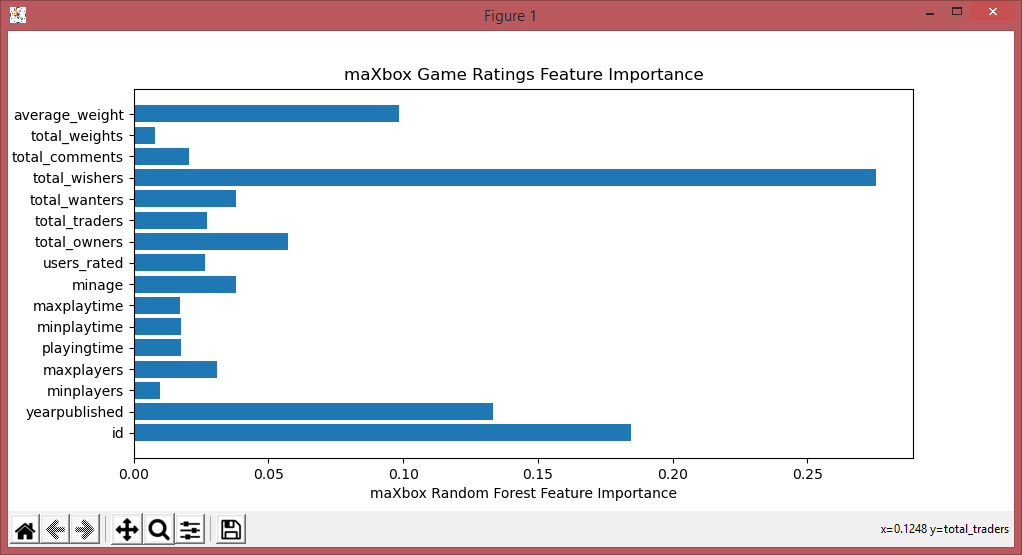
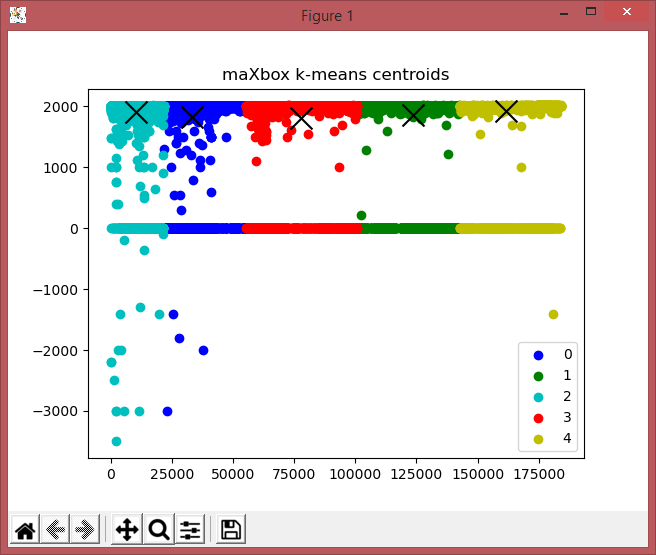
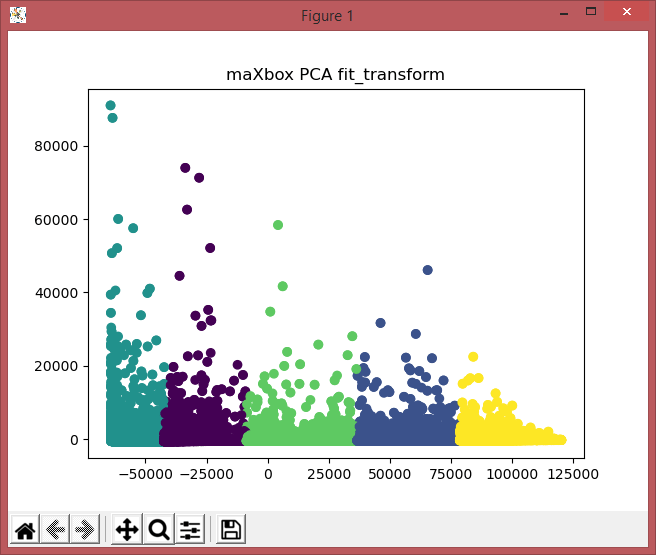















































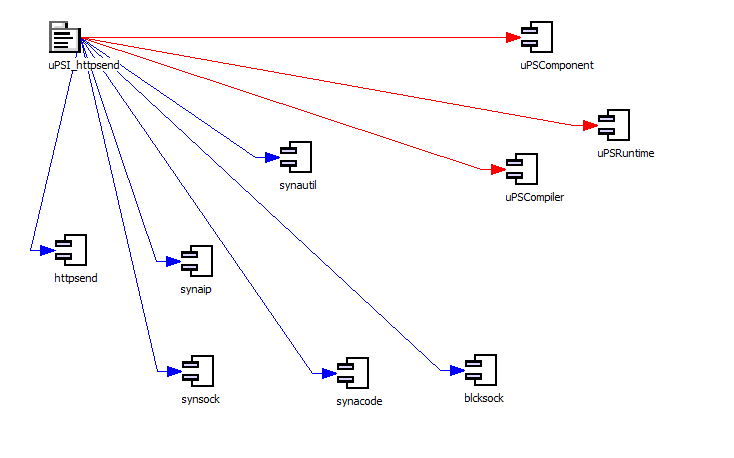
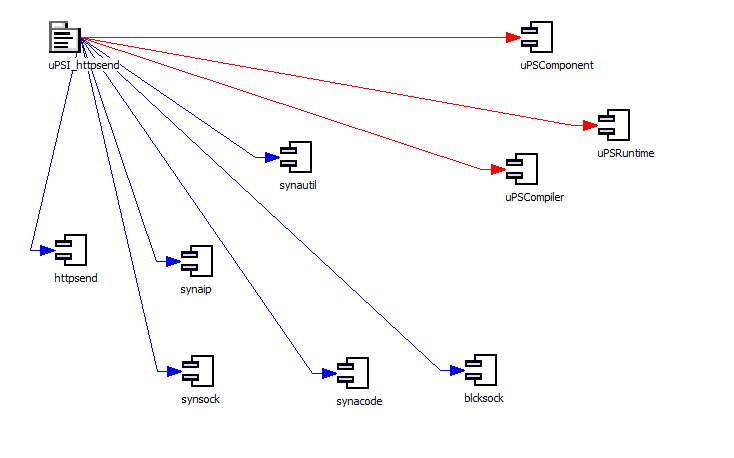
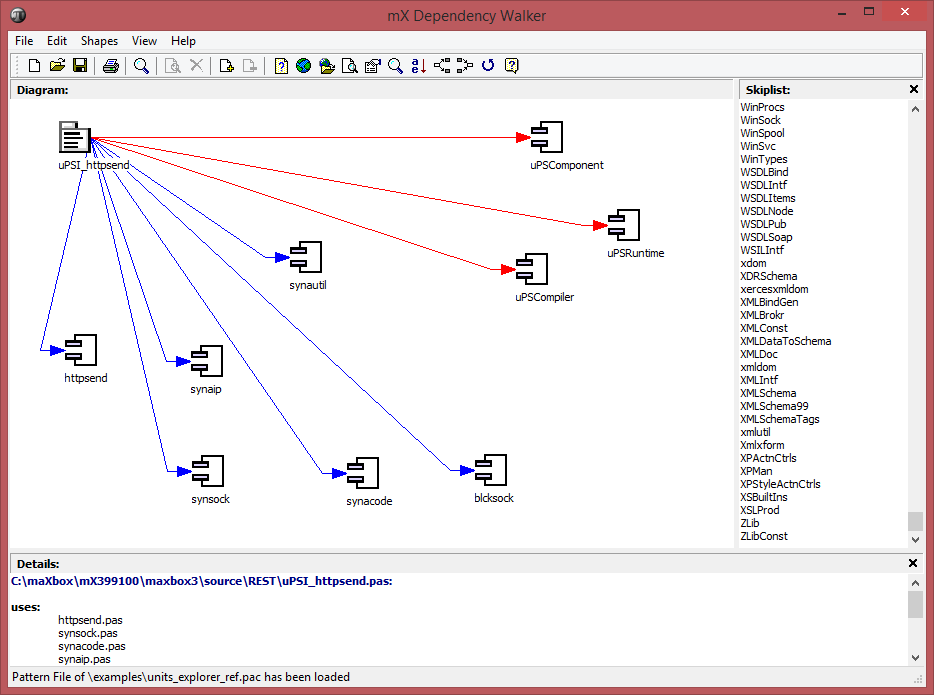








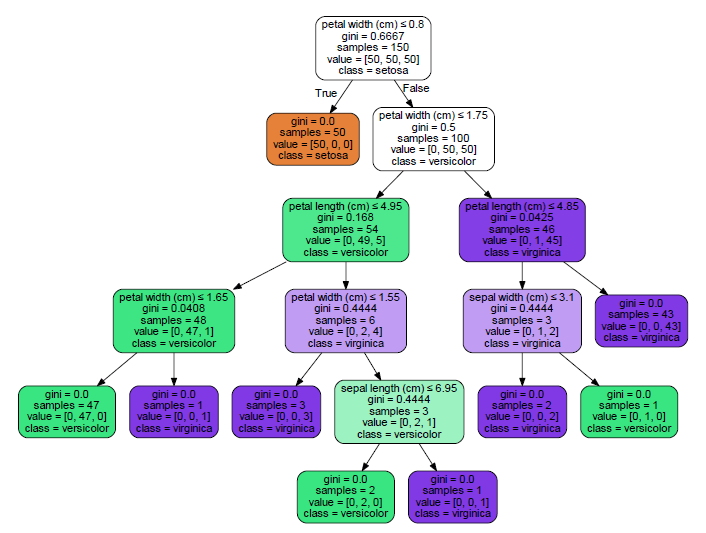
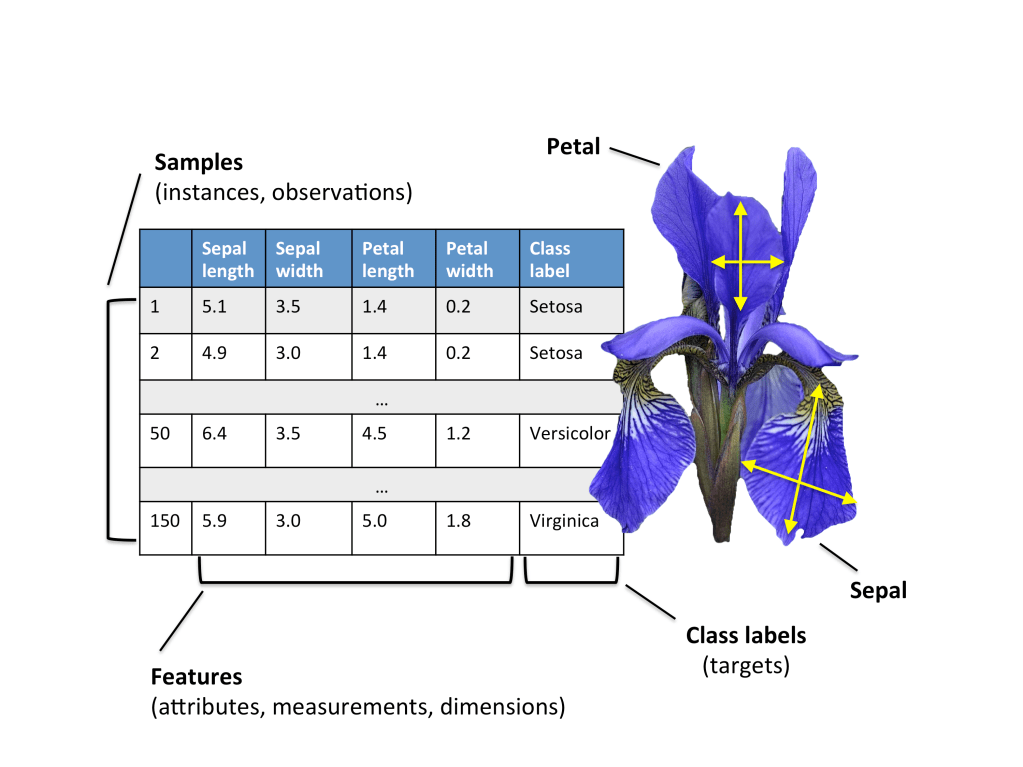






























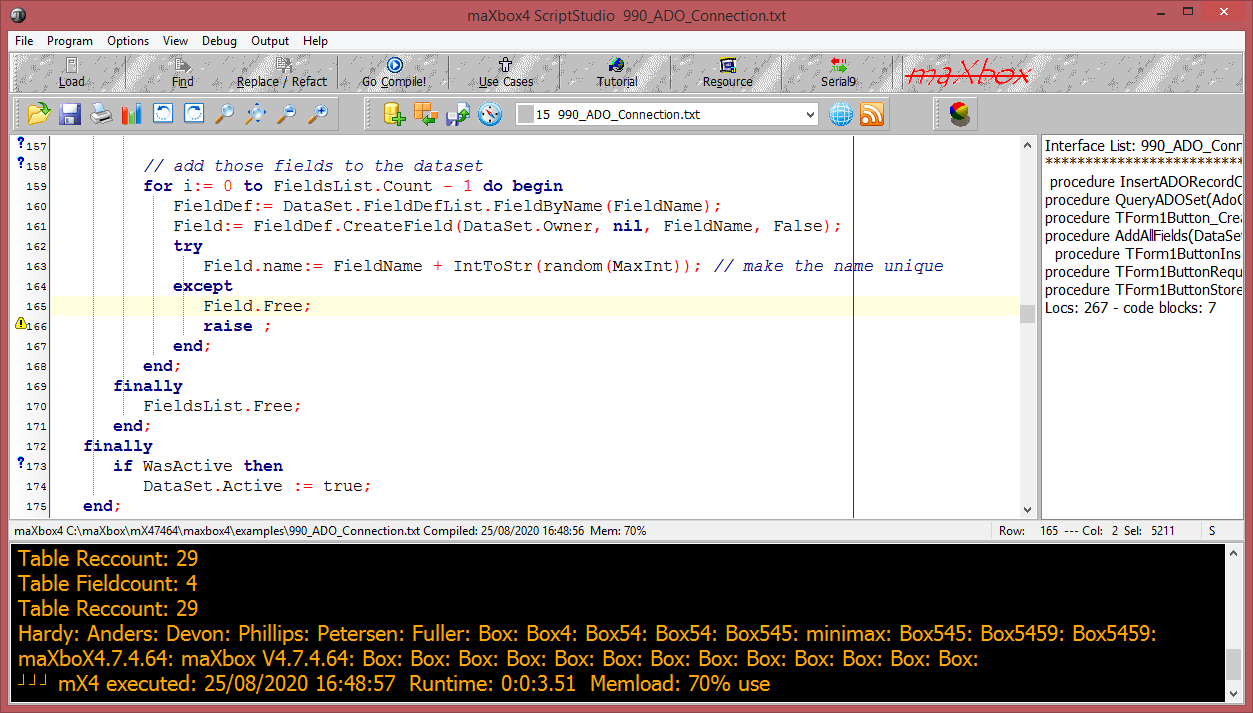
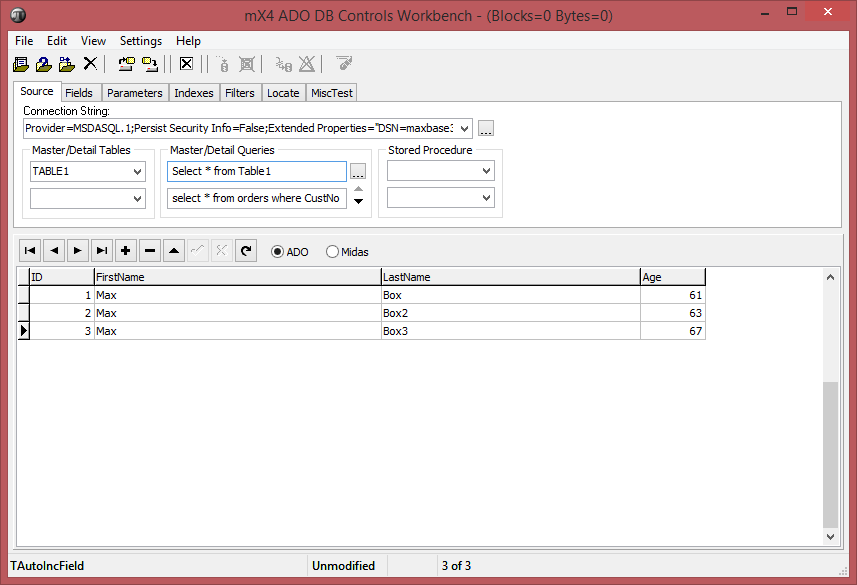


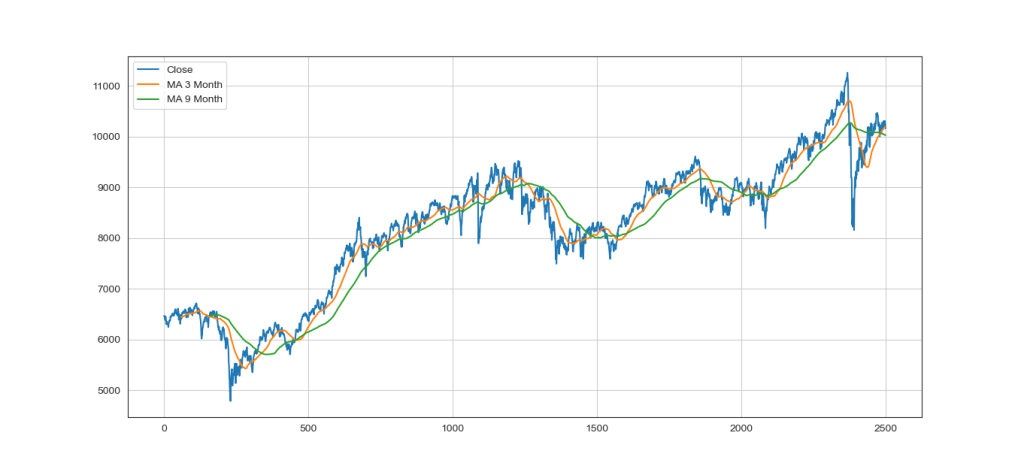

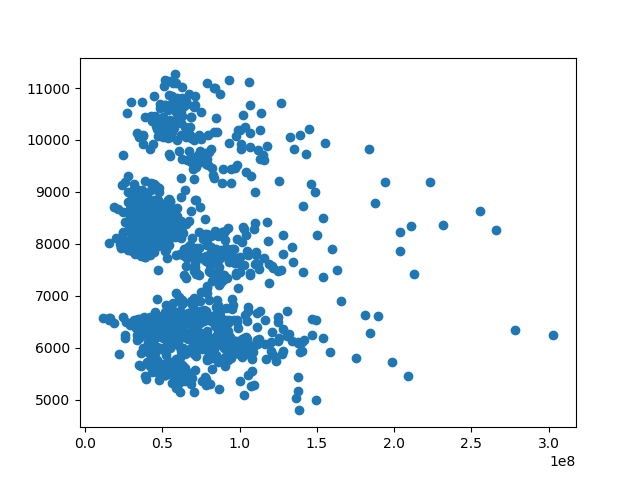
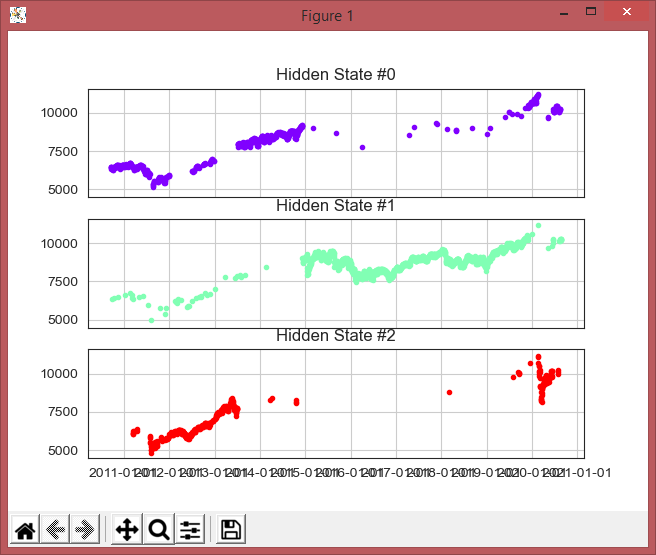
















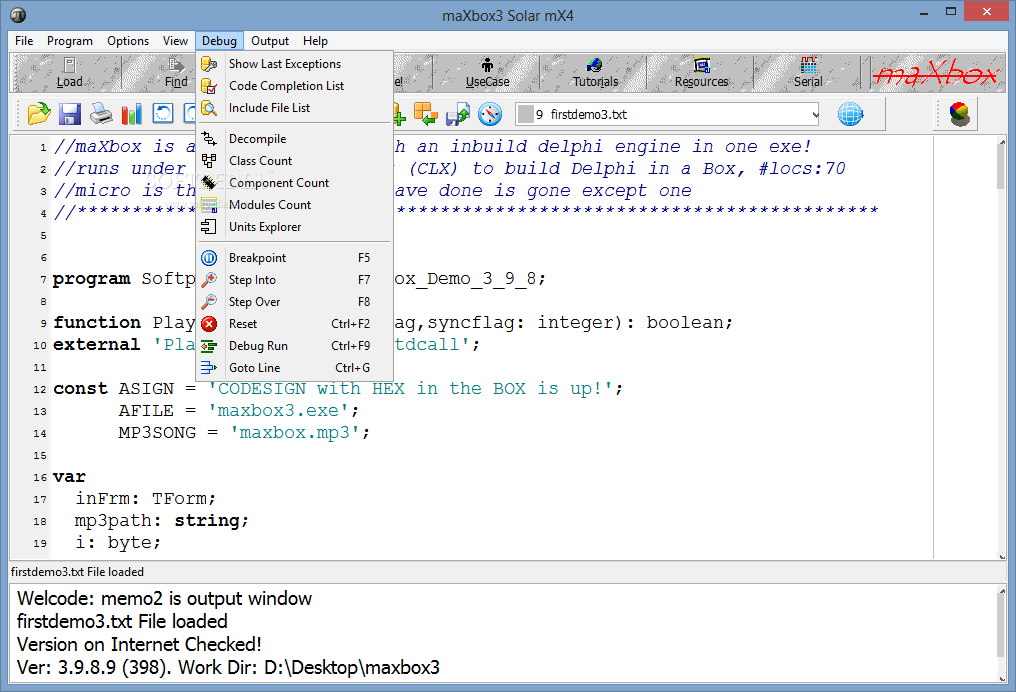








































 Breitschblog